Select a category

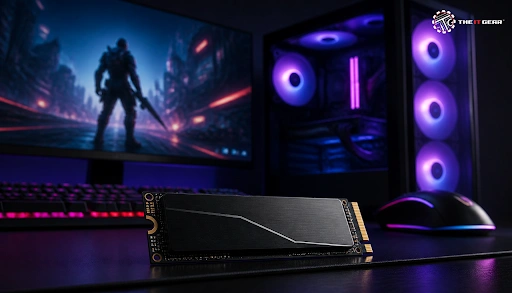
A next-gen gaming SSD can score sequential read speeds up to 7,300 MB/s - roughly 13x faster than a SATA drive, and that's a difference that can be felt directly in fast load times and streaming textures.
Yet, a lot of Indian gaming PCs are still pairing a small 1TB SSD with a 4TB HDD, even in higher-end builds, while budget builds often get slapped with 120GB or 240GB SSDs that only get filled in a few installs. With over 263,000 search results on the subject on Google, the right answer is still the same for most buyers: what really counts in an SSD for a gaming PC?
It's more than just the capacity of a gaming SSD. Your decision depends on whether the drive still impresses you two years down the line, when you've filled half of it with several 100GB+ games. These are the six specs that matter.
Get the interface, capacity, and thermals right, and you'll have most of what makes an SSD for gaming PC builds feel so reliably fast.
If gaming is what you're after, an NVMe PCIe Gen4 M.2 drive offers the best combination of performance and value. Gen5 is for higher-end boards, and SATA still makes sense provided you don't have an M.2 slot on your motherboard. And if you're planning a full gaming PC build around it, start with the platform and work backward.
Then there's the form factor. Make sure the M.2 slot on your motherboard supports both the right PCIe generation and the right length of the drive you're planning to purchase, or you're going to pay for bandwidth you will never be able to access. Our motherboard comparison guide can help you check compatibility before buying.
Capacity is the one spec most shoppers doubt, because game install sizes have outpaced the decline in drive prices.
Should I Get a 1TB or 2TB SSD for Gaming?
A 1TB drive is a logical minimum and will easily store Windows, a few large AAA games, and a handful of smaller indie titles. Upgrade to 2TB if you typically keep five or six large titles installed simultaneously, play with large mod packs, or locally record gameplay footage. The 2TB option will also keep your build set for the future, as additional drives can be added but there's no way to increase the size of your existing one.
Is a 4TB SSD Overkill for Gaming?
For a pure gaming machine, yes, 4TB is generally more than you need, and you pay a premium for that headroom. It only makes sense if you want an all-SSD setup with no mechanical drive, shoot and store video, or maintain a very large library that you refuse to re-download. Two 2TB drives often cost less than one 4TB drive and give you the same usable space.
Is an External SSD for Gaming a Good Idea?
Having an external SSD for gaming is a valid choice, but definitely as an addition to an internal disk.
When Should You Use an External SSD for Gaming?
Pick an external SSD if your laptop, console, or mini PC has no remaining internal slots; if you want a portable gaming library you can take between two systems; or if you need quick scratch storage for video capture. Get a USB 3.2 Gen2 (10Gbps) or faster enclosure, as a slow port makes a speedy drive slow. Store Windows and your primary time-pressured games on the internal NVMe, if available, to get the best loading and boot speeds.
The hybrid configuration that you find in most pre-built gaming PCs - a 1TB SSD with a 4TB hard drive - is simply the most inexpensive way to provide large storage and performance. All your OS, launchers, and most played games go on the SSD, with media, archives, and infrequently played titles spread across the HDD.
If you have the budget to do so, an all SSD build eliminates the last slow component and maintains consistent load times across all the games you own. You can also read more in our SSD vs HDD for gaming guide.
There is no single best SSD for gaming PC setups, because the right pick depends on your platform and how you play.
If the idea of comparing drives is daunting, The IT Gear sells gaming SSDs in various sizes and connectors, allowing you to simply buy a 2TB SATA version to fit your motherboard from a single store rather than three.

Choosing an SSD for a gaming PC comes down to interface, speed, capacity, and cooling, in that order. Get those four right and you will not notice the drive again for years, which is exactly what you want.
The IT Gear can help you pick a gaming SSD that fits your board and your budget, so your next upgrade is a one-time decision rather than a guessing game.
Do SSDs actually improve gaming performance?
They improve load times, level streaming, and texture pop-in rather than raw frame rates. Your average FPS stays roughly the same, but the game feels far more responsive.
Does SSD speed matter for gaming?
Yes, but with diminishing returns. Moving from a hard drive to any SSD is dramatic, while the jump from 3,500 MB/s to 7,300 MB/s is far smaller in everyday play.
Can I use a SATA SSD for gaming?
You can, and it will still beat a hard drive comfortably. Just accept slower boot and load times than an NVMe drive, and think of it as a stopgap for older hardware. If you are building around older hardware, a SATA SSD is still an easy upgrade.
How long does a gaming SSD last?
Most quality drives last well beyond five years of normal use, with endurance measured in terabytes written. Heavy install and patch cycles shorten that lifespan, so check the TBW rating. For broader storage planning, read our SSD vs HDD storage guide.
Does a heatsink really matter on a gaming SSD?
It matters most on Gen4 and Gen5 drives, which slow themselves down when they overheat. Under long gaming sessions or large file transfers, a heatsink keeps speeds steady.





#No. 9, 5th Floor, Max City Center, T. P Lane, Sadar Patrappa Road, Bengaluru - 560002 (Karnataka)