Select a category

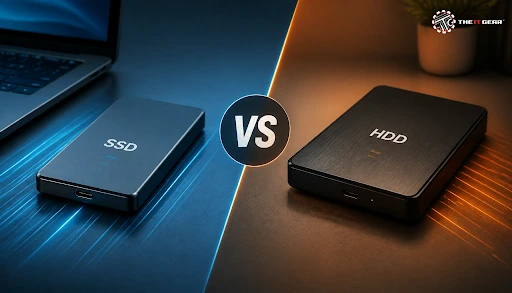
The average consumer would pay about thrice the price in USD per terabyte for an SSD compared to a regular HDD, and yet, there is no doubt that data files are transferred much faster with SSDs. They run quieter and don't have the moving parts that could get damaged over time.
This price gap is the most relevant factor determining people's buying decisions in India. Yet, underneath all that, the real question of an SSD HDD enclosure is not which one is faster, it is which one is better suited for your data storage needs and how often you are going to take it with you.
An enclosure is just a shell with a bridge controller to convert an empty internal drive into a plug-and-play USB device. Both SSD enclosures and HDD enclosures are visually the same, and their housing prices are similar. The disk you decide to fit in will determine the speed, storage capacity, durability, and the noise level.
What Is an SSD or HDD Enclosure and How Does It Work?
An enclosure consists of a caddy and a bridge chip. For 2.5-inch and 3.5-inch drives, it would be a USB-to-SATA bridge, and for M.2 sticks, a USB-to-NVMe one. Slim 2.5-inch caddies work with just one USB cable, while for 3.5-inch desktops, a separate 12V power adapter is necessary.
The protocol type has to be consistent too, for example, putting a SATA M.2 drive in an M.2 NVMe enclosure would not be possible, and even putting an M.2 device inside a 2.5-inch SATA enclosure is not supported.
SSD Enclosure vs HDD Enclosure at a Glance
1. Opt for an SSD enclosure to go for speed: It's your ideal choice if you are working extensively on video editing or dealing with regular large file transfers, and frequently carry the drive while traveling. You pay a hefty premium per terabyte, but waiting completely disappears.
2. Go for an HDD enclosure to have the maximum storage: It's the right choice mostly if you need storage space for a film library, a photo archive, or making cold backups of your data, i.e., when a higher storage capacity per terabyte at a lower cost is your real focus. A few terabytes are all that you need in one shell to still enjoy affordable storage.
3. Combine the two to achieve a hybrid setup: In India, a typical hybrid configuration combines a working SSD enclosure with an HDD enclosure for storing old files. This allows you to have the speed of an SSD while still being able to utilize HDDs for storing your bulk data economically.
Once we get this one decision correct, we're setting the bar for how well we can perform on everything else in this guide.
Even without considering enclosures, the issue is whether it's better to buy an SSD or an HDD, and the answer rests on whether the disk is working for you or merely sitting still and storing data.
Is It Better to Buy an External HDD or SSD?
Pre-packaged external SSDs lead when it comes to speed, silent operation, and shock resistance. In addition, they are really small and can easily be fitted in a pocket. The external HDD first scores higher in the cost-per-terabyte ratio, and the money can buy a higher capacity that is available in HDDs. If you carry the drive with you every day, it is better to spend on the SSD; if the drive stays on a desk and contains a number of files, then the HDD is the better option.
SSD Enclosure vs External SSD
Building your own (bare drive + an SSD enclosure) is generally cheaper per terabyte than a factory-sealed external SSD and the drive is easily replaceable/upgradable at a later date. The disadvantages are the labor, heat issues in small shells, and a warranty condition divided between the drive manufacturer and the enclosure manufacturer. In comparison, a factory-sealed external SSD is easier and more solid, at the price that you have to pay for it.
Is HDD Still Worth It in 2026?
Yes, for bulk and archive storage. Although the costs for the two have come very close, hard drives are still the cheapest solution "per terabyte" and provide data reliably for longer time frames than SSDs, which may be cheap enough, but will lose their charge over years of disuse. They are still the wrong choice for video editing, quick game loading or anything else where fast random access is required.
And this is why the HDD enclosure is still on every desk - same housing logic, different drive economics.
After determining the appropriate drive type, an enclosure that complements your workflow, your laptop, and your bag also needs to be found. These low-cost, small-size bus-powered cases offer a very good way for a laptop SSD, which had already seen some years, to be turned into a portable storage device.
2.5 SSD External Enclosure
These slim bus-powered enclosures are the cheapest way to repurpose an old laptop SSD into a portable drive. They generally accommodate both 7 mm and 9.5 mm drives and interface over USB 3.0 or newer. It is the easiest first project for anyone who has just upgraded a laptop.
SSD Enclosure Type C
A Type-C enclosure takes the guessing game out of the orientation, but the port shape alone does not guarantee speed. Find out if it is USB 3.2 Gen 1, Gen 2, or Gen 2x2, and find a cable certified to that specification. A slow cable will bottleneck even the fastest enclosure.
Is SSD Enclosure Good for Gaming?
An external SSD enclosure works just fine for "archiving" a game library and transferring games between machines, and USB 3.2 Gen 2 keeps load times bearable. It is not as good for competitive gaming or running an OS (where internal NVMe still has the advantage). Console expansion works, but only to the extent of what the console allows.
SSD Case for External Use
The term "case" is used to mean both the enclosure and the outer shell (which might be foam or plastic). If your drive lives in a bag, a padded case is hardly more expensive and keeps the port protected. It's the load on the USB connection, not the drive, that usually breaks.
Tailoring the enclosure to the use case ensures that you are not paying for speed you will never use or having to put up with slowness you never truly needed.
Apart from the drive type, four things influence whether an enclosure is solid or flaky - protocol match, cooling, connector quality, and the controller behind it.
Are SSD Enclosures Good, or Just a Gimmick?
They are a proper product, not a gimmick. The skepticism arises from poor quality shells, with feeble control circuitry that throttles under constant load. A suitably designed enclosure, with a metallic setup and a good bridge chip will deliver near the rated speed of the drive - so buy on the quality of control circuitry and reviews, rather than just the price.
Internal SSD Enclosure — What the Term Actually Means
An internal SSD enclosure is not an external enclosure, but rather an M.2 heatsink enclosure, a 2.5-to-3.5-inch mounting frame, or a drive bay adapter within a desktop. These are for mounting, cooling, or adapting a drive, not turning it into a USB device.
Compatibility, Cooling and Build Quality Checklist
1. Match the protocol: Identify which type of drive you have (SATA, M.2 SATA or M.2 NVMe) and check keying and drive height, as a drive will not be detected if this is wrong.
2. Plan for heat: NVMe drives throttle inside small aluminium shells, so ensure there is a metal body and a thermal pad. SATA drives run much cooler.
3. Check the connector and cable: USB-C vs. USB-A, and the cable rating, determine your actual top speed. Metal shells and durable ports hold up far better than plastic.
These checks prevent the enclosure budgets from becoming the bottleneck of the whole setup.

For storage drives, enclosures, and accessories, explore The IT Gear.
Q: Does an SSD enclosure need external power?
No. SSD drives, such as 2.5-inch SATA and M.2 drives in their enclosures, do not require external power since the power is provided by the USB port. It is quite the opposite for 3.5-inch desktop drives where a separate 12V adapter is required.
Q: Is RAID a backup?
No. RAID is not a backup. A RAID setup can only protect against a drive failure, but it cannot save the data from accidental deletion, ransomware, or theft. So, one must stick to the 3-2-1 principle (three copies, two types of media, one stored offsite).
Q: Can I put a 3.5-inch desktop hard drive in an enclosure?
Yes, but it would need to be a 3.5-inch enclosure. The drawback is that it will require an external power adapter and is not something you can easily carry around in your pocket.





#No. 9, 5th Floor, Max City Center, T. P Lane, Sadar Patrappa Road, Bengaluru - 560002 (Karnataka)






Looks like you haven't added anything yet. Explore our builds, components and gear.
Continue shopping