











Select a category

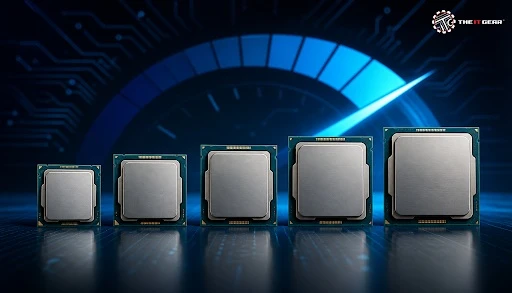
Walk into a laptop store in India right now and you'll find it surrounded by a board of stickers: Core i5, Core Ultra 7, Celeron Xeon. The Indian PC market has been in a bull run – where millions of laptops and desktops are shipped each year, with almost every one of them powered by an Intel chip.
Still, in a market where most buyers can't distinguish a Core I from a Celeron, or a Quantum from a Core Ultra, almost all of them overpay for power they will never be able to use or buy a chip that can't get through their daily grind. Here's a quick explainer on all types of Intel processors out there, what these names actually mean, and how those speeds compare.
First, Intel doesn't sell one processor. It makes several families of processors, each designed for a different type of user. Family-wise, there are three categories: consumer chips (Celeron Pentium Core i3 through i9, and Core Ultra), low-power chips (Atom), and professional, server-class chips (Xeon).
All of these families are based on the same core architecture — the x86, because of this the ability to run the same Windows or Linux software across the range — but they vary widely in cores, cache memory, and power consumption. Before you start comparing intel processor types and speeds, you need to understand this family tree.
1. Entry-level chips — Celeron and Pentium are the budget CPU ranges from Intel, for browsing the internet, editing documents and playing a video. They are inexpensive, but don't perform well for heavy multitasking, which is why you'll mainly see them in cheap laptops.
2. Popular Core chips — Core i3, i5, i7, and i9 are the most popular chips in Intel's Core ladder. The i3 is optimized for entry-level workloads, the i5 brings the best bang for the buck, the i7 is aimed at demanding consumers, and the i9 is for top of the line enthusiasts and creators.
3. Core Ultra — Intel's latest consumer branding introduced alongside the Meteor Lake generation that includes an NPU for AI workloads and improved power efficiency. It is slowly phasing out classic Core labels on newer laptops.
4. Atom and Xeon — Atom is used for low-power/embedded devices whereas Xeon are used in servers and workstations where reliability and large core counts are more important than portability.
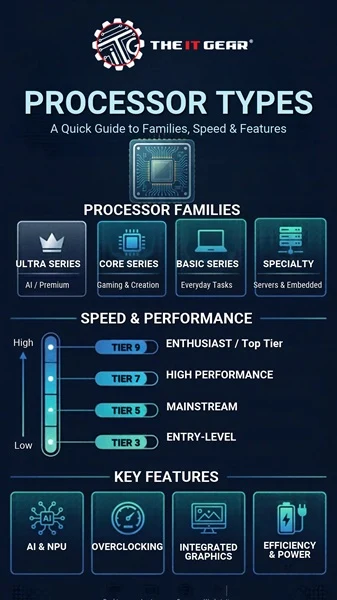
Here is a full breakdown of every big family. These days, Intel has scuttled a few of its old names: the Pentium and the Celeron are no longer used, the latter replaced by the "Intel Processor" trademark for cheap laptops, but both names will be visible on retail sites in India. Shopping from a trusted seller like The IT Gear means you can always confirm what generation of a laptop or desktop you're purchasing.
1. Intel Processor (low-end brand) — Following Pentium and Celeron in entry-level notebooks; appropriate for browsing the net and doing light business.
2. Core i3 – The lowest tier of Core with the fewest cores and slowest clock speed, for students and home use.
3. Core i5 — The allrounder, great value for money for everyday office work, streaming, and light gaming.
4. Core i7 — More cores and cache for content creation, programming, and heavier multitasking.
5. Core i9 — The pinnacle of the traditional Core lineup designed for gaming, 3D rendering, and professional use.
6. Core Ultra 5, 7, and 9 — The latest of the generation with a dedicated AI accelerator, improved battery life, and a new naming scheme.
7. Intel Xeon — High core count processors for servers and workstations with ECC memory support.
8. Intel Atom – Power-saving processors for embedded, thin clients and entry-level products.
Clock speed, expressed in GHz, indicates how many cycles a processor completes each second, but it represents only one aspect of performance. Modern Intel processors adjust their speed dynamically: for example, a Core i5 may run at 2.5 GHz when idle and boost up to 4.5 GHz under heavy load.
Higher-end models typically include more cache memory—the ultra-fast storage that holds data the CPU will need next—which is a crucial factor distinguishing different tiers. This explains why two processors with similar clock speeds can have much different real-world performance.
The truth is it depends on how much you work: this is one of the most confusing areas of intel processor types and speeds. The more cores, the better: video editing, 3D rendering, virtual machines and anything else that can be divided into parallel work streams will take advantage of them.
But single core clock speed still wins for sequential work, like gaming and web browsing and most other common software. For most home and office Indian buyers, a current Core i5 or a Core Ultra 5 is a good compromise.
The names are confusing, sure — but Intel's line-up makes perfect sense. Every tier, every generation, every core number, every clock speed, and every ranking makes perfect sense once you have the system down. Find the type of Intel processor you want for your next genuine Intel laptop or desktop at The IT Gear with our reliable after-sales support.
What are the different generations of Intel CPUs?
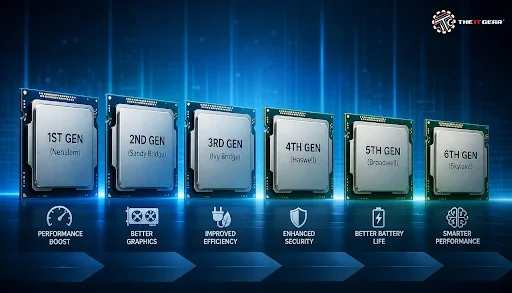
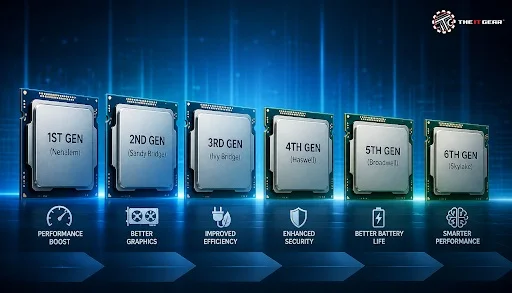
Intel updates a new Core generation about once a year, and a model number can tell you how many generations old a chip is (13th-gen or 14th-gen i5 or i7, for example). A newer generation can have new cores and features and more-efficient cores and architecture improvements, so a current i5 can beat an older i7. Core Ultra is the current naming convention.
What are the two main types of CPUs in computers?
Devices are generally divided into use cases: consumer chips (such as Intel's Core, Core Ultra, and modestly-priced Intel Processor brand) for home and business computers, and professional or server chips (Xeon) for data centres and workstations. Each has PC offerings optimized to performance with desktop variants and battery with laptop variants.
Which Intel processor is the fastest?
Because it depends on the benchmark and workload. Consumer PCs have a top-end Core i9 and Core Ultra 9, then there's the Xeon for the multi-threaded server performance. Real-world performance is affected by clock speed, core count, cache, and power limits, so always check the benchmark for your use case.





#No. 9, 5th Floor, Max City Center, T. P Lane, Sadar Patrappa Road, Bengaluru - 560002 (Karnataka)






Looks like you haven't added anything yet. Explore our builds, components and gear.
Continue shopping