













Select a category

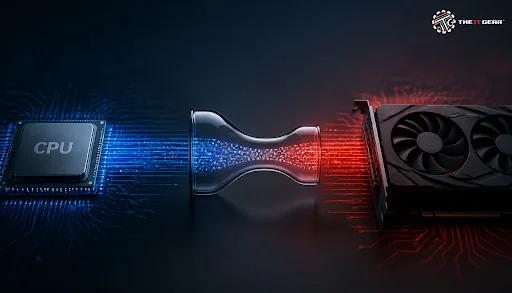
A CPU bottleneck can leave your costly graphics card only using a fraction of its power. In gaming computers, this mismatch silently leaves your money on the table. Learn what causes CPU bottlenecks, how they compare to GPU bottlenecks, and how to fix them so that you get the performance you paid for.
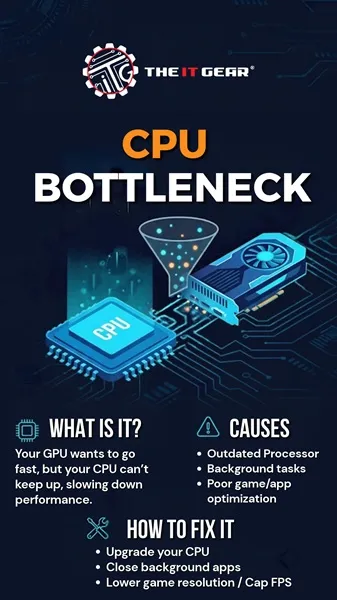
A CPU bottleneck happens when the processor cannot keep pace with the workload. More precisely, it fails to send draw calls, game logic, and physics data to the GPU quickly enough, causing the graphics card to remain idle. Windows Report explains it clearly: "CPU bottlenecking GPU means the CPU can't handle the GPU's demand, resulting in the GPU being underutilized." Simply put, the CPU becomes the bottleneck, and the GPU's capabilities are not fully used. This explains why having a powerful GPU does not always lead to higher FPS.
That phrase applies both ways.
They both have to do with one part holding the other back.
These are inverted states. For any game or scene there is only really one limiting factor. Forum consensus gives a useful diagnostic:
Yes, that is a good GPU bound state. It means the GPU is running at its full extent and you are squeezing as much out of your most expensive part. In most cases, you want the GPU to be the bottleneck when gaming.
No. 90% GPU usage is common and harmless. Might be caused by a frame rate cap, V-SYNC or even a soft CPU bottleneck. It just indicates that a GPU isn't being maximized out, although this is not an issue.
Software and hardware can cause it.
And it is always: the CPU cannot deliver to the GPU fast enough.
Follow these steps:
1. Figure out the bottleneck. Use Task Manager or MSI Afterburner to check CPU and GPU usage when gaming.
2. Turn down CPU heavy options. Reduce crowd density, draw distance, physics, and close apps running in the background.
3. Update games and drivers. CPUs issues are often patched in game updates.
4. Upgrade your CPU. Once the bottleneck is this bad, the most effective solution is to upgrade to a more recent CPU (and potentially, motherboard).
5. Combine parts appropriately. When building a gaming PC or buying a prebuilt system, try to match the CPU tier to the GPU tier. The IT Gear has you covered with gaming PCs and components.
A 20% bottleneck is typically considered acceptable. Every PC experiences some level of bottleneck, and a small percentage like this is usually negligible. Bottleneck calculators provide approximate estimates, but actual performance varies according to the game and its settings. Rather than worrying about minor percentages, concentrate on whether your system delivers the performance you require.
Your GPU is a high-performance piece of technology, capable of doing much more than you'll often get out of it. You can eliminate CPU bottlenecks and maximise your gaming PC – here's what you need to know. For high-end gear and consulting, visit The IT Gear.
Q: Is CPU bottleneck harmful to my PC?
A: No, this will not break hardware, it simply limits performance.
Q: How do I know if my CPU is bottlenecking my GPU?
A: If your GPU is below 90% while playing and your CPU is high, you probably have a CPU bottleneck.
Q: Can I fix a GPU bottleneck?
A: Yes, mostly. You can usually fix a GPU bottleneck by turning down settings, but for a CPU bottleneck, you will need a better CPU.





#No. 9, 5th Floor, Max City Center, T. P Lane, Sadar Patrappa Road, Bengaluru - 560002 (Karnataka)






Looks like you haven't added anything yet. Explore our builds, components and gear.
Continue shopping