









Select a category

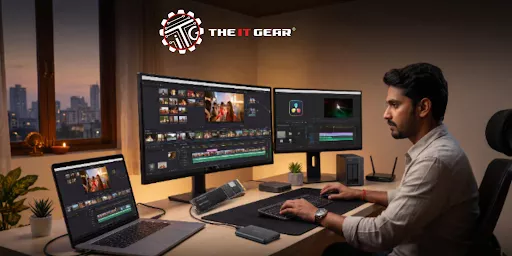
Video editing can be heavy on your storage requirements and, mainly for Indian creators working with high-resolution footage from cameras like the Sony FX3 or Canon R5, the last thing you want is to run out of storage space or spend time with slow data transfer speeds because it hampers your productivity.
An hour of 4K video can quite easily take up 50GB to 100GB of storage. So, if you are a freelance YouTuber based in Mumbai or a production house in Delhi, having the right storage for video editing is not a luxury anymore but an essential to have a smooth and efficient workflow.
The ideal storage for video editing is not just a single device but a carefully designed, multi-tiered system that balances speed, capacity, and safety. Most Indian video editors' best setup will be a combination of a fast internal NVMe SSD which they will use as operating system and working projects drive, a large external hard drive for video editing archives, and a cloud or secondary backup for data security. This way their editing software will always be able to run without delays while their projects will be kept safe, intact, and ready for retrieval.
Why a Single Hard Drive May Not Suffice for Video Editing?
It is a very common mistake to rely on just one external hard drive for video editing that leads to workflow bottlenecks and also loss of data. Modern video files, mostly those in 4K and RAW formats, need transfer rates (data rates) that regular hard drives may not be able to deliver. Also, having a single point of failure means that you put all your projects at risk. A video editing professional setup separates your content by different storage units per their function.
What Role Does the Internal NVMe SSD Play?
When it comes to the top of the range, an internal NVMe SSD is the winner. Drives like Samsung 990 PRO and Crucial T500 come with read speeds over 7,000 MB/s and hence, are very suitable for your OS, program, and active projects.
Indian editors who are using 4K timelines with DaVinci Resolve and Premiere Pro are well aware that this is the component that is going to give you smooth playback and prevent frame drops. It is best if you have at least 1TB for your main editor drive.
What About a Video Editing External Hard Drive?
If the reason that you want an external hard drive for video editing is for holding your past projects, raw footage, and backup copies then it is best you go to a high storage capacity one. Even though such drives are not fast enough to be used as the active drive for 4K footage, a 4TB or 8TB HDD can be extremely inexpensive for your archive needs. Choose the drives that come from well-known brands and have USB 3.0 or higher interface.
Your "best" storage depends on how your specific workflow looks like. Below you will find the main storage options that Indian video editors have:
Can a 1TB SSD Handle 4K Video Editing?
Technically yes, a 1TB SSD is already the minimum required for a drive on which you will be editing 4K video. Just one hour of H.264 4K video could be taking between 50GB and 100GB of space. So, a 1TB drive should allow you quite a bit of wiggle room as far as your operating system and editing software are concerned. However, if you are working with ProRes or RAW files, this will be working very efficiently but perhaps you will be running out of capacity and will find a 2TB drive to be the better option.
Should You Go for 32GB or 64GB of RAM for Video Editing?
RAM is closely related to performance. Most video editors will find 32GB of RAM an ideal quantity allowing you to edit different types of video files, work with longer videos, and still be able to run multiple programs like AfterEffects. If you are working with 8K footage, VFX heavy projects, and complex color grading, 64GB will ensure that your system does not need to swap memory using slower storage.
A NAS (Network Attached Storage) such as the Synology DiskStation is a real game-changer for a big or a growing team of editors. It keeps you away from the clutter of scattered hard drives to a single, centralized storage pool. Such situations propose a NAS-based collaborative workflow where multiple editors can simultaneously access archival and raw footage over the network. Besides streamlined collaboration, it offers support for various RAID configurations for your data redundancy.
Setting up your data storage without a backup plan is like swimming without a life jacket and hoping for the best. The "3-2-1" rule is the most well-accepted method: keep 3 copies of your data, on 2 different types of media (e.g., internal SSD and external HDD), with 1 copy being at an off-site location (e.g., in the cloud or your friend's house). In fact, an Uninterruptible Power Supply (UPS) is considered a necessity in India to protect your NAS and hard drives from power cuts.
Uncomplicate your next project with this storage workflow checklist:

Investing in the best storage for video editing can improve your workflow quite a bit, and keep your data safe. If you just rely on a single hard drive and go for an NVMe SSD only for speed while a large HDD only for capacity, it will be difficult for you when editing 4K and 8K footage. However, you will be able to make your workflow efficient and powerful with the combination of these two storage types.
For Indian content creators who are planning to start or upgrade their studios, The IT Gear is an online store that features an extensive collection of storage devices from the best manufacturers in the world including internal SSDs for blazing-fast performance and external hard drives and NAS systems which have been well-tested for reliability, so you are certain to be able to meet your creative requirements with their products.
Can I use cloud storage for video editing?
Cloud storage works well if you want to back up your files and share them with other people. Besides, if you want to edit files located on the cloud, you will need an extremely fast and stable internet connection because the transfer speed you get would be the max speed at which you can work on the files. And this is something that unfortunately is not easily available almost anywhere in India. That means the best use of cloud here would be backup and/or delivery purposes.
How does a DAS differ from a NAS for video editing?
DAS (Direct Attached Storage) is storage connected directly to the user's one computer only, usually via Thunderbolt or USB, and is ideal for one user. NAS (Network Attached Storage) but connects to the network, and different users can have access to the files at the same time, which is obviously better for teams.
What is the best storage setup for a freelance video editor?
The best for a freelance editor would be a 1TB internal NVMe SSD to install the OS and store the active projects and a 4TB external HDD to keep the old work. It is also good to have a second external drive or cloud services as backup options.





#No. 9, 5th Floor, Max City Center, T. P Lane, Sadar Patrappa Road, Bengaluru - 560002 (Karnataka)