Select a category

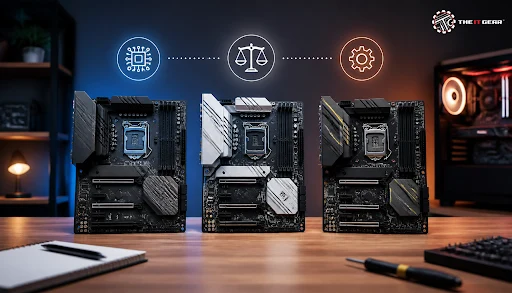
Choosing a motherboard has always been the most confusing part for any PC builder. Though easily overlooked, you can actually get much more from the motherboard when it comes to compatibility than anything else. For example, the motherboard dictates whether you can install a specific processor, what amount of RAM will your system support, and whether you can handle future upgrades.
Retail markets around the world are flooded with countless motherboard models, so it's really important that you know how to compare mainboard features. This motherboard comparison article is going to outline exactly what features to look for when comparing different motherboard options.
A motherboard comparison is mainly a compatibility check rather than a performance assessment. The motherboard is not a component that can directly increase the frame rates of a GPU or CPU. Yet, the motherboard indirectly allows for the combination of certain hardware to work together and even dictates, to an extent, the degree of overclocking and storage expansion that you can achieve.
1. CPU Socket Compatibility
The socket is how a processor physically connects to the motherboard. Intel used LGA 1700 sockets for their 12th to 14th Gen processors, while using LGA 1851 for Core Ultra 200S processors. Meanwhile, AMD's AM5 socket supports their Ryzen 7000 and 9000 series. As you already know, your motherboard must provide the same socket type that supports the processor to make a valid motherboard-CPU combination, so this is the first filter you should consider for motherboard comparison.
2. Chipset Tier
Sockets serve to physically attach the processor to the motherboard via the board's socket. Intel is currently employing the LGA 1700 socket for 12th to 14th Gen products as a single solution and also uses the LGA 1851 one for the Core Ultra 200S, while AMD works with the AM5 socket for the Ryzen 7000 and 9000 series. One of the main factors here is that without a matching socket, the CPU can't get installed physically, which means this is a primary feature to look out for in comparing motherboards.
3. Form Factor
There are four standard motherboard sizes: E-ATX, ATX, Micro-ATX, and Mini-ITX. Gaming towers usually feature ATX because it allows four RAM slots and several PCIe ones. Micro-ATX gives almost the same features just on a smaller PCB. Mini-ITX motherboards work well for small form factor cases, as they're engineered to be so compact, it generally comes with a higher price tag for the same chipset grade.
4. Memory Support
Most modern boards mainly have DDR5, while a few budget Intel boards still use DDR4 slots. DDR5 has higher bandwidth and even quicker speeds above 6000 MT/s. Yet, one of the disadvantages is that you cannot have DDR4 and DDR5 memory cards on the same board due to different slot keys having different shapes. Besides this, make sure you check the maximum supported capacity and also, the board has to support either EXPO or XMP profiles to allow easy OC through one-click. If you're unsure about the differences, read our detailed guide on DDR5 vs DDR4 RAM to understand which is right for your build.
5. Power Delivery / VRM Quality
The VRM circuit of the motherboard is responsible for supplying the necessary voltage to the processor (CPU). The performance stability of the motherboard when the CPU is heavily loaded largely depends on the number of VRM phases. A 12+2 phase circuit would power high-performance processors such as AMD Ryzen 9 or Intel Core i9 without any problem. Yet, a poor VRM even with a moderate gaming chip could cause throttling. Always keep in mind that it's your CPU class that determines what level of VRM you need and not the most expensive board.
6. Storage and Expansion Slots
The number of M.2 NVMe slots, SATA ports, and PCIe x16 bus lanes available on the motherboard are very significant for decision-making. The premium class boards are already equipped with the latest PCIe 5.0 standards for GPUs and the next generation of SSDs, but mid-range products are only offering PCIe 4.0 which still gives a nice performance boost. These details define how many storage drives and graphics cards you will be able to install in your system. Check out our guide on gaming PC storage in 2026 to understand your capacity requirements.
7. Connectivity and Rear I/O
The variety and speed of rear panel ports define whether you are getting a high-end board or a low-cost one. For starters, a motherboard with USB Type-C ports that can deliver 10Gbps or 20Gbps transfer rates is pretty standard, but other features like a 2.5Gb Ethernet, Wi-Fi 6, and Wi-Fi 7 compatibility are also desirable. A decent-quality (preferably audiophile-grade) audio codec is a plus. A feature like a flash BIOS button and a BIOS debug LED onboard will be a big relief while troubleshooting hardware issues.
Always filter boards based on the same socket and chipset while evaluating mainboards. Then, evaluate the rest of the shortlisted boards mainly on the physical aspects (board features) and connectivity possibilities.
Selecting the perfect motherboard for your PC is much more than checking if a particular CPU fits the slot. Several aspects require careful evaluation during a computer motherboard comparison, because these features will directly affect your hardware usability in real life, how easy it will be to upgrade the system, and how long the machine will stay stable.
CPU Socket/Chipset Compatibility
Your motherboard comparison is mainly driven by the combination of chipset and socket. Intel CPUs need to be installed in an LGA socket, whereas an AMD Ryzen motherboard uses an AM5 socket, and B650 or Z890 (chipsets) determine whether or not you can overclock and how few PCIe lane connections are available through your motherboard.
A manufacturer will provide you the list of supported CPUs (CPU support list) or qualified vendors list (QVL) with each PCB motherboard. It will save you lots of grief if you check whether your processor is included in the list before going ahead with a purchase decision. For a deeper dive into how chipsets affect performance, read our article on understanding CPU specifications.
RAM Capacity and Speed Support
A motherboard memory limit is the third most critical specification to be taken into account alongside processor socket/socket. The motherboard memory specification will say something like DDR5-6000, or DDR5-7200 with the total memory as 128GB or 192GB.
The memory limit and speed is mainly a function of how compatible your RAM modules are with the board, but that's only half the story. An essential role is played by the BIOS version, since an older firmware might be unable to detect faster DDR5 sticks. Memory overclocking profiles can easily be applied via EXPO (on AMD systems) and XMP (on Intel systems). Learn more about RAM speed and how to choose the right frequencies.
Storage and GPU Expansion Features
Storage needs vary from user to user much. Generally speaking, a game installation will take up one more M.2 slot for a fast SSD and also a PCIe 5.0 x16 slot for a graphics card. But, if you are involved with video or movie making, you can expect the requirement for a lot of M.2 slots, more SATA ports, and a Thunderbolt 4 port as well to be a good possibility.
Always take it into account how hardware needs may go beyond your present capabilities in choosing a motherboard so that you are not tempted to opt for a low-priced one that might lack enough expansion for your later upgrade.
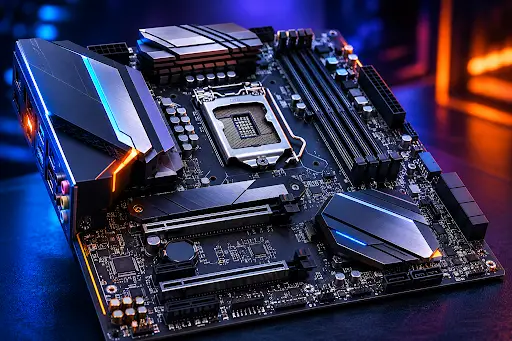
It's quite an easy task to find the perfect motherboard for you when you take it step-by-step and follow an effective elimination procedure. Your point of departure should be your chosen processor and through all the relevant stages that you need to go through to find the most suitable motherboard finally the right board will be found.
1. Start by choosing your CPU: First, decide between Intel and AMD, the processors that correspond to your budget and the level of performance you wish for. Remember, your selection of the chipset and socket will then depend solely on that main chip choice i.e. motherboard.
2. Lock the socket and chipset tier: Once you've identified what sort of CPU you need, go ahead and decide on what kind of chipset you will need. Whether you are going for extreme performance features like overclocking, the higher bandwidth PCIe 5.0, or perhaps a wide variety of USB connections is dependent on the level of your needs and because of this, choose the right kind of chipset.
3. Measure the dimensions of your PC cabinet: You should make sure that the cabinet of your PC supports the sizes of the motherboard namely ATX, Micro-ATX, or Mini-ITX since here, the physical size is something you cannot negotiate. Browse through our collection of mid-tower cabinets or full-tower cabinets to find a compatible case.
4. Determine your RAM requirement: Further, you should get clear about the kind of RAM that you require. If there is a need for DDR4 or DDR5 memory then go ahead and confirm that also. Finally, check with the speed of the maximum memory supported by the motherboard. Our guide on how much RAM you need for gaming can help you decide.
5. Get ready with a list of expansion needs: Count your GPUs, NVMe SSDs, plus any extra PCIe cards you may possess like capture cards or Wi-Fi adapters.
6. Fix your budget: Allocate about 10 to 20 percent of your total build cost to a motherboard so that you can still have a quality board after buying other components.
7. Run a compatibility check: It's also very important to double-check the system compatibility at this stage - for instance, using tools like PCPartPicker online that allows you to check out only the motherboards you can use with your socket, form factor, and price range before getting down with any decision.
In the motherboard market, there are mainly three major brands controlling the market, and the fourth has been producing very good value alternatives. ASUS is the leader in this field and its top segment products are ROG Strix and TUF Gaming series, which have amazing BIOS interfaces and are backed by powerful delivering of power.
The MSI brand is a great choice for mid-range gaming setups as it offers the MEG, MPG, and MAG lineups with excellent VRM designs and fair prices. Gigabyte's Aorus series usually offers more USB ports and additional features without an increase in price. ASRock would be the perfect budget builder's companion if you're a mainstream builder.
Gaming-specific motherboards place their attention solely on a few key aspects that are completely different from regular productivity builds.
To start with, VRM quality is one of those as gaming workloads cause a sudden surge in power draw, a board with 12+2 phases tends to prevent overheating and because of this throttling of CPUs after long gaming sessions.
Secondly, loading speed of storage drives influences game load times, because of this at minimum, one PCIe 4.0 or PCIe 5.0 M.2 slot is recommended nowadays for modern games. Pair your motherboard with a fast NVMe SSD like the Samsung 990 Pro to get the most out of your gaming rig.
Lastly, online gamers should be concerned about network connectivity, having a 2.5GbE LAN port or a Wi-Fi 6E module means low latency can be maintained without any extra adapters. And, while shopping for a mainboard for a PC with focus on gaming, you must also look up the audio codec as a high-end codec like Realtek ALC4080 would output a greatly enhanced audio quality over headphones priced above 10,000. If you're building a complete gaming setup, check out our guide on the best gaming PCs and components in India.
Motherboard comparison in India goes beyond just the technical aspects for a motherboard as an item because local taxes like GST and import duties mean motherboard prices there are a little bit higher than those available in countries like the United States or United Kingdom. So you should look at the prices available on Amazon India, MDComputers, or Vedant Computers as a local source before comparing.
Another thing to be aware of for motherboard comparison is after-sales service. ASUS, MSI, Gigabyte, and ASRock all have service centers in Indian cities, but how quickly they attend will be determined by how well your city is supported. So, you would want to ensure if there are any service centers in your area that are authorized to service these brands. Shopping locally guarantees getting genuine products with valid Indian warranty which imports from the grey market cannot assure of. At The IT Gear, you get genuine products with proper warranty coverage and reliable after-sales support.
The last point to highlight is that one's motherboard selection does play an enormous part since it defines which PC one uses and one's budget, as motherboard choice is often a trade-off between performance, price, and features. For a complete understanding of how motherboards fit into the bigger picture, read our guide on PC parts and components.





#No. 9, 5th Floor, Max City Center, T. P Lane, Sadar Patrappa Road, Bengaluru - 560002 (Karnataka)






Looks like you haven't added anything yet. Explore our builds, components and gear.
Continue shopping