Select a category

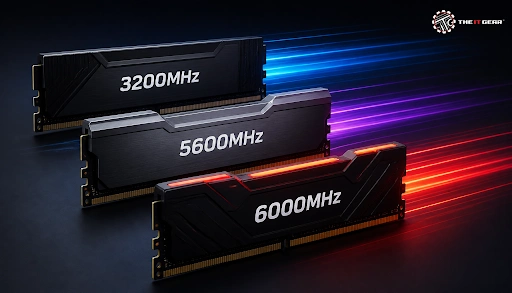
When shopping for memory RAM on an online marketplace, you'd see the specs like 3200MHz, 5600MHz, or 6000MHz on the products. As the RAM speed has different values, it would not be strange that for most Indian PC builders, these figures create more confusion than clarity. While 3200MHz DDR4 remains the sweet spot for budget and mid-range builds, 6000MHz has emerged as the recommended speed for DDR5 platforms.
Understanding what these numbers mean prevents you from overspending while ensuring you don't leave free performance on the table. In this guide, we break down RAM speeds, compare key frequencies, and help you pick the perfect kit for your budget and workload.
RAM speed, also known as RAM frequency, measures the number of data transfer cycles per second of a memory module and it is counted in MHz (megahertz). For example, a 3200MHz kit can execute approximately 3.2 billion transfer cycles every second, in which the memory can either read or write a piece of data through each cycle.
In layman's terms, a higher frequency means the RAM could handle data even faster, delivering data to your CPU with minimal delay. However, RAM speed is only one half of the equation—RAM latency (represented by the CL figures) is also a factor which measures how many clock cycles the memory takes to respond to a request.
To illustrate, a 3200MHz DDR4 kit with CL16 is better at producing real-world results than a similar-speed DDR4 kit with poor CL. When choosing memory, you should always balance both frequency and latency rather than simply chasing the highest MHz number.
MT/s vs. MHz RAM: Which One Is Better?
A common debate among PC builders is whether a higher MHz or a faster MT/s rating is better. The distinction is straightforward: MHz (megahertz) measures the internal clock frequency of the RAM, representing the number of clock cycles completed per second.
In contrast, MT/s (mega-transfers per second) measures the actual rate of data transfers taking place. This is mainly down to the fact that DDR (Double Data Rate) memory transfers data twice per clock cycle—a RAM module running at an actual clock speed of 3200MHz in essence actually carries about 6400 MT/s.
To add to that confusion, a number of manufacturers market the product in MHz even when they are effectively talking about MT/s only.
When comparing memory performance, MT/s is the metric that truly counts because it reflects real data throughput. Whether you see a kit labeled as DDR4-3200 or PC4-25600 on e-commerce sites, both describe the exact same 3200 MT/s effective data rate.
There's a speed hierarchy that each memory generation has, and getting them mixed up might cause major incompatibility issues. DDR4 begins at 2133MHz and gradually goes up to 3600MHz as consumer products.
Among them, 3200MHz has the best cost and performance combination. Whereas, for DDR5, the base speed is 4800MHz and the high-end models go beyond 8000MHz but the average user may prefer the range 5600MHz ~ 6000MHz. Please check this frequency chart to figure out which frequency level different standard speeds come to:
6000MHz is the best choice for most gamers at the moment. DDR5 RAM speed at 6000MHz syncs perfectly with the memory controllers on AMD Ryzen 7000 and 9000 series CPUs when using an EXPO profile. It is equally recommended for Intel platforms, as stepping up to 6400MHz yields negligible real-world gains unless the price difference is very small.
However, if you are on a very tight budget, 5600MHz still has quite good performance and is often significantly cheaper in India. Avoid paying huge premiums for 7200MHz or faster modules unless you are running memory-sensitive workloads like heavy rendering or scientific simulations.
Is Higher MHz RAM Better for Gaming?
Higher RAM speed can improve gaming performance, but the effect is not uniform across every title or CPU. Games that depend heavily on memory bandwidth, such as Counter-Strike 2 or Hitman 3, show measurable FPS gains when moving from 3200MHz to 6000MHz. AMD Ryzen processors are particularly sensitive to memory speed because of the Infinity Fabric, which is responsible for the communication between cores and cache is directly connected to the bus speed.
However, when it comes to CPU cores, the extra memory cache that makes up most of the 3D V-Cache, like the Ryzen 7 7800X3D, rely less on RAM speed because the extra cache reduces memory calls. At higher resolutions like 1440p or 4K, the bottleneck that is limiting your performance would most probably be the GPU since both 5600MHz and 6000MHz are relatively fast. That means, the FPS difference between 5600MHz and 6000MHz would show a very negligible difference if a higher resolution like that is being used.
Is 5600MHz RAM Good for Gaming?
Yes, 5600MHz RAM is more than fast enough for gaming and stands out as the sensible sweet spot for budget DDR5 builds. Across 16-game benchmark averages, the real-world gap between 5600MHz and 6000MHz is just 2% to 4%, which works out to only a handful of frames per second in most titles.
For budget-minded buyers in India, purchasing a 5600MHz versus a 6000MHz DDR5 kit could result in a substantial price hike. Often, it is wise to use that extra money for a more powerful GPU instead. If you already have a 5600MHz set, then upgrading to 6000MHz wouldn't change the gaming experience much.
5600MHz vs 6000MHz RAM: Which Is the Better Buy?
This debate is a popular discussion in PC builder circles, and the outcome will rely heavily on your hardware and the amount of your finances. Since both speeds belong to the DDR5 generation, you will need an accommodating motherboard and CPU to run either. The difference of features is summarized in the table:
6000MHz is the go-to option if you're a regular gamer because it perfectly suits the Ryzen's memory setup and gives you an edge to upgrade later on. However, if budget constraints are tight, you can go with 5600MHz and even after doing so, you will have an enjoyable gaming experience. But, remember to pick the one which is not only ultra-fast but also has extremely low latency and is verified to be compatible with your motherboard.
Is 3200MHz a Suitable Speed for RAM?
If you're building a DDR4 system then 3200MHz memory is an excellent option and one that PC enthusiasts on a budget will often point to as the best. It's the right mix of quality and cost, providing a great gaming experience at 1080p with high refresh rates if teamed up with a fairly good GPU.
You can buy a reliable 16GB DDR4-3200 kit from brands like Corsair, G.Skill, or Kingston for around ₹3,500 in India. Even so, 3200MHz is an entry-level in the DDR5 world, so it only makes sense if you are building around a DDR4 motherboard. For office tasks and light gaming, 3200MHz DDR4 is more than sufficient and will not bottleneck your CPU.

If you are about to finalize your RAM purchase, this last-time checklist for picking the correct RAM speed can guide you:
At The IT Gear, we carry a broad choice of DDR4 and DDR5 RAM sets from reliable manufacturers that work well with your computer at any level of build and budget. No matter if it is a 3200MHz steady DDR4 module you are looking for or a 6000MHz high speed DDR5 bundle, you will find what best suits your PC.
What is the difference between 3200MHz and 6000MHz RAM?
The key difference lies in the generation and architecture. Mostly, 3200MHz is a DDR4 speed suitable for Intel 12th Gen or AMD AM4, whereas 6000MHz is DDR5 speed, used on AM5 and Intel 13th/14th Gen boards. Beyond higher bandwidth capability, DDR5 modules come with onboard power management which makes them slower as well as more expensive compared to one another. Since the physical slots are different, you cannot swap them.
Is 6000MHz RAM overkill for gaming?
Not for most modern gaming setups. In fact, 6000MHz DDR5 is the sweet spot that pairs well with the latest Ryzen and Intel CPUs. It's considered overkill only in case you are assembling a basic office PC or if your GPU is too weak to benefit from faster memory. For competitive and AAA gaming at 1080p, 6000MHz delivers noticeable improvements in CPU-bound scenarios.
How do I convert 3200 MT/s to MHz?
In case of DDR memory, there are two transfers per clock cycle, so you need to divide the figure of MT/s by two. Because of this, 3200 MT/s is equivalent to 1600MHz at the level of clocks, though the packaging would just say 3200MHz. Internet sources that contain tools and calculators for the conversion are quite easy to reach for instance, if other values are not so clear yet.





#No. 9, 5th Floor, Max City Center, T. P Lane, Sadar Patrappa Road, Bengaluru - 560002 (Karnataka)