








Select a category

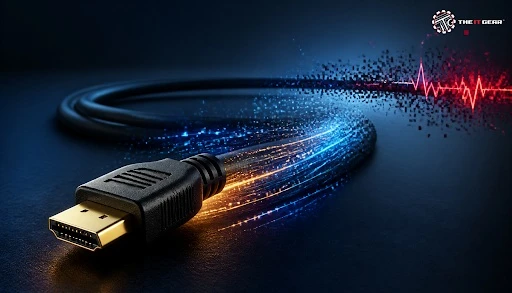
A decade ago, a 10-metre HDMI cable generally worked without issues. Nowadays, with 4K and 8K displays transmitting 18–48 Gbps over copper, the HDMI cable length you choose can determine whether you get a clear picture or a screen filled with sparkles.
Most buyers in India select a cable based solely on length and price, then wonder why their new 4K TV flickers. This guide clarifies where the actual limits lie, why they occur, and how to choose the right cable for your room and resolution.
There is no maximum HDMI cable length — it's set by bandwidth, not by metres. A passive copper cable must transmit a very high frequency digital signal, and the further the conductor, the more the digital signal suffers attenuation before it hits the display. The link just breaks when the attenuation brings the digital signal below the receiver's threshold.
Yes — but not how you think. HDMI is digital, and so the image quality is the same whether you have a 1 m cable or a 5 m one — the picture won't gradually fade away or become less colourful. Instead you get what is known as a 'digital cliff': the picture is clear until the cable can't handle the bandwidth necessary, at which point it either produces artefacts or drops the signal altogether.
"Too long" just means you've exceeded the resolution, refresh rate and colour format you're running. The simple test is: Does the link work at your highest setting? Not: Does the link work when I use a simple desktop?
For 4K at 60Hz—around 18 Gbps—most passive copper cables are stable in the 3 to 5 metre range (3 m is the recommended minimum). Beyond that, you require Premium High Speed certification, an active cable, or a fibre run. For 4K 120Hz or 8K, the passive limit is a little closer to the 2–3 metre mark.
Passive cables of around 15 metres (50 feet) are often reliably low bandwidth since 1080p at 60Hz needs so little. And this is what throws buyers: a 15m cable that works perfectly on 1080p projector can die instantly on 4K TV.
The truthful response is that it always doesn't decrease in high quality little by little — it works, and then it stops. That's a sparkle, some blocky pixelation, colour banding, some audio clicks, some lip sync drift, or a black display with an HDCP handshake error. These symptoms show you that the run is of too-extended or under-specified duration for your bandwidth.
Once you exceed the passive cable length limit, there are three upgrade options available, each balancing cost against distance. In India, a certified 3-meter passive cable costs a few hundred rupees, whereas active and optical cables can cost several thousand rupees. So, it is best to select based on the required distance rather than the brand.
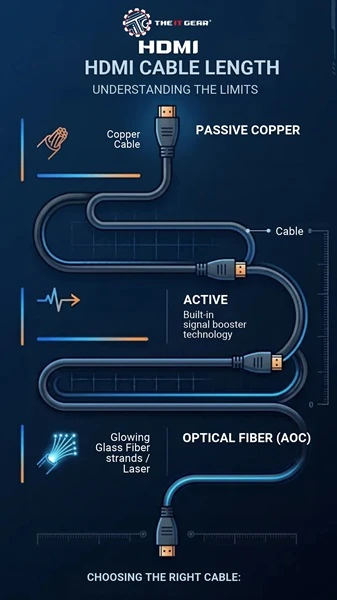
Active HDMI Cable
A live HDMI cable contains a tiny equaliser chip within the connector that re-clocks and increases the signal. This enables a certified cable to extend well past the passive limit. Because they are active, live HDMI cables are directional, and need power from their HDMI port.
Active Copper HDMI Cable
Active copper is the cost-effective low-end solution – a copper conductor with an equaliser chip, reliable to approximately 15-25m at 4K. It is the cheapest option of the bunch and works well for most home theatre or conference room environments.
Optical Fiber HDMI Cable
Optical (AOC) cables contain a fibre core with strands of copper for power, making them extremely thin, lightweight, and resistant to EMI. They are the ideal solution for in-wall 10–100 metre runs, but require a minimum bend radius and should be treated with care.
Yes. An extender turns HDMI into a signal that runs down a Cat6 or fibre cable, then returns to HDMI at the display, each length reliably 50-100 metres. The costs are: a powered box at one end (or both), more complex EDID/HDCP processing, and another potential point of failure. Up to around 20 metres, the costs are justified by a certified cable; beyond 50 metres, an extender or fibre cabling is preferable.
A booster, or a repeater, re-clocks the existing long cable, and can salvage a dodgy run for a few hundred rupees. It calls for 5V power, and can cause some HDCP and CEC oddities, so use it as a fix rather than a design principle.
No for shorter runs at the same certification level. When using two certified cables, you get the same bits. Yes when it's a long or high-bandwidth run gauge shield, and certification determines how far the bit travels. What you cannot do with a better cable is improve colour, contrast, and motion.
Nope. A 4K-rated cable just allows a 4K signal through it. It doesn't improve a 1080p source or add detail. Again, image quality is determined by the device that produces it and the display panel, not the package on the wire.
At The IT Gear, high speed, premium high speed and ultra high speed HDMI cables that have been tested to do the job are available on the website so you can match HDMI cable length and resolution rather than continue to guess.
HDMI cable length is a bandwidth issue using distance as a metaphor. Get it right and the HDMI monitor will be fine for many years; get it wrong and you'll never get rid of the sparkles.
The IT Gear has certified passive, active, and optical HDMI cables in all practical lengths so that Indian buyers won't have to overpay for a longer cable than required.
Is it better to use USB or HDMI?
HDMI is still the rule — it transmits uncompressed video and embedded audio, HDCP, and CEC. For laptop-to-dock, power delivery, and portable monitor video input, try an USB-C DisplayPort alternate mode connection.
Does a longer HDMI cable reduce frame rate?
No. The frame rate is determined by the source and the display. In a bandwidth starved cable, you get dropout or no picture, not a lower frame rate.





#No. 9, 5th Floor, Max City Center, T. P Lane, Sadar Patrappa Road, Bengaluru - 560002 (Karnataka)






Looks like you haven't added anything yet. Explore our builds, components and gear.
Continue shopping