Select a category

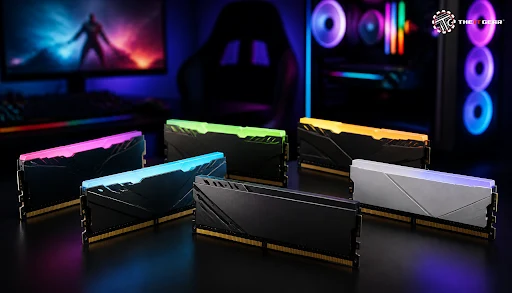
Nowadays, games are so complex that they require more memory than any user would have even imagined, in particular considering that some modern titles are already being optimized for hardware with 32GB of installed RAM.
As Intel, one should have, at least, 16GB RAM, but lately, Kingston decided to go for 32GB on the new generation of AAA titles. In India, gaming PC builds have become a norm, so figuring out the amount of RAM that is suitable for gaming is now a critical step to creating a system that you can enjoy for the long run.
A gaming PC's RAM size that you should use depends heavily on which games you are planning to play and what else is running alongside them. Some gamers can be quite strict in their choice, while others can tolerate a wider range.
Basically, one should always have 16GB as a minimum, mainly for someone wanting to game with no multitasking, while 32GB is an upgrade for those who will be playing the latest games plus streaming, or perhaps multitasking. Truth is such high RAM needs only become apparent in rare gaming situations is also worth considering.
Here is how different capacities compare for gaming:
It is best to mention right away that RAM really helps in gaming. Though, only increasing the memory capacity will result in your gaming performance being a bit higher. As long as the RAM available will be sufficient, it will not leave you short-handed. RAM speed, latency, and the mode in which the modules operate (e.g. dual-channel) will be the deciding factors for the performance you'll get on the games you run. If you're building an AMD Ryzen machine, a high-speed RAM kit is highly recommended as those are quite sensitive to memory bandwidth.
RAM Speed vs Capacity: What Matters More?

Capacity prevents a system from exhausting memory whereas speed indicates the rate at which the CPU will receive the data. DDR5 users may have noticed that a 6000 MHz dual-channel kit that features CL30 is often the optimal choice among gamers. You can find excellent options like the Colorful 16GB DDR5 5600MHz Desktop RAM or the Corsair Vengeance 32GB (16GBx2) 6000MHz DDR5 Black Desktop RAM to achieve this sweet spot.
In most cases, buying the fastest memory will not give you a significant performance boost if the memory frequency is already over 6000 MHz on one side and CL30 on the other. For those on a budget, the G.Skill Ripjaws S5 16GB 5600MHz DDR5 CL40 Desktop RAM offers a solid balance of price and performance.
Memory choice for a PC is more than just capacity. It has to do with a certain degree or another compatibility as the key ingredient as well as balance among other things as the main factors.
1. Confirm the DDR generation
The first thing you should check is whether your system supports DDR4 or DDR5. Motherboards and processors come only with the ability to use one of the two types of RAM, DDR4 or DDR5, and physically the modules differ for each generation. The bottom line is that you can't mix DDR4 and DDR5 memory together in one system, so you should check your motherboard specs before a purchase. If you're unsure about the differences, our guide on DDR4 vs DDR5 RAM in India can help clarify which one suits your needs.
2. Decide the capacity
Go for 16GB if budget is your main concern or go up to 32GB for high-end gaming or livestreaming. Most first timers from India have a consensus that 32GB is definitely a safer long-term investment. For budget-oriented builds, the Corsair Vengeance LPX 8GB DDR4 3200MHz is a reliable entry point.
3. Check frequency and timings together
Make sure the memory speed you're getting isn't counterbalanced by worse CAS latencies. On the surface, 4800MHz is very attractive but if the timings are CL44, it actually won't provide much benefit. For DDR4 it is recommended to go for something around 3600 with CL16 while for DDR5 you should probably be looking at 6000 with CL30. The ADATA XPG Lancer Blade RGB 16GB DDR5 6000MHz RAM Black hits this mark perfectly.
4. Buy a matched dual-channel kit
Go for a dual-channel kit. Two 8GB sticks are better than one 16GB stick due to how dual-channeled RAM doubles bandwidth. Generally, the 2nd and 4th slots would be where you want to insert them as the motherboard manual usually suggests.
5. Enable XMP or EXPO in BIOS
Activate XMP or, as AMD calls it, EXPO in the BIOS. Until you activate these, your RAM won't be running at its maximum speed (XMP for Intel processors, EXPO for AMD). The change should be as simple as a checkmark, which will immediately unlock your RAM's full potential.
Having 32GB RAM these days is definitely not considered excess for gaming. Memory requirements due to current heavy AAA games, services, and updates have increased, and streamers or multitaskers will find 32GB RAM handy for them. Still, if your focus is older games or esports, 16GB suffices. In that case, you might consider a graphics card for the saved money. Our detailed guide on how much RAM you really need for gaming in 2026 explores this topic further.
We all agree that 64GB RAM is a luxury to enjoy when gaming alone. In fact, even 32GB suffices when gaming is the main activity with say multitasking or streaming. In case you are the one who also uses your gaming rig for editing videos, or rendering 3D, or doing heavy work with other apps, you may want to go for 64GB RAM as you might be working with memory-intensive projects that need the extra power. Otherwise, the purchase of 64GB will result in a waste of the money. If you're building a new system, you might also want to check out our guide to upgrading your computer RAM for additional insights.

The question whether the amount of RAM you get is enough for your gaming will ultimately be answered for how you game. For a majority of the Indian PC builders 16GB was the minimal and 32GB the maximum they have chosen. 32GB in their case was the right and the most future-proofing solution. If you're still deciding between DDR4 and DDR5, our comparison of DDR5 RAM vs DDR4 breaks down the real-world differences.
Your PC performance will largely depend on quality RAM, which will make your games load, run, and exit as smoothly and efficiently as possible without any hitches or lags. If a PC is old, a RAM upgrade can also be the only affordable option.
At The IT Gear, you will find a wide selection of reliable RAM options for your gaming computer. Whether you are upgrading an older build or assembling a new one, the right memory keeps your games running without wasted spending. You can also explore our pre-built gaming PCs if you prefer a ready-to-use system.
Is 16 or 32 RAM better for gaming?
16GB RAM is enough for most of the games these days, but with 32GB, running triple A games titles while recording and also doing a few more tasks on the computer would be more comfortable. Besides, 32GB is the safer option to go on if the gaming requirements increase, because of time.
Is 8GB RAM enough for gaming in 2025?
If someone is into and wants to play games from previous eras or the classics, then maybe with 8GB RAM, but for current games, more memory is needed, and that means the user would need to upgrade to at least 16GB for smoother gaming.
What should I check before buying RAM for a laptop?
Make sure to verify if your laptop can be upgraded, check the SO-DIMM form factor, DDR generation, and the maximum capacity. Many slim designs have memory soldered to the motherboard, which is not a feasible change.
How do I choose RAM for a PC or a gaming laptop?
For desktops, focus on DDR generation, capacity, and dual-channel kits. For laptops, check the SO-DIMM type and upgradeability. Reddit communities like r/buildapc also suggest reading the motherboard's qualified vendor list before finalising any purchase.





#No. 9, 5th Floor, Max City Center, T. P Lane, Sadar Patrappa Road, Bengaluru - 560002 (Karnataka)