Select a category

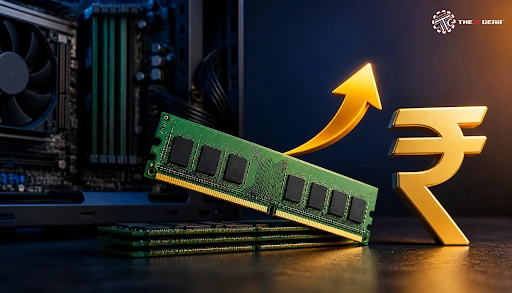
Modern software and games demand more memory than ever, leaving a lot of Indian PC users frustrated with slow or stuttering systems. The good news is that upgrading your RAM is still one of the cheapest and most reliable ways to restore lost speed and stability.
With 16 GB now considered the practical baseline in 2026, learning how to upgrade your computer's RAM is the smartest way to stretch your PC’s lifespan without buying a new system.

Upgrading PC memory involves increasing the amount of RAM installed in your computer. RAM (Random Access Memory) is the temporary storage space that your PC uses for keeping your open windows, operating system, and currently active data. If all the RAM is used up, Windows pages data out to the drive as virtual memory, which is a much slower operation leading to lag, choppiness, and sluggish switching between applications.
Upgrading involves checking motherboard compatibility, choosing the right memory generation (DDR4 or DDR5), and installing the modules into the DIMM slots. It is regarded as one of the easiest hardware upgrades and delivers some of the best performance-to-price value in PC hardware.
Across the tech community and modern PC building circles, 16GB of RAM is the baseline standard for most computers in 2026. 8GB is now classified as entry-level and is only suitable for basic browsing, simple editing, and light multitasking. Current operating systems use much more RAM at idle, and modern AAA game titles publish 16GB as the minimum requirement, with 32GB recommended for optimal performance.
Is 16GB RAM sufficient in 2026?
Yes, 16GB is fine for most users. It is sufficient for mainstream PC users who want to handle everyday productivity tasks, open dozens of browser tabs, and play games smoothly at 1080p. It is a solid choice because it remains the safest and most popular option for Indian consumers looking to build or upgrade a mainstream PC. However, heavy multitaskers and creative professionals may find it inadequate.
Do I need 32GB RAM in 2026?
You need 32GB of RAM if you frequently run memory-demanding tasks like video editing, 3D rendering, virtualization, or if you game and stream at the same time. For these types of users, the 2026 sweet spot is 32GB, providing consistent frame pacing with no stutters, no dropped frames, and reliable background performance. If 16GB comfortably covers your workload, then 32GB is simply an optional luxury.
Is 64 GB RAM overkill in 2026?
In 2026, 64GB RAM is clearly way too much for most of the users. Such storage capacity is typically kept aside only for highly specialized professionals, such as engineers involved in making complex simulations or digital artists working on high-poly 3D models. For the average gamer or office user, the additional price should be invested in a faster SSD or graphics card.
The minimum practical requirement for gaming PCs in 2026 remains 16GB. This is sufficient to handle most games at 1080p. However, 32GB is a better choice if you want to play at higher resolutions, stream in the background, or keep multiple browser tabs open simultaneously. With that kind of budget, 32GB is going to be enough for you to ensure that you do not need another RAM upgrade for several years. For a complete system, check out the pre-built gaming PCs available at The IT Gear.
No, not all computers support memory upgrades, which is why this is a key factor to verify before making any purchase. Typically, desktop motherboards have space for 2 to 4 DIMM slots and upgrading the memory is as simple as that. However, many modern laptops and compact PCs feature soldered RAM onto the motherboard that cannot be upgraded at all.
Open Task Manager by pressing Ctrl + Shift + Esc, then navigate to the Performance tab and select Memory. Here, you can view your total RAM capacity, operating frequency, memory speed, which memory slots are in use, etc. Also, CPU-Z is very handy for this matter as it allows you to get even better insights such as your actual RAM and other components.
If your system has free slots, don't hesitate to upgrade. However, if your memory is soldered to the motherboard, the only way to get more RAM is to replace the entire system.
Once it is certain that the existing system will support new memory, it is very doable to change the memory yourself at home by simply following a series of logical steps:
1. Know your memory consumption: Use Task Manager to check your memory utilization while running your typical daily workload. If your memory rarely gets close to full, you will not see much of an improvement from adding more RAM.
2. Check CPU compatibility: Consult your motherboard manufacturer's documentation if you are uncertain about what kind of memory it supports (DDR4 or DDR5), along with its maximum capacity and supported speed. For laptops, check the service manual to confirm whether the memory is replaceable or soldered directly to the board.
3. Buy the right RAMs: Order modules with the proper generation, form factor (DIMM for desktops or SO-DIMM for laptops), and speed that your system supports. To enable dual-channel memory, make sure to install identical modules in the appropriate slots.
4. Install properly grounded: Power down the system, unplug the power cord from the wall outlet, and ground yourself by touching an unpainted metal object to discharge any static electricity. Align the RAM stick with the motherboard slot and press down firmly on both ends until the retention clip(s) click securely into place.
5. Check once your PC is up and running: Reboot your workstation and through Task Manager or BIOS, check if you get your extra RAM recognized. In the case where it appears slow, the setting of XMP or DOCP on BIOS should enable the official frequency.
The cost of upgrading the RAM in India for various generations, in different capacities and brands is given here. Prices have been competitive through 2026. Currently, an 8GB DDR4 RAM stick costs anywhere between ₹1,500 and ₹2,500 in India. A standard 16GB DDR4 module costs between ₹2,800 and ₹4,500.
Newer DDR5 RAM comes at a noticeable price premium. A single 16GB DDR5 stick typically costs between ₹4,000 and ₹5,500, while a 32GB (16GBx2) DDR5 kit ranges between ₹8,500 and ₹12,000 depending on speed and CAS latency. For most Indian PC users, upgrading from 8GB to 16GB of DDR4 memory delivers the best performance-to-price value and can easily be done for under ₹3,000. Online retailers and local PC hardware stores stock numerous brands across different budgets, allowing buyers to compare prices before purchasing.
The IT Gear stocks more than a dozen brands of RAM modules, including options like the G.Skill Ripjaws S5 16GB DDR5 and Corsair Vengeance 32GB DDR5, that let the buyer compare prices and choose the right upgrade without exceeding their budget.
Choosing between DDR4 and DDR5 is a critical decision for any memory purchase in 2026, as the generations directly dictate overall speed as well as how well the module will fit into the user's upgrade plan.
DDR4 is the backbone of the current industry because of its proven dependability, broad availability, and affordable pricing for hundreds of millions of existing budget systems. DDR5 is the newer standard, offering nearly double the bandwidth and improved energy efficiency, but it requires a compatible motherboard and processor that supports DDR5 memory.
If you are keeping your current motherboard, your platform determines which generation you can install, effectively making the choice for you. Upgrading to DDR4 RAM still makes complete sense in 2026, as DDR4 continues to power most gaming and productivity systems reliably. If, however, you are building a new PC from scratch or already own a DDR5-capable board, choosing DDR5 is the wiser, future-proof path. For a deeper dive into the differences, read our guide on DDR4 vs DDR5 RAM in India.
Here is a concise summary of everything covered in this guide before you begin.

Choosing to upgrade computer ram is one of the best investments Indian PC users can make in 2026, enabling obvious improvements for multitasking, gaming experience, and responsiveness in general. The most reasonable purchase is determined by matching your real workload with the economical prices for 16GB, 32GB, or even 64GB solutions while keeping within the bounds of your DDR4 or DDR5 platform.
When you decide to upgrade a computer RAM, you can always rely on The IT Gear for reasonable prices on quality memory modules and personal assistance to help you choose the best option without visiting different places.
Q: What is the recommended RAM for Windows 10?
A: Windows 10 runs acceptably with 8GB, but 16GB is strongly recommended for comfortable multitasking with modern applications and background processes.
Q: How much RAM do I need for gaming?
A: In 2026, 16GB is the minimum for gaming at 1080p, while 32GB is recommended for demanding AAA titles, high refresh rate displays, and concurrent streaming.
Q: How much memory do I need on my computer?
A: The required memory depends on workload: 8GB supports basic tasks, 16GB serves most users, and 32GB suits creators, analysts, and heavy multitaskers.





#No. 9, 5th Floor, Max City Center, T. P Lane, Sadar Patrappa Road, Bengaluru - 560002 (Karnataka)






Looks like you haven't added anything yet. Explore our builds, components and gear.
Continue shopping