Select a category

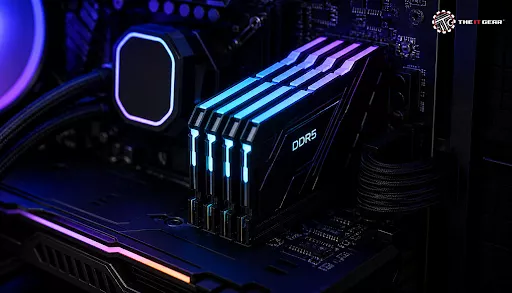
DDR5 RAM, also known as Double Data Rate 5 SDRAM, is the fifth generation computer memory and the direct successor to DDR4. For gamers, knowledge of DDR5 is the key, since it is a great performance boost providing very quick data transfer speeds and huge sizes. The fundamental issue that gamers often raise is whether this new technology is worth getting.
It is worth saying that with the growing demands of gaming software nowadays, DDR5 was exactly designed to meet them and supply required data bandwidth without lag at a higher frame rate and faster application startup. But DDR5 RAM calls for the matching motherboard and the CPU - usually a 12 or newer Intel CPU and Ryzen 7000 or newer AMD CPU for example. If you are planning a new build, exploring a gaming PC configuration that supports DDR5 is a smart starting point.
DDR5 RAM can be creating a difference in gaming as it gives rise to more frame rates. In particular, for CPU-heavy games and ones that have a lot of exploration it helps a lot to have fast access to the game data from RAM. DDR5's much lower latency than DDR4 means that games run more smoothly and loading screens are faster too. You'll also notice that the game looks better with a good GPU. Still, the improvement from DDR5 will not be as drastic as with a new GPU, but it sets up a great base of a gaming PC that you can upgrade easily.
If you are a gamer looking to buy DDR5 RAM, the two factors that you mostly want to pay attention to are speed and latency. Speed is the data rate at which RAM can send information and measured in Megatransfers per second (MT/s). If you purchase DDR5-6000 or DDR5-6400 RAM modules, you can get more data flow at a faster rate.
However, the speed of the RAM should take into account the latency figure which is the number of clocks needed to get the requested information in RAM memory. If you want faster responsiveness, look for a higher CL (CAS Latency) value like CL30.
For Ryzen 7000 AMD CPUs and 9000s series, CL30 and DDR5-6000 RAM is considered as the ideal combination by the gaming community and this gives the best overall gaming performance that is not going to be really hampered by a slight difference in speed.
One of the typical mistakes made is considering MHz and MT/s as the same units. Hz or Megahertz refers to the clock speed of memory modules whereas MT/s is the measure of the actual data transfer rate.
For example, DDR (Double Data Rate) technology causes memory to transmit the data twice per clock cycle. This way effectively doubles the memory transfer rate over the clock cycle. Take a DDR5 module clocked at 3000 MHz for instance: it can only transfer data at 6000 MT/s speed. As a gamer, looking at the MT/s rating would give you a better idea of the performance because it reflects the data throughput.
CAS Latency (or CL) in a nutshell is the number of clocks that the computer has to wait before the data is finally supplied to the CPU after it was requested. The lesser the CL value is, the lesser the time of wait and because of this the better the RAM. Latent delay is one of the major factors affecting gaming performance because it influences reaction speed on actions within the game.
Taking DDR5-6000 as a case example, running it with CL30 can produce a smoother and snappier user experience than running the same speed but CL36. There may be situations when higher-speed sets have higher latency numbers, but the advantage of extra speed typically more than covers the small amount of delay. When it comes purely to game playing, low CAS latency RAM like DDR5-6000 CL30 at moderate speed should be the preferred choice. It will offer a very good compromise between low delay and high data rate.
Your PC needs DDR5 RAM based on how you play your games and use other functions of the PC. On the low end, a gaming PC will be able to run most modern games with 16 GB. Yet, games nowadays tend to eat up more memory due to complex textures, AI etc. so it has become very well apparent that 32GB is the ideal and safest amount for gaming PCs to have.
This large RAM enables one to multitask very heavily e.g. gaming with Discord open, running a streaming application, opening multiple browser windows - all this at one time. To most gamers, DDR5 with 32GB is the ideal amount. Although the 64GB option is available, it is not very useful if a game is the only activity on the PC that you are running. It is more of the professional content creation and extreme multitasking scenarios, which need the larger volume of memory.
For a system focused only on gaming, 32GB of DDR5 is not overkill but rather is the new standard recommended by many experts. Although 16GB is still enough to get most of the game experience, you'll get a bit more breathing room with 32GB that should result in the smoothest playing of even the latest AAA titles, and of course, the future ones.
32GB will also be an advantage when it comes to gaming that involves heavy memory allocation like high-resolution textures or simulation games that use complex AI. The 32GB option will allow you to do other stuff with your system like using your web browser, your e-mail, and social network, etc. and still be fine for a bit on game performance so to speak. For serious gaming enthusiasts looking to build machines that can stand up to the test of time, 32GB is a sound investment rather than one that is done for over the top only.
When you are purchasing the best DDR5 RAM for gaming, make sure to get a kit that gives a high speed and low latency first. Most of the gamers will be happy with a DDR5-6000 CL30 kit that brings together a high bandwidth sufficient for modern games, while keeping up the low latencies that result in the game's responsiveness. And, the capacity aspect also matters a lot and 32GB of the kit is recommended which is divided into two 16GB modules.
Another point that is worth noting is if the kit offers XMP 3.0 (Intel) or EXPO profiles (AMD), both of these are very convenient since they will provide the possibility of enabling overclocking through the BIOS easily. Major brands like G.Skill, Corsair, Kingston, and Crucial are producing great products under such criteria so if you are going for one of these memory sticks, you may be quite confident you are buying both reliable and fast memory sticks.
Below you can see a comparison of features between DDR5 and DDR4. For a deeper dive into this topic, check out our detailed comparison on DDR4 vs DDR5 RAM.
DDR4 is mature and budget-friendly while DDR5 gives an obvious opportunity to reach even greater performance and energy-saving levels which makes it the better option for a computer you will build from scratch, if gaming is the purpose.

These are the points to consider if you want to decide on DDR5 gaming RAM:
To recap, the DDR5 RAM revolution offers gamers the speed and capacity they need not just for playing now, but also for years ahead. To make sure your gaming PC is capable of handling the latest demanding titles, you will want to pay special attention to hardware performance factors such as data transfer speed, latency, and storage capacity. DDR5 memory kits that comply with these requirements can be reliably found at The IT Gear website.
What is the difference between DDR5 and DDR4 RAM for gaming?
DDR5 RAM is a lot faster than the DDR4 variant for data transfer speed and offers greater memory capacity. And, DDR5 has a lower power consumption as it operates with a smaller voltage. As gaming applications are quite demanding in general, the improvement brought by these factors of DDR5 would not only result in faster loading of games but also help to smooth frame rates in CPU-bound scenarios, besides enabling better multitasking.
Is 16GB of DDR5 RAM good for gaming?
16GB of DDR5 RAM is a solid amount which should be enough for most modern games. Actually, it will most likely provide you with no or very few stutters when playing games. Yet, 16GB would be the absolute minimum requirement for a good gaming setup. To play multiple apps at the same time or even to play the most recent top-tier, graphically intense PC games, one may be advised to go with 32GB as the norm or a bit higher memory quantity would be expected.
What does CL30 mean on DDR5 RAM?
It just shows that this module is CAS latency 30, which is basically the count of the number of clock cycles that it would take for the RAM module to retrieve data on demand by the CPU. So, lower CL number is better; for instance, 30 means faster access time or lower latency, both of which are good for gaming as they lead to reduced lagging. DDR5-6000 CL30 is one of the best specifications available for gaming purposes currently in the market.
Should I enable XMP or EXPO for my DDR5 RAM?
Yes, you should definitely switch on XMP (Intel) or EXPO (AMD) through your BIOS if you want your DDR5 RAM to work at the frequency it's rated for when the chip manufacturer tested or specified the part under stress condition. Otherwise you'll be stuck with the much slower JEDEC standard speed (e.g. 4800 MT/s) of your RAM, and as a result you won't fully enjoy the performance you bought for.





#No. 9, 5th Floor, Max City Center, T. P Lane, Sadar Patrappa Road, Bengaluru - 560002 (Karnataka)






Looks like you haven't added anything yet. Explore our builds, components and gear.
Continue shopping