Select a category

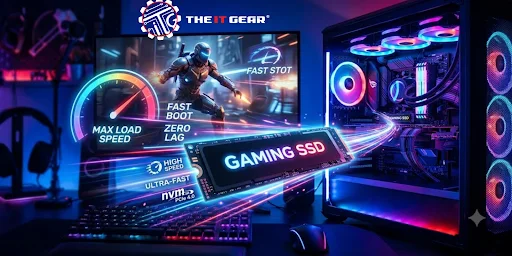
In 2026, the top recommendation for gaming will still be PCIe Gen 4 M.2 NVMe. Community benchmarks reveal that the differences in performance between a Gen 5 drive and a Gen 4 drive when loading a game are minimal.
For an Indian gamer, a gaming SSD should not only provide high speed but also the right combination of interface, storage capacity, cache, and endurance level that best fits the build of the PC. This article will explain each specification briefly so that you can decide wisely.
A commonly asked question is what the best SSD for gaming is and what one should look for. The practical answer is almost always the same: Gen 4, read/write speeds of 4,000 MB/s or more, and a decent TBW rating. The reason that people are usually satisfied with those factors is that most games do not load sequentially, rather they load in a random manner so that one has to focus also on other factors besides just the speed of data transfer.
Interface and Generation: Gen 3 vs Gen 4 vs Gen 5
PCIe Gen 4 is still the best option if you decide to go for a gaming SSD at the moment. Gen 5 models seem very fast theoretically but are hotter, more expensive, and seldom give any gain in game load times.
If your motherboard supports Gen 3, then that is a very acceptable option for older motherboards or secondary storage. It is always wise to verify that your motherboard has an M.2 slot compatible with the Gen of the SSD you are purchasing.
Form Factor and Compatibility
In most gaming computers, M.2 2280 NVMe is the format they stick to. Handheld devices like the Steam Deck will require you to have an M.2 2230 drive instead, while an older desktop PC might even be stuck using the 2.5-inch SATA drive format. To make sure you do not buy the wrong product, you should refer to the motherboard manual to see what lengths and keys are acceptable in the slots for the M.2 board.
Cache and NAND: DRAM vs DRAM-less vs HMB; TLC vs QLC
DRAM cache allows the drive to maintain write speeds when you are installing big game packages. DRAM-less SSDs borrow RAM from the system through Host Memory Buffer (HMB) which is okay when playing games but gets slower with heavier tasks. Endurance and sustained speed of the drive are better in TLC NAND compared to QLC; yet, QLC drives are generally cheaper but can be really slow if the SLC cache runs out.
Endurance, Thermals, and Real-World Performance
Terabytes Written (TBW) is the indication of the lifetime of the drive. If you buy a 1TB gaming SSD you want at least 600 TBW to ensure that it does not wear out quickly. A heatsink is generally necessary on a Gen 4 drive that is under a heavy thermal load; a Gen 5 drive almost invariably needs one. Bear in mind that a game loads faster if there are better 4K random reads rather than higher sequential speeds.
These criteria form the foundation of any SSD for gaming PC comparison, and they apply whether you buy a budget or premium model.
To put it differently, a good gaming SSD in 2026 will be a PCIe Gen 4 NVMe drive with a capacity of 1TB or higher. It will come with DRAM or HMB caching, use TLC NAND, and have a TBW of at least 600. A good SSD for gaming must also be able to sustain random reads at high speeds, and it needs to be compatible with the M.2 slot on your motherboard.
Most often, when end-users look for the best SSD for gaming PC, those specifications would be the minimum to meet, not the ones that result in very high sequential scores on packaging.
Best SSD for Gaming PC: Key Specs to Compare
When selecting an SSD for gaming, it is possible to ensure the personal computer’s increased performance. The first factor to consider when buying an SSD for gaming is its storage capacity. An SSD with a storage capacity of 1TB would be a great option to store your favorite games. If you play multiple graphic-intensive games, consider going with a 2TB gaming SSD. It will give you more room to store not only games but also programs and other data.
The most important part of finding the best SSD for gaming is ensuring that it is compatible with your motherboard. You might also want to compare the read and write speeds, but do not be fooled by a high random read/write score on paper. Several components determine the performance of an NVMe SSD, and one should not focus on a single characteristic.
Another critical specification to pay attention to when looking for the best SSD for gaming is NAND type. It is also a good idea to take a closer look at such factors as DRAM support, TBW (total bytes written), and thermal throttling. The last thing to consider when looking for the best SSD for gaming is the warranty, brand reputation, price, and overall value. Remember that when choosing the best SSD for gaming, it is not about the highest specs, but rather about balance.

Final Thoughts
Picking out the best gaming SSDs to buy in 2026 should not be a challenging task. All you need to do is ensure that your PC is compatible, you have decided what you want to store on the drive, and compare a few factors such as speed, endurance, cooling, warranty, and cost.
A one-terabyte (TB) or two-TB NVMe SSD is the best option for most gamers since it balances storage capacity and performance. The best choice would be a 1TB PCIe Gen 3 x4 NVMe SSD, a 2TB PCIe Gen 3 x4 NVMe SSD, or any other high-performance NVMe SSD if your PC supports higher-generation PCIe. A gamer would not need a larger storage drive, especially with today’s high-end graphic cards.
Therefore, the most crucial consideration when purchasing a gaming SSD is the PC configuration or compatibility. The other essential aspects are capacity, performance, endurance, cooling, and warranty, so comparing these features will help you get the best storage drive for your money.
FAQs
1. What is the best SSD for gaming in 2026?
The best SSD for gaming in 2026 is the PCIe Gen 4 NVMe SSD. A 1TB or 2TB capacity PCIe Gen 4 NVMe SSD is appropriate for modern gaming PCs. It is important to choose an SSD that has great random read performance made using TLC NAND, appropriate endurance, and compatible with the motherboard.
2. Is PCIe Gen 5 SSD a better option for gaming than PCIe Gen 4?
Compared to PCIe Gen 4, PCIe Gen 5 SSDs can provide a higher data transfer rate. However, the difference between these two SSD standards may not be significant enough for gaming. A PCIe Gen 4 NVMe SSD is a better choice for gaming purposes.
3. How much SSD storage do I need for gaming?
An SSD with 1TB of storage is appropriate for gamers who only play medium 3A games. However, for gamers who play multiple high-end games, 2TB of SSD storage is a better choice.
4. Should I spend money on a TLC or QLC SSD for gaming?
It is recommended for gamers to choose a TLC SSD. Compared to QLC SSDs, TLC SSDs can provide better performance and endurance. Moreover, QLC SSDs may be a good choice for those who prioritize budget and storage capacity.
5. What factors should I consider when buying an SSD for gaming?
The factors to consider when buying an SSD for gaming include the motherboard specification such as M.2 slot and PCIe generation, SSD form factor, storage capacity, NAND type, random read and write performance, TBW, thermal conductivity, warranty, and price.





#No. 9, 5th Floor, Max City Center, T. P Lane, Sadar Patrappa Road, Bengaluru - 560002 (Karnataka)






Looks like you haven't added anything yet. Explore our builds, components and gear.
Continue shopping