Select a category

Both AMD and Intel CPU companies today offer CPU options that are more than fast enough for today's gaming. So the Intel vs AMD for gaming roundup has shifted away from raw clock speeds in 2026, especially if you're building or buying a gaming PC.
Factors like cache behaviour, lifespan of socket, and amount of frames you get for each rupee spent will separate Intel and AMD gaming chips in 2026, and avoid you wasting a tempting motherboard, a couple of memory sticks, and multiple years of gaming frustration.
For most buyers, it's all about resolution, refresh rate, and upgrade schedule. At 1080p and high refresh rates, the CPU turns out to be the limiting factor more often when you hit CPU bottlenecking, and cache-intensive architectures tend to win there for average and 1% lows.
At 1440p and 4K, the graphics processing power becomes the limiting factor more often, and the CPU difference shrinks to a single digit percentage. The shape of the budget also plays a part, as a more well-rounded mid-range CPU is generally best, even when paired with a more powerful GPU.
On the fast side, no. AMD's X3D chips, which add stacked cache on top of the compute die, lead in frame-rate performance in most game engines and do so while consuming relatively little power. Intel's present-day Desktop Core Ultra family of chips narrows the gap quite a bit in strategy and simulation titles, and they hold the line quite well in heavily threaded work like rendering, streaming overlays, and compilation.
For a dedicated gaming PC, AMD is more favorably recommended on the high end - for hybrid work-and-play systems, Intel's combination of performance cores and efficiency cores remains unrivaled.
Less than many consumers imagine, most of all if you are not attempting to attain frames at 1080p. Going up a tier of graphics usually increases frames by 20-40%, whereas an upgrade to a CPU yields just a handful of percentage points at 1440p.
Historically, esports, simulation, and grand strategy games have been the exception, since they rely on single-threaded performance and cache.
Don't just compare specification sheets—which only matter on paper—compare the things that actually impact your build over time.
There is no right answer to the question of the better column. It is a matter of whether you value the number of maximum frames more today (second column), or less expensive upgrade options tomorrow (first column).
Socket selection normally counts for more than a generation of benchmark charts, since a motherboard and cooler will last many CPUs. AM5 has support promised past 2027, while LGA1700 boards have no way to support upcoming chips from Intel.
Prebuilts work on the same reasoning as custom builds, with one limitation: the case, the cooler and the power supply are already determined.
The IT Gear has a gaming CPU, motherboard, and prebuilt options from each platform, allowing you to compare AMD and Intel builds easily, and to a monitor and GPU that you already own and simply want to upgrade, rather than speculating.
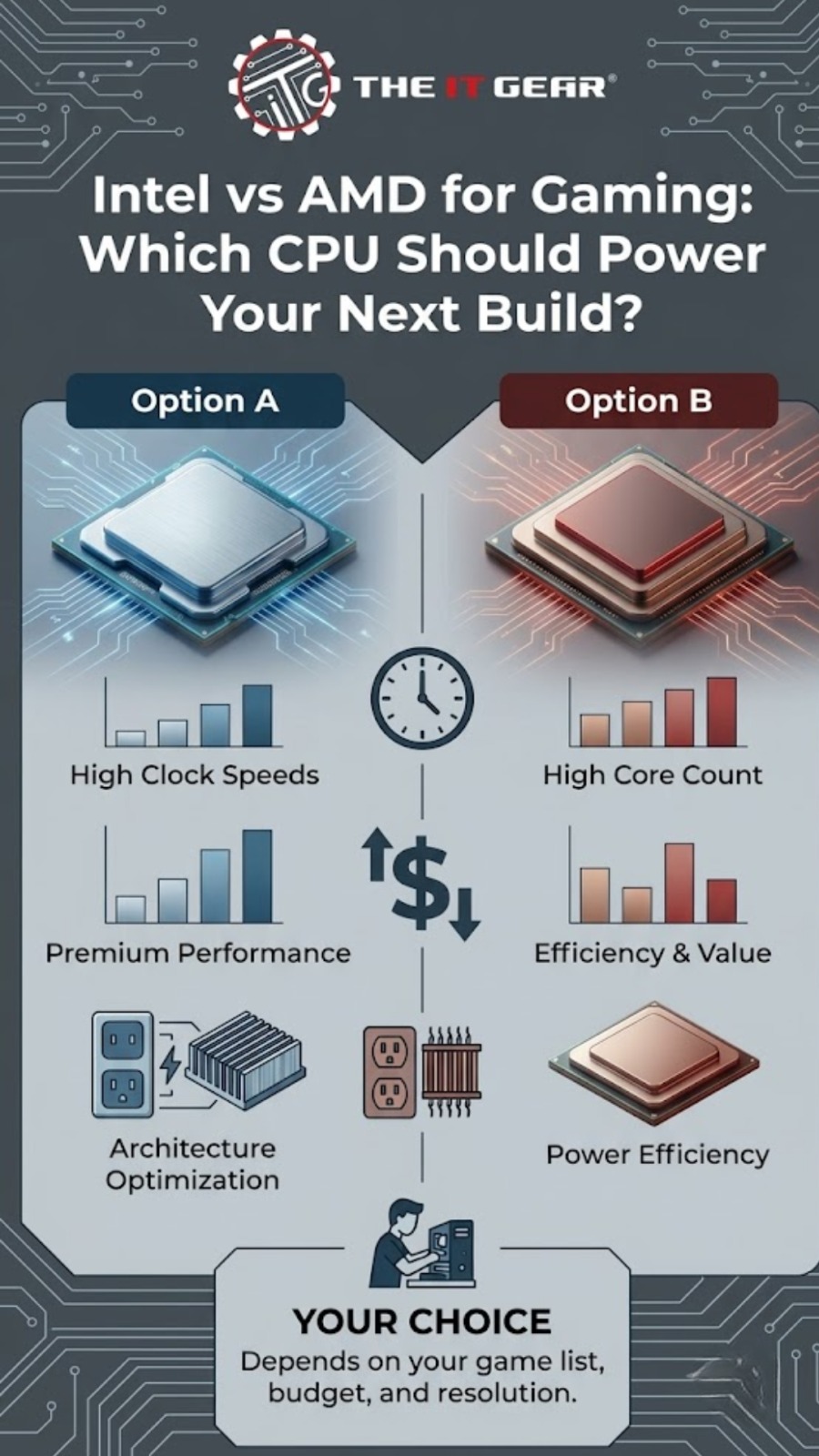
No one's the outright champion in the Intel vs AMD for gaming debate, but there's a straightforward tiebreaker. Go AMD for raw frames and a longer upgrade runway, or go Intel for more evenly-matched productivity and often sharper mid-range pricing.
No matter where your heart beats, The IT Gear is here to help you get the most out of your CPU, GPU, and monitor by comparing processors, boards, and prebuilds.
Is Intel better than AMD for gaming?
For flagship offerings, AMD's X3D chips typically produce better gaming frame rates. Intel continues to have a strong position in mid-range gaming, while also taking the lead in high-threaded tasks like streaming and rendering.
Do I need more than six cores for gaming?
Most of the current titles only require six cores. The additional cores are mostly used for streaming, video editing and other background tasks instead of providing for higher frame rates.
Which is cheaper in India, AMD, or Intel?
Intel's Core i5-range generally gets beaten by similar Ryzen 5 chips, while AMD makes better top-end value with its X3D models. Prices change all the time, so be sure to shop around to compare these daily fluctuations.
Can I upgrade my CPU without changing the motherboard?
It is supported by the socket and BIOS, and only if the chip is newer. You have a longer window for this with AM5, whereas the LGA1700 boards can't take Intel's newest chips.





#No. 9, 5th Floor, Max City Center, T. P Lane, Sadar Patrappa Road, Bengaluru - 560002 (Karnataka)