


Select a category

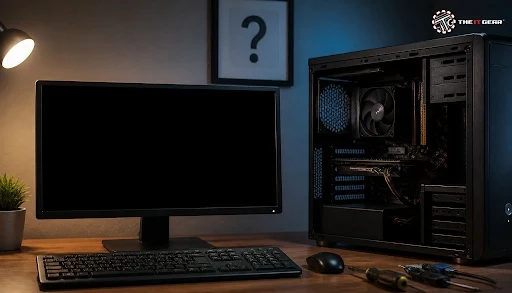
You press the power button, the fans whirl, the cabinet lights light up — and the monitor remains blank. While shopping results for this issue are filled with forum threads and manufacturer websites instead of products, it's because the fix is usually hardware-related and doable at home. Here's a checklist, not a guessing game.
It indicates that the machine is powered on but has not completed the POST — the Power-On Self-Test that the motherboard performs before passing control to the operating system. Fans and case LEDs operate on the 12V and 5V rails independently of POST, so the presence of power does not guarantee that the system has booted.
The screen remains blank because the graphics output is never initialized. Distinguishing between "powered" and "booted" is what makes this a checklist.
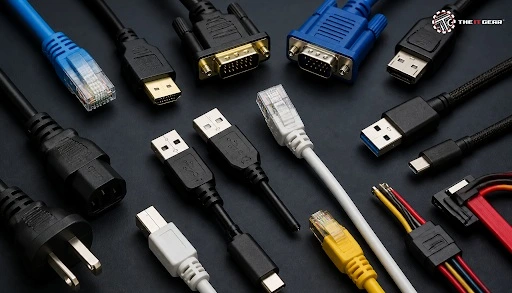
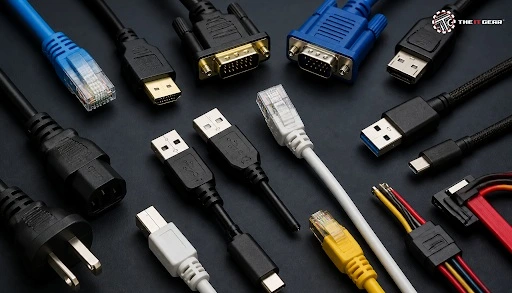
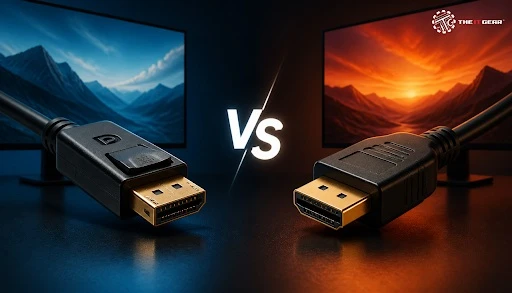
Start with the monitor as it's the least expensive to eliminate. Make sure the monitor is connected to a power source that has power, then press the menu button; if the menu appears on the screen, the panel is functioning. Examine the video connection on both the monitor and the video source and ensure the monitor source is set for the input port you used, like HDMI, DisplayPort, VGA, or DVI.
Causes pile up, and most technical write ups have the causes laid out in the same order: connections, then memory, then graphics card, then power, then software (in that order). Fresh frayed cables, an input source set to the wrong thing, oxidised RAM contacts, a sagging card in its socket, a quietly dying power supply.
Power delivery and video output are different subsystems. The spinning fans don't mean the supply is delivering current, they say nothing about training or graphics detection.
A power supply might wear out during months—say, just powering fans and lights—without being able to sustain the voltage a graphics card demands at startup. (Technicians call that "part that dies slowly and looks good.")
Total failure without recent hardware change normally points to a hardware shift, oxidisation, or departure from the allowed tolerance. Common sources for this are loose video cables, dirty RAM contacts, minor card droop and a tired PSU. If it was working last night and nothing has been added, check the hardware first before messing with the drivers.
Healthy hardware can go dark because of a corrupted graphics driver, Fast Startup stuck in a bad state, or a failed update. Boot into safe mode, then reinstall or roll back your display driver and disable Fast Startup via the power options. Three forced shutdowns during boot will normally trigger Windows auto repair.
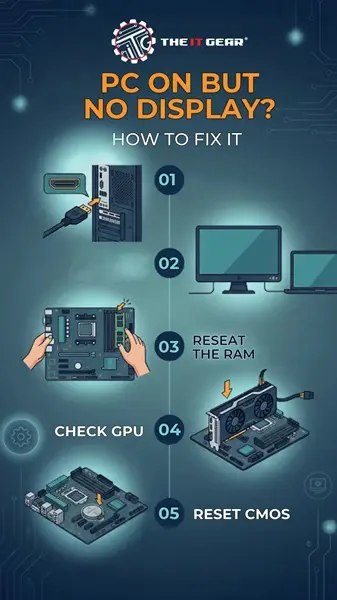
Work through it in this order and break after any attempts to display if it comes back on;
1. Verify power and input. Test the outlet, the power LED and the menu; then re-insert the video cable and select the appropriate source.
2. Strip per drain charge. Remove all USB drives, printers, external disks; turn off mains, press power button 30 to 60 seconds then power on.
3. Reseat and clean the RAM. Pop out the sticks, wipe the gold contacts with a clean pencil eraser, blow dust from the slots, and re-seat them firmly.
4. Inspect the graphics card and cable connector. You should have the cable connected to your discrete card, not your motherboard. Remove the card and plug it back in and ensure that the PCIe power cable is plugged in.
5. Clear CMOS. Remove the coin-cell for a few minutes, or use the clear-CMOS jumper to clear the BIOS out of a jammed state, including a bad primary display device setting.
6. Test the power supply and listen to the beep codes. A case speaker reports POST beeps with a named failing part; a used power supply gets the matter sorted most quickly.
No BIOS screen on Del or F2, then it happens before Windows and no amount of driver fiddling will solve it. Take out the motherboard CPU, one RAM stick and power, put them on a non-conductive surface, connect all power leads and startup using the minimum configuration.
Yes. POST begins very early, so if memory is not properly and tightly installed, dusty, or damaged, the PC will never go on to try to bring up the output on the screen and you'll just be left with spinning fans. Try one stick at a time in the first slot – if it doesn't work on its own, it's faulty.
Observe the keyboard at power up. Lit or working Num Lock and Caps Lock show POST completes and the fault is display side – cable, port, or monitor. Dark keyboard indicates a board that fails before USB init, which means memory, power, or short.
Most problems are traced to the cable, the RAM, or an aging power supply—checks that can be completed in less than an hour. Only replace a component once you have confirmed it is the cause.
When it's time to change parts, The IT Gear offers RAM, power supplies, graphics cards, monitors, and cables, allowing you to order exactly what your diagnosis indicates and have it delivered anywhere in India.
They are a good cross-check, not a diagnosis. Community threads list what commonly goes bad and in what order, but check each repair on your own system before ordering parts.
Should I run my PC's built-in pre-boot diagnostics?
Yep, if your machine has a hardware diagnostic that runs on the boot menu. It runs tests on memory, storage, and graphics subsystems before getting the OS to run, and even states the broken part by name.
My laptop turns on but the screen stays black — is the fix the same?
Somewhat. Press power for 20 sec while the charger is unplugged, then hook up an external monitor. If it shows, the panel or the hinge-housed display cable on the laptop is at fault; if not, the board or power needs to go to a tech.
Why does my PC turn on but show no BIOS screen?
If your PC does not display the BIOS screen, it may be failing the Power-On Self-Test (POST). Common causes include improperly installed RAM, a faulty graphics card, motherboard issues, or insufficient power supply.
Can faulty RAM prevent a PC from displaying anything?
Yes. Faulty, dirty, or improperly seated RAM can prevent the system from completing POST, resulting in a blank screen. Remove and reseat the RAM sticks, then test them individually to identify the problem.





#No. 9, 5th Floor, Max City Center, T. P Lane, Sadar Patrappa Road, Bengaluru - 560002 (Karnataka)






Looks like you haven't added anything yet. Explore our builds, components and gear.
Continue shopping