Select a category

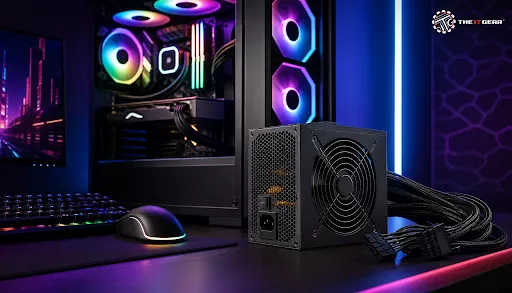
PC building is an amazing experience, yet lots of people, mainly novices in this area, spend their time and money to get a fancy graphics card and a processor. As the components that are responsible for visuals and performance usually get our attention most, there remains a part of the PC's hardware which is not given a thought at all.
The Power Supply Unit (PSU) is such an element that a lot of PC builders neglect. Not that their decision is wrong in any case, but, without knowing this, one gets to build a gaming PC with a poor power supply which can be an accident waiting to happen. It will not only affect the lifespan of the components and cause system errors but can even lead to their damage. In India, for example, it is a common fact that you have unstable voltages and that's another reason the PSU deserves special attention here.
Simply, the gaming PC power supply is an AC/DC conversion circuit that supplies power to various elements inside the computer case. But it doesn't finish there, besides conversion, a good PSU ensures stable and filtered electricity to the hardware, protecting it against sudden voltage spikes. If you break down the components, the power supply is the only part of your gaming PC that the entire system depends on and you are the sole one to keep its maintenance and replacement.
For Indians, the PSU will be quite important as they are the only means the user has to deal with the unstable grid of the nation and brownouts, so it is not surprising to say that power supplies for such regions of the world will be essential components in the whole PC system for gamers.
There is a reason that most gamers and enthusiasts choose to overlook their power supply, which is that it doesn't affect frame rates or performance in a significant way like the graphics card. They tend to overlook that the power supply is an element of a system without which all other components would fail to work properly. A PSU like any other can be purchased cheaply but a lack in quality can mean a fire in the system, or worse, even damage expensive components if left unnoticed for a long time.
One of the most important things to consider when purchasing a power supply is the wattage of the power supply. As the rule of thumb goes, you should total up the power consumption of your various hardware components and later add an extra 20-30% in reserve for upgrades and power spikes.
Using a PSU Wattage Calculator
A much better option to get a relatively precise figure is to take advantage of a PSU calculator that allows you to enter what you will be putting together. For instance, a tool provided by Newegg or MSI enables a user to put his or her unique components (CPU, GPU, drives, and cooling) into the system and thereby get an exact power consumption figure. The calculation by this method should reflect the very real power consumption of your chosen hardware, which in turn becomes the solid base upon which to make the buying decision.
General Wattage Guidelines for Different Builds
Obviously, a PSU should be compatible with the physical space inside your PC case. ATX and SFX are the two main type sizes. ATX refers to the conventional form of a PSU for the bulk of your mid-tower and full tower systems whereas SFX is a compact size for ITX chassis.
Before you purchase, double-check your case's details to avoid being stuck with a model which doesn't fit. A wrong form factor might mean the end of your build.
Checking Connector Compatibility
Besides the size, the PSU also has to match the connectors requirements of the components. A modern motherboard should have at least a 24-pin power connector and a second one for the processor that could be a 4+4 pin or 8 pin one.
The graphics card needs a suitable power connection. A great many high-end GPUs these days come with 8 and 6 pin power connections whereas a few new 12VHPWR connections would also require the PSU to have native support. That kind of PSU would also allow the user to have neat cable routing without compromising the quality, and also having good electrical connections.
Getting a 80 PLUS certification is actually one of the ways to be assured that a power supply is capable of delivering at least 80% of its energy to its destination. With a more efficient unit, only a very small fraction of the energy will be thrown away in the form of heat because of this causing reduced electricity consumption, quieter fan and more savings in your electricity costs.
Opt for power supply units (PSUs) that have an 80 PLUS certification with the most preferred choice being 80 PLUS Gold, as it gives a great combination of performance and value for money that gamers appreciate.
What the 80 PLUS Ratings Are About?
PSU vendors have made updates to their products to suit the power draw characteristics of today's high-performance graphics hardware. The new specification, ATX 3.1, which mainly caters to GPU power spikes of up to 200% on a short-term basis, will make sure the shutdowns while gaming are minimized. In addition, ATX 3.1 PSUs include the 12VHPWR connection that is compatible with future PCIe 5.1 devices making sure of the future-proofing of the PC.
This is what you need to take along when you pick your power supply for your gaming computer:

Come to the realization that a power supply is a very critical component for a PC and you shouldn't treat it as just one more thing on the list of purchases you have to make while building your gaming rig. Instead, think of it as an essential factor in determining the performance, lifetime and failure-free experience of your entire setup.
The only real way to make sure that you can enjoy running your machine at top speed even a few years from now is to be up-to-date with these latest tech standards and also take into account factors like the power requirement and efficiency of the components of your machine. Buy the right components, don't save on the essentials.
For a selection of best-in-class PSUs for top manufacturers like Corsair, Cooler Master and Seasonic, go to The IT Gear where you'll definitely find the perfect power supply to suit your requirements with your next computer build project.
How do I know what power supply I need for my gaming PC?
To know what power supply you need for your gaming PC, you must sum the electricity consumption (in watts) of each piece of your PC (CPU, GPU, hard drives, and fans). Use a PSU wattage calculator and also add a 20-30% safety headroom in the total sum to cover power surges as well as to have spare capacity for possible hardware upgrades.
Is a 750W power supply overkill?
A 750W power supply is not at all overkill for most PC setups these days. In fact, it has become an established practice for those building PCs with mid-to-high-end components and GPUs like RTX 4070 which is relatively more power hungry. It allows for quite a stable and even distribution of power while leaving room for future additions.
Is 850W enough for a high end PC?
An 850W power supply will be totally sufficient for most high-end gaming or workstations with top-tier CPUs and GPUs such as RTX 5080 or Ryzen 9 series. Such combinations generally take a lot of power which an 850W supply would easily cope with.
How to check your power supply wattage on PC without opening it?
If you are looking to find out how much power your components need then you could try programs such as HWiNFO or online wattage calculators. If you would still like to know the exact wattage of the power supply, there is no alternative than to check the unit label.
What is the best power supply for a gaming PC in India?
If you are building a gaming computer in India, then your power requirements will dictate the choice of power supply unit (PSU). For most of the consumers, a power supply of 750W to 850W, with 80 PLUS Gold certification, and ATX 3.1 standards coming from a reliable brand is a perfect solution. You can purchase one from The IT Gear which has an excellent and varied stock of the said power supplies.





#No. 9, 5th Floor, Max City Center, T. P Lane, Sadar Patrappa Road, Bengaluru - 560002 (Karnataka)