Select a category

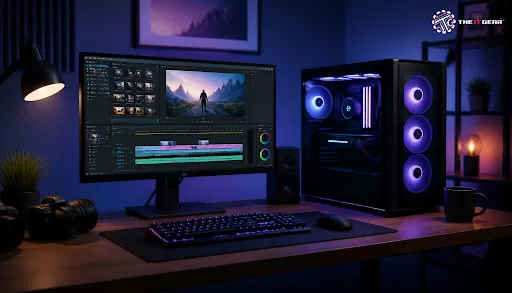
India has witnessed a massive rise in the number of content creators, from YouTubers to Instagram storytellers, these days. As the demands of video editing software have gone up, the question of whether gaming computers can work as video editing systems has been raised by many content creators. The truth is that a gaming PC for video editing is not only feasible, it often comes out as a better option than an editing workstation for cost and performance.
Most gaming desktops include high-performance CPUs, top-tier GPUs, and lots of RAM, all of which perfectly suit video editing software like Adobe Premiere Pro and DaVinci Resolve. In this piece, we will discuss how a gaming PC can manage video editing, AI tasks, and productivity work, and why it is probably the best option for Indian customers.
Yes, a gaming PC can surely be used for video editing. Nowadays, gaming PCs are built with high-performance hardware that is quite similar to the ones needed for editing workflows. A typical gaming PC has a multi-core processor (e.g. Intel Core i7/i9 or AMD Ryzen 7/9), a graphics card (like the NVIDIA GeForce RTX series), at least 32GB or 16GB RAM and NVMe SSD storage which is really fast. These technicalities are also the minimum requirements for doing 1080p and 4K videos.
In the Indian market, a gaming PC within the price range of ₹1,00,000 to ₹1,50,000 will easily take care of most editing projects.
CPU: The Heart of the Editing Process
A video editor's workflow often depends heavily on his or her processor. Timeline scrubbing, rendering, and encoding require substantial usage of CPU power. Gaming machines generally come with processors which have not only high speed but also multiple cores; for example, Intel Core i5-13600K and AMD Ryzen 7 7800X3D.
These processors are able to deal with multi-threaded tasks very effectively and this cuts down the time spent on exporting. For editing videos in 4K, it is advised not to settle for a CPU without eight or even more cores.
GPU: The Driver of Rendering and AI Features
The graphics card (GPU) in a gaming PC is often capable of doing both tasks: render video and perform AI functions in a faster manner than software with CPU-only processing. Mostly when a gaming PC is equipped with an RTX series NVIDIA card that has Tensor Cores, the GPU of such a gaming PC will be a good candidate for GPU-accelerated effects and AI-related features available in editing software (for instance auto-reframe for Adobe Premiere Pro and neural engine for DaVinci Resolve).
Besides that, a budget-friendly gaming graphics card like an RTX 3060 that offers 12 GB VRAM will be able to help you with real-time previews and reduce the render time much. When using AI-powered tools such as Topaz Video AI, Tensor Cores are really important.
RAM: Why is 32GB the Sweet Spot?
To play games at light levels, a 16GB RAM is enough but for video editing at 1080p level, 32GB RAM gives you some space to work. If you are looking for something that can support high resolution (4K) or multistream editing then go for a 64GB version. Usually, there is room (expandable RAM slots) to upgrade in case you have bought a small one and a bit of time has passed since that.
As per a report from Kingston, 32GB is the perfect capacity whether one is a gamer or works on professional editing. In India, a lot of gaming PCs that are not custom-built but are factory-made have around 32GB DDR5 RAM which is perfect for doing multiple stuff like editing in the foreground and background processing when it comes to multitasking.
Storage: Fast NVMe SSDs for Smooth Playback
It is really challenging to work on projects involving massive 4K video files without a solid and fast read/write speed storage medium. NVMe SSDs, most of all ones with PCI Gen. 4.0 and 5.0 specs, can have speeds exceeding 7000MB/s. This not only makes instant timeline scrubbing possible but also allows the fast loading of assets.
Usually, a storage capacity of 1TB or 2TB of NVMe drive is offered by gaming machines which suffices for keeping current projects. HDD(s) can be added as an option for archiving the old footage, this is what commonly takes place in an editing studio setup in India that has been working with multiple generations of footage.
Lots of creators in India go for the cost-efficient option of a gaming PC rather than a dedicated editing machine. The second type of PC would be required in a situation if you mainly edit footage in a very high quality (uncompressed 8K) or you need the assurance of color calibration certificates. Because of this, using a gaming desktop for video editing is a more rational choice than buying a machine solely dedicated to editing.
A gaming PC can really run AI workloads quite well, and very well is the situation if the AI application involves a component of video editing as a key thing. Perhaps an AI like the one developed by Autodesk or a neural engine by DaVinci Resolve, which are commonly used among video editors, may run faster than a human brain. Such machines rely on Tensor Cores of the GPUs for the inference part of the work.
Even with no NPUs (Neural-Processing Units), one could easily use a modern RTX GPU for an AI task. As a case in point, fourth-generation Tensor Cores that power NVIDIA RTX 50-series cards can speed up AI upscaling, denoising, object tracking, etc. For the purposes of running a heavy AI model training, a GPU with at least 16GB of VRAM should be used. High-end gaming computers include such GPUs. If this kind of performance is needed you might want to look at one of these, otherwise if not, it would be a waste to spend the money because a gaming PC will suffice the need as well.
GPU Tensor Core Contribution to AI Video Editing
An operation involving multiplications of one matrix with another is executed really faster by a tensor core versus a CUDA core. To be able to process AI effects in real-time you will definitely need to have a graphics card with a high-end RTX 5060 or higher version of graphics card that can support it.
If your system is a gaming desktop, this mentioned scenario will be a typical case for a situation where one can successfully upscale 720p footage via Topaz Video AI to 4K without a notable amount of lag. This would definitely be a game-changer for the Indian creators who have to deal with older footage or one of poor resolution.
One of the most suitable combinations of a budget gaming configuration (based on the specifications of Intel i5-12400F and RTX 3060) is ideal for a beginner video editing gamer from India. This combo manages 1080p editing very easily, besides light 4K. Check this sample build with approx. market prices:
This combo opens up lots of possibilities of future upgrades like adding more storage, or a higher-end GPU. Also, the components can be easily sourced from reputed Indian retailers like The IT Gear.
This checklist will guide you in buying or building a capable gaming PC for video editing in the near and long term.

A gaming system is more than suitable for video editing and AI-related jobs. In fact, it is often one of the cheaper ways for Indian content creators. It is because the same requirements of hardware are met by a gaming machine as a machine used for the editing purpose, and you will be getting a gaming mech that is going to be a great one and yet not costing you very much.
To put this into practice, you need to have the right CPU/GPU and GPU/combination RAM storage, that would enable you to get a powerful editing machine that is a part of your gaming PC. Check out the offerings at The IT Gear for pre-built setups and genuine components so that you can elevate your content.
Can AI edit a gaming video?
Using AI-based techniques like Adobe Sensei or the neural workplace of DaVinci Resolve, one can automate operations, including but not limited to scene detection, automatic color correction, and audio enhancement. Yet, final touch or direction still needs human creativity. A gaming PC with a RTX series GPU would allow the running of these AI tools with great speed.
Should I buy a top-of-the-line PC to create AI videos?
Definitely. High-resolution AI video generation and editing needs a capable GPU with Tensor Cores, at least 16GB RAM is necessary, fast storage, and so on. A gaming rig usually meets those specs. You can even build an exclusive AI workstation under ₹80,000 by getting the parts at The IT Gear.
Is there any distinction between a gaming PC and a video editing PC?
Yes, their major difference relates to certification and memory type. Video editing PCs tend to have a combination of Error-Correcting Code RAM and ISV-certified professional graphics cards. They are mostly used in workstations, whereas, gaming PCs contain non-professional parts. Possibly the only drawback of a gaming PC is for most Indian creatives it offers a similar level of performance at a much lower price.
Is a gaming computer suitable for regular work?
Yes, gaming PCs are well-suited for various work purposes including coding, graphic designing, or even carrying out office work, etc. Since they are packed with the combination of fast CPUs and large RAMs, it makes multitasking very smooth. In addition, these often have the price tag of under the business/desktop models.





#No. 9, 5th Floor, Max City Center, T. P Lane, Sadar Patrappa Road, Bengaluru - 560002 (Karnataka)






Looks like you haven't added anything yet. Explore our builds, components and gear.
Continue shopping