Select a category

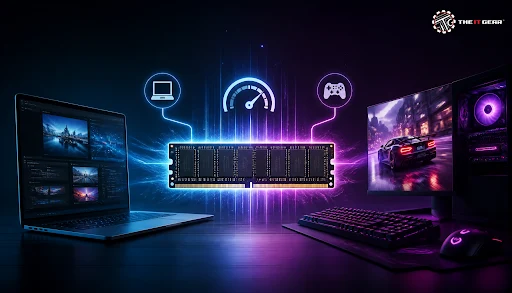
Random Access Memory (RAM) is frequently discussed, yet widely misunderstood. While one user might see a dramatic performance boost after adding more RAM, another may notice virtually no difference. The RAM effect is a function of what you're doing with the machine and the rest of the hardware setup. Problems like slow app loading, stuttering, and unexpected crashes can often be resolved by understanding how memory works and making informed upgrade decisions. For those looking to upgrade, The IT Gear offers a comprehensive selection of RAM modules to suit every need and budget.
The influence of RAM on your PC's speed, stability, and multitasking capabilities is generally referred to as the RAM effect. RAM stores data as a temporary space for the CPU, holding the data that active applications require in real time. Your processor reads data from your RAM instead of disk drive when you open the application or a game level.
The RAM effect is mostly decided by the size of memory and speed. Memory size determines how much data is retained at a time while RAM speed determines how fast data can be reached to the processor. If the RAM is over, the system will use the virtual memory which is stored in the disk that is extremely slower and will cause lagging visibly.
RAM Capacity: How Much Data Can Your System Hold?
RAM capacity directly determines how many tasks and applications your system can handle simultaneously. 8GB is usually sufficient for basic web browsing, office suites, and simple photo editing. 16GB gives you sufficient headroom to play games, stream, and browse countless websites all at the same time without slowing down a bit. For intensive workloads like video editing and 3D modeling, 32GB or more is considered the optimal baseline.
RAM Speed, Timings, and Transfer Rates
Clock speed of the RAM is a number which describes how fast is memory in a computer, usually in MHz or MT/s. Speed of the memory directly determines how fast data is transferred back and forth between memory and CPU. Higher memory speed allows the RAM to respond faster, for example, when launching software or loading new scenes in a game, resulting in smoother gameplay and reduced latency. Consequently, RAM speed has a significant impact on gaming performance.
On the other hand, CAS Latency (CL) is the delay between when a memory command is issued and when the data becomes accessible. That's why, not only the RAM speed but also the CAS delay are equally important as factors.
The module of 6000 MHz that has a CL30 setting is widely considered one of the best-balanced configurations, whereas higher-frequency kits with looser (slower) timings may yield no noticeable real-world performance advantage. For example, the Corsair Vengeance 32GB (16GBx2) 6000MHz DDR5 offers an excellent balance of speed and latency for modern systems.
Upgrading RAM is one of the most cost-effective ways to optimize laptop performance. In Windows 10, open Task Manager (Ctrl + Shift + Esc) and check your memory usage under the Performance tab.
If you see memory usage consistently hovering near 100%, the system will start writing data to the hard drive which is very slow and will result in very noticeable slowdowns. In these scenarios, upgrading your laptop's RAM makes an immediate difference:
However, if your processor is the limiting factor, adding more RAM will not produce noticeable gains. Before spending your money, it is essential to identify where the actual system bottleneck lies. For budget-conscious users, upgrading to a quality DDR4 kit like the Corsair Vengeance LPX 8GB DDR4 3200MHz can provide a solid foundation.
Gamers clearly notice the impact of RAM, as memory performance varies significantly based on speed, latency, and available capacity. The RAM speed not only directly affects CPU data throughput, but also the CPU's internal processing efficiency, since a faster memory can feed it with data in a time-saving manner.
In fact, faster memory increases average frame rates and noticeably improves 1% lows, eliminating the sudden frame-time spikes that cause micro-stutters. The result is a substantially smoother gameplay experience, especially in fast-paced competitive shooters where consistent frame pacing matters far more than peak average FPS. To understand more about how memory fits into your overall system, check out our guide on understanding CPU specifications.
Does RAM Affect Gaming FPS?
Absolutely, in two distinct ways: through RAM capacity and RAM speed.
The capacity buffer allows the computer to continue rendering without stuttering by keeping the needed data in memory rather than having to pull it from storage which is slower. If you only have 8GB for instance and the game needs 12GB, the system will constantly load data off your storage and this would cause stuttering in gameplay.
RAM speed allows the CPU to fetch and process instructions instantly. This stabilizes frame timing and minimizes micro-stutters, those split-second dips in frame rate that make gameplay feel uneven.
Does RAM Affect FPS Fortnite?
Fortnite is a game that consumes a lot of memory in particular at settings with high quality textures. Players who upgrade their RAM from 8GB to 16GB usually state that building and editing are a lot smoother while the frame drops are less frequent. Combining a large amount of memory with a fast speed like 3200 MHz and above will result in a significant increase in the gameplay of competitive scenarios.
For instance, Fortnite players on budget or entry-level systems can significantly benefit from higher RAM capacity and faster speeds to smooth out their overall gameplay experience.
Will 32GB of RAM Improve FPS?

32GB of RAM may enhance FPS, yet only if the problem is the memory size. If the usage of RAM by the games reaches 100% and the operating system is forced to rely on its virtual memory, getting a 32GB RAM would solve that problem and FPS would rise.
Even though a 32GB capacity may sound more than enough, 16GB RAM remains a great choice for many contemporary games. However, a 32GB RAM is better for video editing, 3D modeling, or creating content etc where it will be of better use. For those seeking high-performance options, the G.Skill Ripjaws S5 16GB 5600MHz DDR5 offers excellent value for gaming builds.
Sometimes neither upgrade produces a noticeable effect, as performance ultimately depends on how your system utilizes memory at any given moment. If your system is constantly hitting capacity limits, increasing RAM size must be your first priority.
On the other hand, if you already have sufficient capacity, upgrading to higher-speed RAM modules with tight timings will deliver the most meaningful performance gains. The choice between DDR4 and DDR5 is also crucial when planning your upgrade path.

1. RAM serves as your computer's high-speed temporary working memory; both its total capacity and operating speed directly dictate system performance and responsiveness.
2. Once capacity is adequate, RAM speed becomes just as critical—faster memory modules with tight timings deliver the most noticeable performance gains. When memory is completely full, your machine resorts to disk swapping, leading to severe slowdowns and stuttering.
3. Speed is crucial for gaming—faster kits with tighter timings lead to stable FPS.
4. For most users, 16GB is just about perfect. Then again, 32GB is more suitable for professional creators.
Understanding the RAM effect empowers you to make informed, cost-effective decisions about your hardware upgrades. Whether you're upgrading an old machine or assembling the latest desktop PC, the choice of memory will determine which one of them will perform visibly better. For more insights on building the perfect system, explore our guide on how to choose between prebuilt vs assembled PCs.
You can check The IT Gear's extensive list of RAM modules and hardware to see what parts will suit your PC. Whether you need DDR4 memory for an older system or the latest DDR5 modules for a new build, you'll find options that match your performance requirements and budget.
Does RAM Increase PC Performance?
In general, yes. Adding more RAM provides the necessary working memory to handle demanding multitasking and heavy applications without running out of available capacity. Additionally, faster RAM with low latency directly minimizes memory lag and eliminates CPU data starvation during intensive processing bursts, ensuring the processor receives instructions without delay. For a deeper dive into memory performance, check our article on DDR5 RAM for gaming.
Is 70% RAM Usage Bad?
Not necessarily. 70% RAM usage is fine for the moment if you keep on the right level of headroom. Problems start only when the memory gets completely filled and the system uses slow virtual memory in the fallback.
Does RAM Affect Gaming and Performance on Mobile?
In general, phones with higher RAM capacity are able to handle more apps/games simultaneously in the background and this reduces reload/restart times when switching between the different items. Of course the CPU, GPU, and storage speed are still going to be the main factors in performance, but mobile RAM still plays a big role.
How Does RAM Affect PC Performance on Windows 10?
RAM capacity defines the number of opened applications, response speed of your Operating System, and how smoothly they run. You can always view memory usage through Performance under Task Manager and get to know whether or not you need more RAM. If you're experiencing system slowdowns, our guide on troubleshooting a slow gaming PC can help identify other potential bottlenecks.





#No. 9, 5th Floor, Max City Center, T. P Lane, Sadar Patrappa Road, Bengaluru - 560002 (Karnataka)