








Select a category

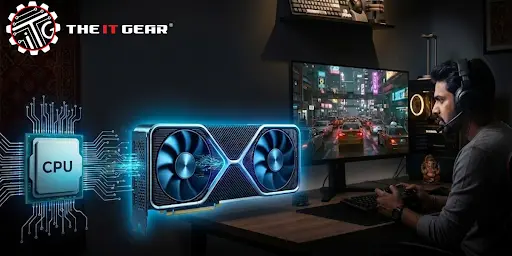
For Indian gamers and PC builders, maximizing performance for every rupee spent is of the utmost importance. You may have purchased a powerful new video card, only to discover that your favorite game continues to stutter or fail to reach anticipated frame rates. This disappointing outcome most likely resulted from a GPU bottleneck, or more exactly, that your GPU was the limiting factor, while your CPU could have been capable of more.
According to a 2023 poll conducted among Indian gaming community members of "Loco", over 60% of mid-range PC builders in India are concerned about component mismatch after their first build. Now, what can a bottleneck do to your computer?
If the GPU is the bottleneck, it means that your graphic card is limiting the performance of the rest of your system, mostly the CPU. Using an analogy to explain this, it is like a high-speed highway (your CPU and RAM) draining into a single-lane road (your GPU). No matter how fast the highway is, the single lane will cause a traffic jam. The same happens in a game when the GPU is out of work, the CPU that is at full speed can hardly output data, which renders the frame rate low and stable at the same time.
The kind of bottleneck you get depends a lot on the situation. It is not a fixed condition, it changes as your activity.
How to Detect the Problem? A complete diagnosis needs two things: observing symptoms and, more importantly, collecting data from your system while gaming.
What Are the Visual Symptoms?
Are there closing signs pointing at a GPU bottleneck? What does a GPU bottleneck look like? Your FPS will be low but stable, and in some cases, it will be a good guess that a GPU bottleneck may be present. At a lower resolution yet the FPS will not increase. For example, changing from 1440p to 1080p does not give you a boost in frame rate. This puzzling notion is quite common.
How to Diagnose with Software (Using MSI Afterburner)
A reliable hardware bottleneck diagnostics tool can be a monitoring software like MSI Afterburner (the software is free and widely used). Your first step will be to check two important system concerns: your GPU and CPU usage.
You get the green light for a GPU bottleneck after confirming it. Good news: there are quite a few ways to remedy it, starting with free software tweaks to even a hardware upgrade.
Lowering In-Game Graphics Settings (The Free Fix)
The most direct and least expensive solution is to reduce the graphical load on your GPU, which is also the easiest way to deal with the problem.
Overclocking Your GPU (The Advanced Free Fix)
Should you choose so, tweaking your GPU to overclock can be a cost-free way of getting extra performance out of your graphics card. MSI Afterburner helps you easily raise the core clock and memory clock speeds of your GPU.
The Ultimate Fix: Upgrading Your GPU
If this software side of things is still not enough to make you happy with your performance results, and you want the real fix, then you're going to have to get a new graphic card. Budgeting is important at this stage.
Grasping a GPU bottleneck is the initial step to harness your PC's performance. It is not the end of hardware but just the limitation of the performance that can be easily changed. By applying the steps and the free software mentioned in this article, you can make a considerable step in the gaming pleasure.
If you are in a hurry and even then want to upgrade your hardware, don't forget to go for a well-balanced setup. When looking for the best choice of gaming components in India like the graphics cards and complete PCs, head to The IT Gear.

Is a GPU bottleneck bad for my PC?
No, a GPU bottleneck is not a problem that can harm your PC physically. It only affects your gaming performance by limiting CPU utilization. It does not lead to any damage or lessen the lifespan of your components.
How can I calculate a CPU-GPU bottleneck?
Visit websites that offer GPU bottleneck calculators. Those sites will ask for your specific CPU and GPU models and give you a percentage estimate of a bottleneck. Yet, using MSI Afterburner for real-world testing is always the most accurate method.
Is 92% GPU bottleneck severe?
92% from a bottleneck calculator is an extremely severe imbalance. It indicates a component (most probably CPU) is severely limiting the performance of the other. You will notice poor performance most of the time, and a change of the weaker part is advised.
How can I prevent a bottleneck when building a new PC?
Before buying, learn well about the component pairs you are going to buy. For 1080p gaming, a mid-tier CPU like an Intel i5 or AMD Ryzen 5 together with an RTX 3060 is a balanced setup. For 1440p, a combination of i7/Ryzen 7 and RTX 5070 is great. Avoid pairing a very powerful GPU with a very cheap CPU, or vice-versa.





#No. 9, 5th Floor, Max City Center, T. P Lane, Sadar Patrappa Road, Bengaluru - 560002 (Karnataka)