









Select a category

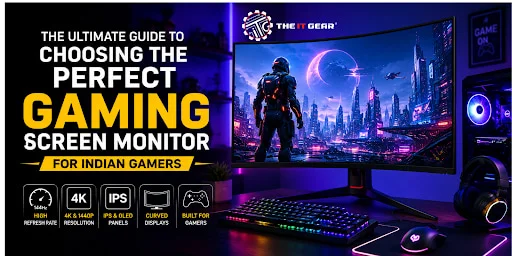
Indians gaming doesn't stop with mobiles. Thousands of PC and console players are now looking for high-end gamning monitor screens to give them the best gaming experience, whether it's on Valorant or Cyberpunk 2077's gigantic worlds.
In any case, your gaming screen monitor is where you see your gameplay. Regular office monitors will only delay your display, with screen tear and blurry motion. It definitely helps to know exactly what makes a gaming monitor better than a regular one.
The mega question that every buyer asks is, "Which screen is really good for gaming?".
And the straight-up answer to that is, it depends on the budget, it depends on your PC's graphics card, as well as the types of games that you play. For most Indian gamers, the 'sweet-spot' remains a 1440p (QHD) monitor that supports a 144Hz refresh rate plus an IPS panel.
If you're willing to splurge, a 4K OLED display with a 240Hz refresh rate offers the best picture quality and response times one could achieve.
If you're a competitive gamer on a smaller budget, a 1080p display with a 144Hz/240Hz refresh rate and a TN panel will give you the fastest response times for less money.
Every gaming screen monitor has three key specs. Knowing this "Golden Triangle" will help you avoid marketing jargon and focus on real performance.
There are also other technologies beyond the golden triangle that can distinguish between an average display and a gaming monitor. Panel technology and adaptive sync technologies are definitive considerations for buyers if they want to get the best value for their Rupees.
The panel type determines color fidelity, angles of viewing and contrast ratios. This is a matter of intense debate within the gaming community.
A popular query is whether OLED or IPS Windows PC screens are "better for gaming".
While OLED technology is tactically greatly superior to that of IPS monitors, with response time and image quality, IPS offers superior value for most of the Indian gaming households. A premium IPS monitor (say a model from ASUS or LG) offers 95% of the visual quality of an OLED monitor while costing half as much and offering no risk of ghost burn.
Unless one has a large budget and will be gaming alone in a dark room, an IPS gaming monitor screen is the wiser choice for Indian gamers.
Curved Screen Monitor: Immersion or Practicality
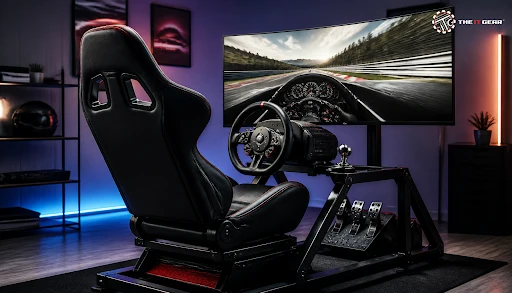
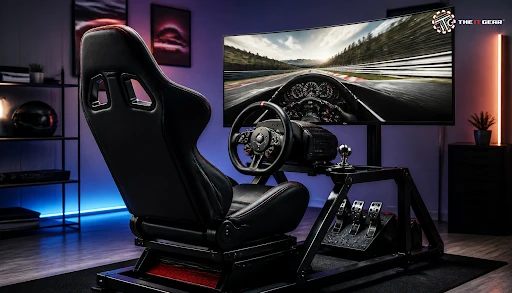
A curved screen monitor extends your screen space, making gaming more immersive. This is Mostly true for ultrawide aspect ratios (21:9).
For simulation, racing and RPG games, a curved monitor like the Samsung Odyssey series like the Odyssey Neo G9 gives you more cinemascopic depth of view. But, for competitive First person shooter games, most Indian gamers prefer a traditional flat monitor as it doesn't distort peripheral vision edges.
For Indian gamers working from home, most desks are on the smaller side. So, a 24-inch curved monitor might not be very advantageous over a flat one.
Biggest Gaming Monitor: Choosing the Right Size
When browsing for the biggest gaming monitor, Indian buyers should take desk dimensions and viewing distances into account.
There are monitors from 27 inches (good for 1440p resolution) to 32 inches and above (suitable for 4K). A 32-inch 4K monitor offers a tsunami-sized viewing surface to max-out work and play. Yet, sitting too close to the screen can cause neck strain.
For most Indian gaming builds, the most optimal option is between 27-inch and 32-inch monitors. This size is comfortably large yet not overwhelming for desk depths.
Top Gaming Monitor Picks by Budget (INR)
Here are the market segments for a top gaming monitor in India:
Hopefully, you found this article helpful before you press "buy" on your next gaming screen monitor. Use this last checklist to make sure you're buying the best one for your setup and wallet.

Upgrading your gaming screen monitor can have the biggest effect on your PC or console setup. Replacing your mundane 60 Hz office display with a native 144 Hz panel for gaming will make everything you see on screen look and feel snappier. Whether you go for the budget friendly 1080p monitor or a 4K OLED premium, get one that specifically focuses on the specifications for the games you play most.
For Indians gamers far and wide, seeking authentic products, expert advice, and the best prices on famous brands, The IT Gear is the place to go.
Is a 4k or 1440p monitor better for gaming?
1440p (QHD) is preferable for most gamers as it offers a much enhanced image quality over 1080p while avoiding the graphics card performance drain of 4K. Only for those using an ultra high-end graphics card (such as an RTX 4080 / 4090) and searching for ultimate visuals, can 4K be justified.
Is LCD or OLED better for gaming?
A pure gaming screen will perform better if it's OLED, thanks to no motion blur issues due to 0.1ms pixel response, perfect black levels & infinite contrast. For longer term gaming content creation & general use, an LCD (IPS / VA) panel would be a wiser investment as it's less costly, more luminant & not vulnerable to burn-in.
What should I look for in a monitor for competitive FPS gaming?
When it comes to FPS competitive playing, set your budget on a 240Hz or higher refresh rate and a low 1ms or less response time. 24-25" 1080p TN / fast-IPS panel would be optimal for pros.
Does a curved screen monitor make a difference for work?
Yes, a curved screen monitor is better for work when editing video or writing code on an ultra wide screen - as it helps preserve focus with a more natural framing of what you are working on without the edges being distorted.





#No. 9, 5th Floor, Max City Center, T. P Lane, Sadar Patrappa Road, Bengaluru - 560002 (Karnataka)