Select a category

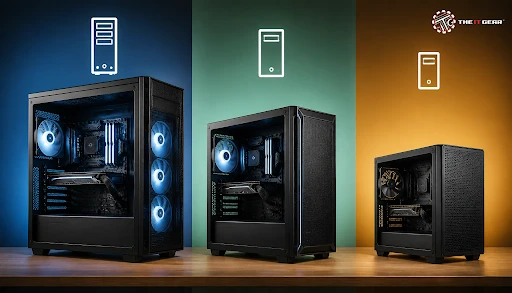
The computer cabinet is by far the longest-lasting piece of almost any PC build. Industry estimates show the vast majority (about 75%) of cabinets bought annually are for mid tower cases, with mini tower, small form factor, and full tower taking up the minority share. As the size class you choose determines what hardware is suitable, what cooling efficiency should be obtained, and how much you will have to pay, it's worth knowing what options you have.
The machine frame (also called case, chassis, or enclosure) is the skeleton around which the motherboard, graphics card, power unit, and storage are mounted, and which enables, or at least does not hinder, the flow of air over and around those components. There are five size classes of enclosure you will see in the Indian retail market, listed below in order from smallest size class to largest.
1. Small form factor (SFF) and USFF — Very small proprietary enclosures for a tiny Mini-ITX board, used for media PCs or minimalist desk setups.
2. Mini tower — The least bulky of the default DIY form factors and built for Mini-ITX and micro-ATX spec motherboards. Often includes two or three fan positions.
3. Mid tower — The most used case by builders. Suitable for micro-ATX and the very popular ATX, capable of housing 4-7 fans mounted.
4. Full tower — A large enclosure meant for ATX and E-ATX boards, supporting 12+ fans and a handful of radiators.
5. Super tower — An extreme category above full tower, aimed at custom liquid cooling loops and heavy modding projects.
Understanding this ladder is important because the cabinet size simply has to do with what motherboard form factor it supports.
Not all cabinets are towers. The tower takes a vertical position, which is the format almost all Indian DIY builders go by. Other types of cabinets available are horizontal desktop or HTPC cases, cube cases that have the footprint in between mini and mid tower, open-frame test benches used for benchmarking, and rack-mount server chassis. The term "tower" specifically refers to the upright orientation.
Most of the variation stems from two axes that nearly every buying guide revolves around: size and component allowance. Larger cases support bigger motherboards, allow for longer graphics cards, and thicker radiators, but require more space and more money.
The practical conclusion is that a mid tower covers the vast majority of builds, while a full tower is justified only when you genuinely need the extra volume.
This is one of the most common confusions, and the answer is that the two are not the same thing at all. Mid tower is a case size classification, and ATX is a motherboard form factor. An ATX motherboard is the most common size and will usually fit easily into both a mid and full tower cabinet. So a mid tower is larger than a mini tower but smaller than a full tower cabinet, and "ATX" is just the form factor of the board you are putting in.
Most of the time, when builders narrow their choices, they are choosing between these two paths. The communities on forums like r/buildapc tend to be pretty unanimous: most people pick up a mid tower, but a full tower is a premium item unless you're going to be doing quite a bit of modding or running several cards and a custom water-cooling loop.
In terms of dimensions, a typical mid tower stands around 450 to 500mm tall and holds roughly 35 to 50 litres of internal volume. A full tower generally runs 550 to 650mm tall with 60 litres or more, which is why it needs a dedicated space under or beside a desk. If your desk has a fixed shelf, measure it before ordering a full tower.
Reddit threads on this exact dilemma tend to support the same conclusion. Builders repeatedly note that the majority of people simply get a mid tower, and that a full tower is more of a luxury unless you are making a lot of mods. The common advice is to buy a full tower only if you already know which large component requires the space.
Think about the largest component you plan to install, then work backwards. The IT Gear stocks cabinets across all three mainstream size classes, and you can filter by motherboard form factor so you only see options that will actually fit your build.
A full tower PC suits enthusiasts running E-ATX boards, multiple GPUs, thick 360mm or 420mm radiators, and extensive cable management. It offers the easiest build experience because there is simply more room to work with and install components. Expect to spend roughly ₹12,000 and upwards for a quality full tower in India.
A mid tower case is the right answer for most first-time and repeat builders. It supports ATX boards, fits graphics cards up to roughly 400mm, and accommodates 240mm to 360mm liquid coolers without dominating your desk. Mid tower cabinets generally range from about ₹3,500 to ₹10,000 depending on airflow design, build material, and front-panel connectivity.
A mini tower is ideal when desk space, portability, or a clean aesthetic matter more than expansion headroom. It typically supports only a single compact air cooler or a small radiator, so plan your cooling carefully. Mini tower cabinets usually start from around ₹2,500, but check GPU length limits before buying a long graphics card.
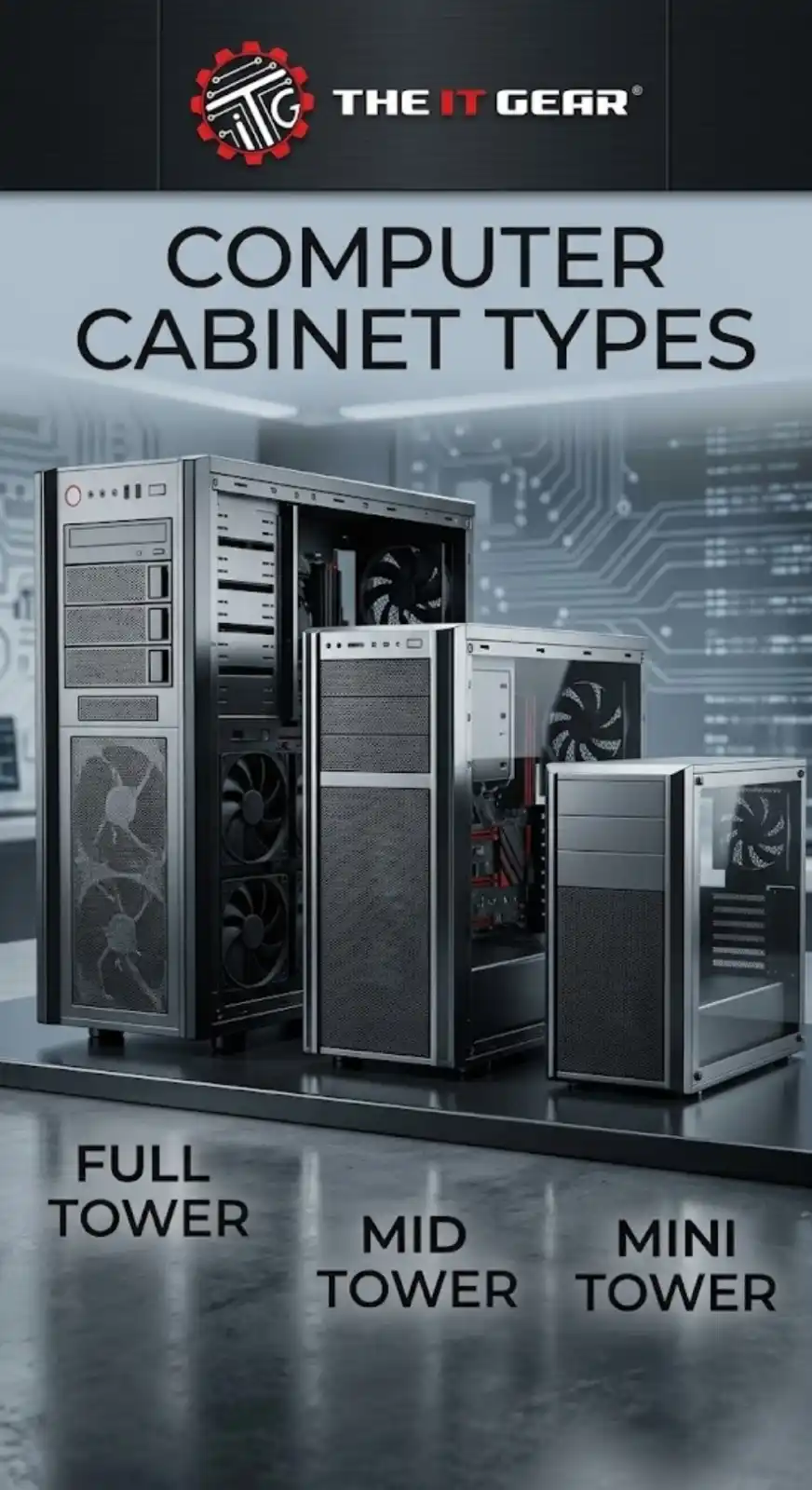
Cabinet size is a decision you make once and live with for years, so it pays to match it to your motherboard and cooling plans rather than to look alone. The IT Gear carries mini, mid, and full tower options suited to Indian builds and budgets, making it easy to find a cabinet that fits your components and your desk.
Is it worth spending extra on a premium cabinet instead of the cheapest one?
Yes, in most cases. A better cabinet usually means improved airflow, easier cable routing, thicker steel, better dust filtration, and more durable mounting points. These factors affect temperatures and long-term reliability, so a modest upgrade over the cheapest option is generally worthwhile.
Can a mini tower case fit a full-size graphics card?
Only if the card is short enough. Many mini tower cabinets allow graphics cards of around 250 to 300mm, so high-end triple-fan cards often will not fit. Always check the published GPU clearance for the specific cabinet.
Do I need a full tower for a gaming PC?
No. A mid tower handles typical gaming builds comfortably, including ATX boards, long graphics cards, and 360mm radiators. A full tower only becomes necessary for E-ATX boards, multiple GPUs, or large custom water-cooling setups.
What is the difference between a desktop case and a tower case?
A tower case is a vertical case, and is the most common form factor for DIY PCs. A desktop case lies horizontally, because of this it is generally thinner, and it frequently resides underneath the monitor, limiting cooler height and radiator mounting options. Desktop cases are generally used for HTPCs and compact systems.





#No. 9, 5th Floor, Max City Center, T. P Lane, Sadar Patrappa Road, Bengaluru - 560002 (Karnataka)






Looks like you haven't added anything yet. Explore our builds, components and gear.
Continue shopping