Select a category

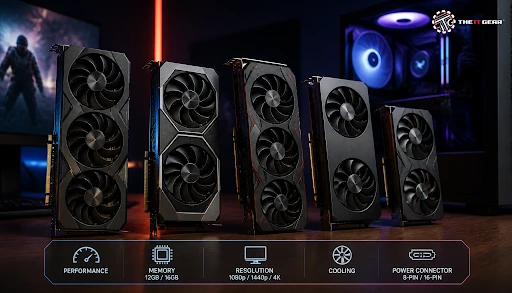
A quick search for "best graphics card for gaming PC" on Google India comes up with more than a lakh of results. That sheer number of opinion pieces, forum posts, and benchmark graphs leaves the purchasing decision really daunting. When you're ready to narrow down your options, exploring a curated selection of graphics cards can help cut through the noise with genuine product listings and clear specifications.
This article helps you make an informed purchase by highlighting the specs that actually affect gaming performance in a way you can use to choose a good product.
Essentially, your gaming PC's graphics card choice is a combination of three main factors:
Once you figure out these three, the specification part goes a lot easier and much faster too. As a rule of thumb to be remembered, think of the GPU as the core or main component of your gaming machine, for it decides your frame rate, the game's visuals, and the time your PC remains up-to-date.
About half of what gamers are looking for is determined by four specs:
1. VRAM Capacity
VRAM is a memory module where a GPU holds visual information needed to render frames—texture data and shading instructions. You need an 8GB card to run most contemporary games in 2026, but 12GB and 16GB will be capable of running higher resolution texture packs and future game features effortlessly.
2. Memory Type and Bus Width
GDDR6 and even GDDR6X memory are what define the speed at which your GPU gets the visuals from memory chips. A wider memory bus is another factor enhancing speed, so steer clear of those cards featuring an unusually tiny bus with a very large memory figure.
3. GPU Core Count and Clock Speeds
In their core count, Nvidia uses CUDA cores while AMD goes for stream processors. Yet, either way, their work is similar—they process large amounts of data concurrently. You're better off comparing core count numbers within the same card generation if you want to figure out their actual differences, whereas clock speed will give you an idea of the rate at which these cores are working.
4. TDP and Cooling
TDP, or Thermal Design Power, reveals the amount of heat production the card is tied to, and it will be the basis on which your power supply is selected. Cards that include triple-fan cooling or are factory overclocked remain relatively cooler and deliver better performance right out of the box, which will be mainly handy during Indian summers and longer gaming sessions.
A top-notch graphics card shouldn't merely look at one outstanding number as if there were no other measures. It should be the overall combination that makes the machine good or not. For most casual and mid-range gaming segments, that means that you can start with a minimum of 8GB of GDDR6 memory and go for a reasonably recent GPU generation (as in, not an old model) supporting the newest features like ray tracing and upscaling.
If your budget allows, the very next move is to go for a larger capacity of the video memory, i.e., 12GB or even 16GB, as the demand for textures is steadily on the rise. You can compare options from leading brands like Zotac, MSI, and Gigabyte to find one that fits your needs.
Your preference in games decides which sort of GPU you will need. A card capable of handling light eSports will not look like the one that handles 4K single-player adventures, and it is always better to buy within your requirements because otherwise, you end up spending extra money needlessly.
1. Casual Players and eSports Gamers Using 1080p
For those of you who play fast-paced titles regularly, low-end or mid-range GeForce or Radeon video cards should work great. These graphics cards prioritize high frame rates at the expense of expensive ray tracing features. Consider options like the Zotac Gaming GeForce RTX 5050 Twin Edge 8GB or the MSI GeForce RTX 5060 Inspire 2X OC for solid 1080p performance.
2. Story-Driven Games and 1440p with High Graphics Settings
These types of contemporary narrative games require more GPU memory and raw computing power. Mid- to high-end cards with 12GB to 16GB of VRAM and that come with current generation architecture and can be used for upscaling like DLSS or FSR would be ideal to choose here. The Zotac RTX 5070 Twin Edge 12GB or the Gigabyte Radeon RX 9070 XT Gaming OC 16GB are excellent choices in this bracket.
3. 4K High Refresh Rates and Creative Workloads
Flagship graphics cards that come with 16GB to 24GB video memory mainly cater to the needs of gamers who play at 4K as well as utilize GPU-accelerated editing and rendering software. Such graphic cards really justify their prices if and only if the monitor can genuinely showcase the enhanced performance. For this tier, explore options like the Zotac Gaming RTX 5090 Solid 32GB or the ASUS ROG Astral LC GeForce RTX 5090.
12GB can be considered as the optimal choice for 1080p games because it does not require an extra budget to run today's games. Still, if playing games at higher resolutions such as 1440p becomes part of your gaming life, or you want to enjoy texture-heavy mods, or keep a PC for four to five years without any major issues with the hardware, then 16GB should be a better bet, at least in such conditions.
Also, if you want to go down the route of streaming VR as well as AI-assisted upscaling, the graphics cards with plenty of VRAM, like 16GB cards, are going to be much more helpful as those activities themselves require huge amounts of memory. Because of this, if the difference in price is not too big, go for the higher capacity option. Cards like the Zotac Gaming GeForce RTX 5060 Ti AMP 16GB or the ASUS Prime RTX 5060 Ti OC 16GB strike that balance well.
First, before considering upgrading or changing your card, check which one you actually currently have. It is possible to do the check from inside Windows OS without the need to open your PC:
1. Try the DirectX Diagnostic Tool
Press Windows + R, type `dxdiag`, and then the display tab will show you the GPU model with information about who made the GPU and how much VRAM your GPU has.
2. Using Task Manager to Check
Open Task Manager with Ctrl + Shift + Esc, go to the Performance tab, and click GPU. This will allow you to get information about GPU use, memory usage, and current GPU name and driver version, all of it in real-time.
Contrast these results with the requirements shown on a game's official site. You are advised to find a new card that easily exceeds the recommended level so your CPU, RAM, and power supply are no longer the weakest links. For a deeper understanding of how your GPU interacts with other components, you might find our guide on GPU bottleneck solutions helpful.
A gaming graphics card that has a budget-friendly price does not necessarily mean it has poor quality. Within India, if one chooses the budget tier from the ₹15,000 to ₹25,000 segment and sticks to latest-generation entry-level GPU models rather than old, heavily used flagship ones, one can find several really good 1080p options. The latest cards provide better energy efficiency, longer driver support periods, warranties, and advanced features like ray tracing hardware acceleration. Models like the Zotac RTX 3050 Eco Solo 8GB or the Colorful GeForce RTX 3050 NB Duo 8GB are worth considering in this range.
Do not pay attention to the postings that appear to be unrealistically cheaper than the market price really, and before finalizing the purchase, please ensure the power supply has the correct kind of PCIe connectors. If you're building a PC from scratch, you may also want to check out our pre-built gaming PC options for hassle-free alternatives.
At The IT Gear, you can compare graphic cards within different price ranges through their clearly stated specs and genuine product listings. In addition to that, our team will be able to assist you in checking whether the card and monitor are the best match or not, as well as to check your current cabinet size to help you place the order.

The best graphics card for a gaming PC need not necessarily be the one you can find on the shelf for the maximum price. It is the one that fits you for the game, the display, and your plans ahead. Whether you're leaning toward an Nvidia GeForce card or an AMD Radeon option, understanding the specifications is half the battle won.
Take this guide as a specification checklist, and once you decide you want to buy, visit The IT Gear website so that your upgrade decision comes not only with expert advice but also with genuine, hassle-free customer support at the backend.
Can a cheap graphics card run 1440p gaming?
Yes, some budget cards manage 1440p gaming if you lower texture or shadow settings. For a smoother experience at high settings, prefer a card with at least 12GB VRAM.
What does VRAM do in a graphics card?
VRAM temporarily stores game textures, frame buffers, and shading data so the GPU can access them instantly. Insufficient VRAM leads to stuttering, texture pop-in, and forced lowering of graphics quality.
Do I need to upgrade my power supply when buying a new GPU?
Not always, but you should check the recommended wattage mentioned by the GPU manufacturer. Older or low-quality power supplies may lack the required 6-pin or 8-pin PCIe power connectors, so confirm compatibility before purchasing.





#No. 9, 5th Floor, Max City Center, T. P Lane, Sadar Patrappa Road, Bengaluru - 560002 (Karnataka)