







Select a category

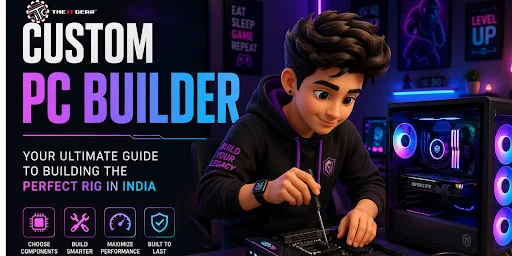
Putting together a machine piece by piece might seem tough at first, yet tools made for building PCs take away most of the stress. Gamers, editors, people working with artificial intelligence, even those analyzing financial markets - each can pick parts that match their exact needs instead of wasting money on features they won’t use.
Across India, more users now want computers shaped around personal demands, thanks to web-based setup options that adjust to both wallet size and daily tasks. Step by step, this overview covers what matters when picking hardware
It's just a website helping you choose each piece carefully. Most people in India begin with such a digital helper - selecting the processor first, then the board memory drive space, the video chip, the power unit, case follows after. As choices stack up, the system quietly verifies if things fit: socket lines up, speeds work, watts cover demand.
When everything locks into place, someone else handles screwing it all together, runs checks, and sends out a working machine straight to where you are. Across towns and big cities alike, businesses such as The IT Gear move fast - dispatch same day, reach nearly every pin code without fuss.
Starting? A digital builder beats grabbing pieces at chance. First attempts gain more when guided tools shape choices. Picking step by step helps avoid mismatches others make blindly.
1. Guaranteed compatibility
Wrong parts won't fit together - this catches those errors before they happen. Checking happens behind the scenes, matching sockets, chipsets, size, shapes, and how much electricity things need. A mismatched processor or oversized GPU gets flagged right away, stopping frustration later.
2. Real-time budget tracking
Midway through building your setup, the cost shifts right away when new parts get picked. Exchange that top-tier graphics card for something cheaper if spending feels too tight. Watch numbers change - how far does a fast NVMe drive stretch beyond a regular SATA option? Every figure pops up in rupees, fully loaded. Even those 1,599-rupee fees spotted on local assembly pages show without surprise.
3. Visual preview of the build
A spinning view pops up when you click around - some gadgets let you twist the whole setup to spot where wires fit best. Lighting effects show up clearly, giving a real idea of glow and shadows inside the box. Air paths become visible just by tilting the model slightly. Seeing it move makes decisions easier long before buying anything.
Start by picking parts one at a time, step by step. Many tools lay them out this way so you skip nothing along the way.
1. Choose the CPU and motherboard first
Start by picking a processor before anything else. That decision shapes which mainboard will work. Pick one part, then match the other to it. The chip comes first, always. Build around what the brain of the system demands.
Start with the brain of your system - it picks which slot and board type will fit. Gamers often find balance in models like Intel's fifth-tier Core or AMD's five-series chip. Heavy lifting, say movie making or smart software tasks, pushes demand toward sevens or beyond. Matching pieces matters - newer cores require newer boards that hold extra parts just right.
2. Add RAM and storage
Boost performance by upgrading memory alongside disk space. One step beyond basic needs, 16GB of DDR4 or DDR5 covers most games. When tasks grow heavier, 32GB or more handles them without slowing down. Instead of just speed, storage mixes quick access with space.
The operating system lives on an NVMe drive, lightning-fast compared to older types. Software runs more smoothly when stored there, too. Files that take up room go onto a bigger hard disk. Picture a setup where 1TB of ultrafast NVMe pairs with 2TB of standard spinning storage. This balance keeps things responsive while holding plenty.
3. Select the graphics card (GPU)
Most gamers put the GPU first when building a PC. A strong choice today? The NVIDIA GeForce RTX 4060 or 4070 models stand out across India. Then again, AMD's RX 7000 line holds its ground well, too. Running AI tasks changes things - memory matters more there. At that point, stepping up to 12GB of VRAM becomes necessary.
4. Pick the power supply and cabinet
A power supply needs sufficient wattage ( try using a calculator to check ) and ought to carry at least an 80+ Bronze label. Fit matters inside the case. It has to hold your board, whether ATX or smaller, along with room for the graphics card's reach, while letting air move freely and catching dust.
Picking apart what every piece does gives clearer insight during builds with custom pc builder tools. The physical bits? There are things such as the processor, main board, memory sticks, drives - either SSD or HDD - a graphics card, power unit, case shell, plus airflow helpers like fans. Specs show up differently across them: some have high ticking rates, others pack more cores, larger caches, and distinct plug styles.
Running behind the scenes matters just as much - the OS choice lands on Windows 11 or Linux, each hardware bit asks for its own driver file, systems lean on BIOS or UEFI code at startup, while background programs track heat levels and how fast fans spin. Some computers made in India come with temporary security software. Take The IT Gear, they set up real Windows along with key drivers right away. That way, you can start using the machine immediately after turning it on.
The custom pc cabinet is not just about looks. Inside temperature control matters more than most think. The mesh on the front helps air move through easily. Room for two fans pulling air in, plus one pushing it out, makes cooling stronger. Filters stop thick Indian dust from building up inside. Holes along the back let cables run neatly behind the motherboard tray.
Poor cases without these features trap heat slowly. Heat buildup causes processors and graphics cards to slow down when busy. Performance drops between ten and twenty percent happen then. Over time, parts wear out faster, too. One reason mid-size cases such as the Corsair 4000D or Antec NX292 sell well across India is? - They fit most builds without hassle.
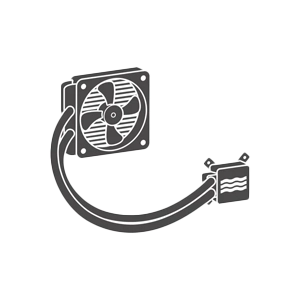
While picking parts through a custom pc builder, pay attention to how many fans the case holds - also, whether it fits your cooler's radiator if you go liquid-based. Then again, oversized graphics cards might not fit, so verify that limit before deciding.
|
Feature |
Custom PC (Build Yourself or via Service) | Pre-built PC (OEM like Dell, HP) |
| Component quality | You choose each brand – can avoid cheap PSUs or slow RAM | Often uses proprietary or budget parts |
| Upgradeability | Fully standard parts – easy to swap GPU, add RAM, etc. | Limited – may have proprietary motherboard or power supply |
| Price for performance | Better value – no assembly markup | Convenience fee; often lower spec for same price |
| Warranty | Individual part warranties (1-5 years) | Single system warranty (usually 1 year) |
| Customisation | Full control over RGB, cooling, and case design | Very limited |
When your computer just does not keep up anymore, it might be time for a pc upgrade. Stuttering during gameplay on minimal quality, slow exports from editing videos, waiting forever just to start up - these hint that something is off.
Maybe that new program demands hardware you do not have, like needing 8GB of video memory while yours holds half that amount. Boosting performance often means fitting extra memory - say, going from 8 to 16 gigabytes - switching older spinning drives for faster solid state ones, dropping in a stronger graphics chip, or fitting a newer processor (though that could mean changing the main board too).
To avoid mismatches, plug your setup into a custom pc builder before buying anything. At The IT Gear, help comes either by mailing them your machine or picking pieces yourself, with clear fit advice included.
Beyond just Kryptronix or Fusion Gaming, think about what stands out when comparing builders such as The IT Gear.
1. Transparent pricing and no hidden fees
Pricing shows up front, so nothing sneaks into the total later. Each part of the setup carries its own cost, visible right away.
2. Real customer reviews and community feedback
Start by scrolling through posts on Reddit. Look at comments under recent threads - details pop up when users vent or praise.
3. Warranty and return policy
Most builds come with a one-year guarantee on labor. Some brands cover parts for three to five years. Seven days to send it back helps you breathe easier.
4. Assembly quality and cable management
Pictures of completed systems often come from trusted builders. Neat wiring tends to follow when modular parts are used.
5. PAN India delivery with tracking
Across India, packages move with live tracking. In big cities, orders go out today or tomorrow.
The IT Gear stands out with a smooth online tool, real-time updates, and strong support across India.
PC lovers in India often struggle to find what they need. Yet here, every piece fits right without guesswork. Moving through each stage feels smooth because prices update instantly in rupees.
They stock everything - from budget processors to flagship models, and entry-level GPUs to high-end ones. Before shipping, systems get tested so surprises stay out of the box. Wires tucked neatly make the setup less messy at home. If something arrives broken, swap it within two weeks.
Their Bangalore support hub moves fast on returns, skipping delays typical elsewhere. Whether you want a silent workstation or a flashy gaming rig, The IT Gear builds systems balancing performance, cooling, and aesthetics.
Before buying through a custom pc builder, check:
Answering yes to all ensures a smooth experience.
A machine shaped by your own choices lets performance fit neatly beside what you can spend, skipping extras you won’t use or weak pieces that slow things down. Across India, picking every piece online has become easier, with fast shipping everywhere and help nearby when needed.
First time choosing parts? Or planning a pc upgrade? Knowing the hardware and software parts of computer, especially the custom pc cabinet, makes all the difference.
The IT Gear stands out with clear costs, genuine components, and reliable support. Start your journey with a custom pc builder today and experience a system built exactly for your needs.
Q1: Can I use a custom pc builder for free without buying?
Yes, lots of sites like The IT Gear have free configurators through which you can mix and match components and find out the final price. You will be charged only if you decide to buy. It is a fantastic way to get to know the hardware without any commitment.
Q2: What is the best custom pc builder software for beginners?
PC Building Simulator (a game) and PCPartPicker (web tool) are favorites among the general public. For Indian users,
Q3: How do I check the price of a PC build online with real-time prices?
Most Indian builder sites get live prices from distributors. PriceRaja or pcpricetracker. There are good price tracking websites to compare.
Q4: Is 3D visualization of PC builds available in India?
Premium builders do provide a 3D preview of the PC build. While it is not available everywhere, The IT Gear produces high-definition 2D images and can give you pictures of the builds before shipment. You will find complete 3D on third-party applications like SketchUp with component models.
Q5: What should I do if a part fails after a few months?
If you purchased the custom pc builder service, they are the ones to approach because they normally handle warranty claims for you. For The IT Gear, you will have to submit an RMA request online. They will help you with sending the defective part to their Bangalore service centre for replacement.
Q6: Can I upgrade my custom PC later?
Definitely. One of the major advantages of having a custom PC is upgrading it later. You can increase your memory, swap out the old GPU, put in a larger SSD, or even get a new CPU (if the motherboard supports it). Just make sure your power supply has spare connectors and enough wattage. The IT Gear also offers upgrade components, but with installation help videos.





#No. 9, 5th Floor, Max City Center, T. P Lane, Sadar Patrappa Road, Bengaluru - 560002 (Karnataka)