Select a category

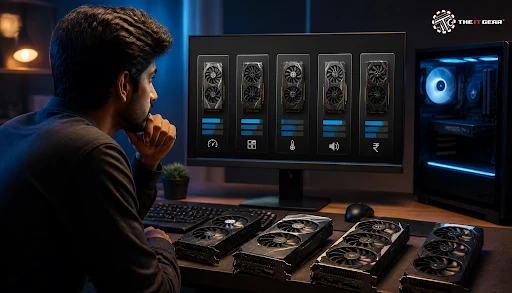
With just a graphics card, a plain desk computer can turn into a powerful gaming machine or a creative workstation. Still, buying a GPU in India is frequently frustrating because of confusing model numbers, several board partners, and scattered pricing online. The right graphics card for you is not necessarily the most expensive one. It is the one that fits your display, your games, and your budget. Below is your search path.
A Graphics Processing Unit, or GPU, is a special-purpose processor that handles the rendering of images, textures, and video and also speeds up parallel computing in modern software. However, a graphics card refers to the entire expansion board that contains the GPU chip, video memory (or VRAM), fans to keep the components cool, circuits to provide power, and outputs for display.
While all modern CPUs have very basic integrated graphics as a fallback, gaming, video editing, and 3D rendering require a dedicated or discrete GPU that handles much better due to its enhanced performance.

Begin by checking for the availability of a free PCIe x16 port and verifying that your power supply can handle the card's wattage. A separate GPU brings its own separate VRAM, significantly higher computational power, and dedicated driver software, so that you get a significant frame rate boost and a massive speed-up in render times when you switch from integrated to discrete graphics.
Leaving the integrated graphics output for media playback or debugging in case you need to go without the discrete card is also recommended.
Start by taking a look at your monitor's resolution and refresh rate alongside the games or programs you normally play or run, rather than get carried away by the latest flagship models. A gamer on a 1080p monitor will require far less graphical power than one who plays at 1440p or 4K. In the same way, a competitive gamer targeting over 100 FPS will be better off with a more powerful card than one who simply plays at 60 FPS in a story-centric single-player game.
Once you have a clear idea of your performance target, figure out the most affordable GPU that can easily achieve that target. If you are building a new system, explore the pre-built PC options available to see how different components are paired together for optimal balance.
1. Identify the main use case: Choose the type of card as per gaming, video editing, streaming, 3D rendering, or a combination, because each kind of workload stresses different GPU features. It's always about the performance you get for your money.
2. CPU pairing: When choosing CPU and GPU together, be aware that even if you pair a very fast GPU with a slow CPU, the GPU performance can still be limited by the CPU bottleneck.
3. System compatibility: Make sure to check the minimum PSU, PCIe power connectors, the size of the graphics card, and the clearance in the case.
4. Features and VRAM: Instead of focusing solely on raw speed, look for the memory buffer, the ray-tracing capability, and the support for upscaling.
Gamers should assess a GPU based on the frame rates it delivers at the preferred resolution. For single-player or story-based games, a baseline of at least 60 FPS is generally sufficient. However, multiplayer and competitive games, which are heavily dependent on the reaction time, require around 100 FPS for a very smooth gameplay experience.
It's also important that you coordinate your graphics card with your monitor - if you purchase a top-end GPU capable of 4K display but connect it to a 1080p screen with 144Hz refresh rate, you'll be throwing money down the drain. On the contrary, getting a mid-range card might be the wise 1440p choice for which you neither pay too much nor will the FPS decrease to an uncomfortable state. Check out our gaming monitors to find a display that matches your GPU's capabilities.
Nvidia and AMD are two major manufacturers of GPU chips whereas Intel Arc has lately made it possible for a more wallet-conscious buyer to have three choices. If you look at the generations, you will quickly get that the cards by Nvidia are divided based on tiers by their model names, which means - cards that end with 50, 60, 70, 80 and 90 are respectively from entry-level to the most advanced.
A version that has a more powerful performance is marked with the Ti suffix. Then, board partners like ASUS, MSI, Gigabyte, and Zotac produce their own versions of these GPUs where they might add different cooling solutions or even factory overclocking options, different warranty policies, and also different price points.
Is an RTX 3060 High End?
No, the RTX 3060 is part of Nvidia's xx60 mid-range family, and since its introduction, it has been marketed as an entry-to-mid-tier card, not a high-end one. Performance-wise, it is best suited for games at 1080p resolution with ray tracing and DLSS enabled, and it cannot deliver the same performance as higher-tier cards like the RTX 3080, RTX 4070, or RTX 4090. You can compare models like the Zotac Gaming GeForce RTX 3060 AMP White Edition or the Zotac Gaming GeForce RTX 3060 Twin Edge to see the range available.
The best idea is to evaluate a GPU based on independent benchmarks for its particular generation and price range rather than its marketing label.
GPU memory stores the textures and frame data a GPU currently processes. As a result, with the higher resolution textures in modern games, more graphics memory (VRAM) is required. Today, 8GB is practically the minimum level of memory that could be referred to as entry-level.
However, if you are looking for a graphics card that is capable of staying relevant with the market trend for several years, 16GB is the recommended choice. In case of big creative projects such as the modeling of large 3D scenes or editing 4K timeline content, capacities above 16GB will be really appreciated.
Is 32GB VRAM Overkill for Gaming?
For people who only play games, 32GB of video memory is overkill in most cases, because even very demanding AAA games can usually be rendered comfortably on a 16GB GPU. Cards like the PNY Quadro RTX A4500 20GB or the NVIDIA Quadro RTX 2000 Ada Generation 16GB are designed for professional workloads rather than pure gaming.
The real need for massive video memory buffers exists only in areas of heavy computation like AI, deep learning and intricate 3D modeling where working data volumes will probably exceed 16GB easily. Keep in mind that increasing VRAM will not make a low-end GPU a high performer - the performance of the GPU fundamentally still depends on the compute power of the chip.
Besides the speed and rendering of images by a graphics card, a modern graphics card is also evaluated by its smart features, which lead to a more aesthetically pleasing image and a smoother game or graphic creation performance.
Nvidia's DLSS, AMD's FSR, and Intel's XeSS all use a method where games are rendered at a lower internal resolution, and through some upsampling, a clearer image is generated. This significantly raises frame rates. Then there is frame generation which further creates additional frames by way of AI.
Lastly, ray tracing stimulates realistic lighting, shadows, and reflections, but it will come at the cost of some performance, a trade-off that a buyer should be ready to accept only for a graphics card that is sufficiently powerful.
Almost every modern motherboard is equipped with at least one PCIe x16 slot that is suitable for most graphics cards. So, getting a GPU that fits in the slot rarely poses a problem. The main areas of concern are ensuring that your power supply has enough wattage and PCIe cables. Also, your PC case must be able to accommodate long and wide graphics cards without any difficulty.
The latest premium graphics cards from Nvidia use the 12V-2x6 power connector, which is an altogether new 12V-2x6 type connector. That's why your PCIe power supply (PSU) must either be able to offer native support for this type of connector or you might need a GPU with an adapter. When selecting your power supply, always keep future GPU upgrades in mind.
If you cannot choose a GPU based on performance tier, your main factor will be your budget. At the entry level, your graphics card is capable of gaming at 1080p for esports games and a medium level for AAA games. Options like the Zotac Gaming GeForce RTX 3050 Eco Solo or the MSI GeForce RTX 3050 Ventus 2X OC are solid starting points. The second tier is a good choice for a combination of ray tracing capability and a high refresh rate for 1440p gaming.
As for high-end and enthusiast-class cards, these are mainly geared toward 4K gaming, extensive creative workloading, and a kind of future-proofing but at a price point that in India, will put the most demanding buyers out of consideration. Flagship options such as the Zotac GeForce RTX 5080 Amp Extreme Infinity or the MSI GeForce RTX 5090 32GB Vanguard SOC deliver unmatched performance. So, a strict match between the tier of the GPU and your monitor and the type of your workload will be required.

1. Clarify whether you will be running a PC for gaming, creative work, or both.
2. Decide on a target resolution, a refresh rate, and the desired frame per second you are aiming for.
3. Fix a budget which you can realistically spend on a GPU keeping in mind that a balanced CPU may be cheaper or more expensive.
4. Make sure the wattage of your power supply (PSU), the availability of PCIe connectors, and the size of your case are up to the required standard that fits the GPU of your choice.
5. Think about how much VRAM would do and which new features you actually need.
6. After the decision is taken, make the final comparison about cooling, noise, warranty, and pricing between manufacturers before purchasing.
The right method for choosing your GPU purchase is not at all complicated. Start by determining the kind of display you have and how you want to use it, then decide on your budget and finally select a cutting-edge card that can effortlessly surpass the performance level you have targeted. Whether you wish to go for a modest 1080p upgrade in the system or build from a powerful system with 4K, the right retailer will make the whole process simple for you.
The IT Gear carries a wide variety of high-performance graphics card models that are genuine products of some of the top brand manufacturers of graphics cards. Besides, the salespersons at the store are highly knowledgeable and can give proper advice on GPU models to help Indian PC builders find a good option to get their GPU installed by purchasing confidently. You can also explore our desktop graphic cards collection or check out Nvidia graphics cards and AMD Radeon graphics cards for brand-specific options.
Q: How Do I Select a GPU in Windows 11 or Change the Default Graphics Card for a Game?
Open Windows Settings, navigate to System, then Display and click Graphics. Now, pick the app in the Graphics list, click the "Options" box, and you will be able to decide which physical GPU, i.e., your internal one - or an extra graphics card for best performance, or the integrated GPU for power saving - your apps use.
This option also enables you to solve the problem which happens to laptops or hybrid desktops in which a game is using the wrong GPU.
Q: How Do I Choose a Graphics Card for a Laptop?
A GPU card for a laptop cannot be replaced after the purchase, so to buy an ideal one, a buyer should make that decision at the point of purchase very carefully.
Verify the Total Graphics Power (TGP) and the thermal design of the laptop, because even with identical model numbers, a GPU can perform much worse or better depending on its power limit and cooling solution. Buy the highest performing GPU within your budget. You'll hardly regret it if you plan to run games or creative applications over the next few years.
Q: Why Should I Buy From a Trusted Indian Retailer Like The IT Gear?
Differentiated products, valid guarantees and dependable post-sale assistance are ways to safeguard your money, as graphics cards are costly items. Therefore, choosing a reliable retailer is important. It is advisable to compare prices and read product specs at a reputable store, which helps in reducing the possibility of receiving counterfeit or illegally imported cards.
The IT Gear makes the whole thing easy for you by providing a stock of genuine graphics cards and guiding the consumer in making the right choice. For more guidance on choosing the right components for your build, check out our guide on gaming PC specifications and our GPU buying tips.





#No. 9, 5th Floor, Max City Center, T. P Lane, Sadar Patrappa Road, Bengaluru - 560002 (Karnataka)