Select a category

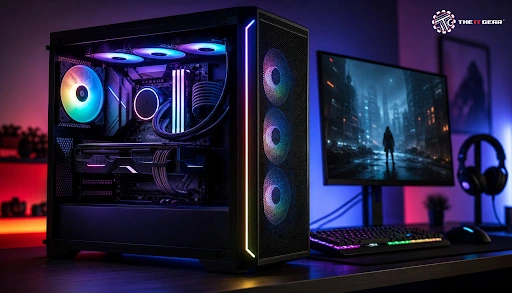
Gaming has become a huge business not only in India but around the world, and it is anticipated that there will be over half a billion Indian gamers in 2025. From competitive esports to high-end immersive AAA titles, the choice of gaming PC specifications can really be a daunting one. This guide presents the components, right from the processor to the power supply in detail, so that you can pick a computer, which not only suits budget but also performance expectations.
Gaming PC specifications are the technological description that tells you how a computer will perform during the execution of the game. These specifications consist of CPU and the graphic card, memory (RAM), hard drive, and motherboard.
It will help to know these specifications as it gives you an idea about the gaming experience. It's important to understand each feature and decide as a result to get the best system for gaming and use other programs on the PC as well.
The Core Components That Define Gaming Performance
A well-balanced selection amongst these parts will lead to a good performance of your gaming PC.
To judge a gaming computer, give top attention to the CPU and GPU. The best strategy will be: identify your desired resolution and frame rate first. Then find the best GPU for that resolution and the CPU that will be a fit (not slow) even if the GPU is the most powerful. After that, you can pick RAM and storage that cater to your needs of multitasking and loading speed.
Processor (CPU) – Clock Speed, Cores, and Threads
Even now you will need at least a CPU with 4 cores having a clock speed of 3.8 GHz or more to have fun at game level. Newer 3D games that have very detailed physics engines take more than 4 cores, so a CPU with 6 cores like the Intel Core i5 or AMD Ryzen 5 can run them smoothly.
If you wish to play alongside streaming content or running multiple applications simultaneously, that is when an 8 core CPU (like i7/Ryzen 7) would not be an overkill. In 2026, you can consider the Intel 13 and 14 or AMD Ryzen 7000/8000 series.
Graphics Card (GPU) – The Heart of Gaming Performance
It is the GPU (Graphics Card) that determines the frame rates and resolution that you can display. For example, a budget card like the NVIDIA RTX 5050 8GB will handle 1080p games quite smoothly. An RTX 3060/4060 will handle 1440p with a smooth run. For 4K gaming, you would need the RTX 4070 and up.
If you are going for AMD, a Radeon RX 9060XT is a great starting point for 1080p, while the RX 7800 XT will get you into the 4K/1440p resolution. Make sure you take your pick of a memory card which has at least 8 GB - as this will be crucial mostly for games that have a lot of textures.
RAM – 16 GB Is the New Standard
If you are going to run modern gaming software, you must have at least 16 GB of DDR4 or DDR5 RAM that should not work slower than 3200 MHz. 32 GB is quite unnecessary when it is pure gaming. But, when you want to do live streaming alongside gaming or work on video editing or virtual machines as well in one session, 32 GB is recommended. Dual-channel (2 modules working in parallel) mode will give you the best performance with your RAM.
Storage – SSD vs HDD vs NVMe
You should get an NVMe SSD for fast system startup and smooth game running. 1 TB of NVMe SSD space is a great size, and you'll be well set. In case you play old games a lot, an HDD is very useful for keeping archived versions. The primary drive should not be a hard disk only because a mechanical one will cause delays.
Motherboard, Power Supply, and Cooling
A suitable motherboard is one that has the same size of socket that is on the CPU which the buyer is planning on getting. It is also essential to check that there are an adequate number of PCIe lanes. A 650W 80+ Bronze-rated power supply is considered good enough for a moderate gaming PC, though high-performance graphical cards can require higher wattage (around 750W or plus). An air cooler will do just fine for the cooling of almost all systems, but liquid cooling will be of help in systems that are using powerful or heavily used processors.
Based on the amount of money that you are ready to spend, you will be able to buy a certain brand or level of components. This description is for Indian buyers only (with all prices indicated in INR).
Average Gaming PC Specs (Mid-Range, 1080p Gaming)
Estimated cost of build: ₹75,000 – ₹90,000 excluding peripherals. This type of configuration will run most games, with a frame rate of 60+, comfortably with high settings on 1080p.
Good Gaming Computer Specs (Upper Mid-Range, 1440p Gaming)
Estimated total: ₹1,20,000 – ₹1,50,000. This is the right configuration if you intend to play games at the max level (ultra) on 1440p as well as play some nice 4K games at medium quality settings.
The Best PC Specs (High-End, 4K and Ray Tracing)
Building cost: ₹2,50,000+. An ideal scenario for a gamer that is not only looking for a high game FPS but also wants a ray traced gaming experience and has no worries about future technology.
The baseline or minimum specifications simply refer to the hardware that is required to run a game, usually on the lowest settings and the game will be playing at just the 30 FPS rate. As per the usual specs required to run an average 2025 title:
The listed specs will not be good enough to enjoy and handle the next few games to be released on the market. To play games on the higher settings you should definitely check out the average gaming PC specs suggested above.
Put main focus on a strong GPU (RTX 4050 or better), a panel showing high refresh rate like 120Hz or 144Hz, at least 16GB RAM, and fast NVMe SSD. Have the TGP or Total Graphics Power of the GPU checked - the more power you are going to use, the higher the total TGP - this means the better performing graphics card. Also, make sure that there is enough cooling. The laptop, if under thermal limits, can throttle its performance in some ways.

It's vital to know gaming PC specifications to make an informed decision when buying a gaming setup. Every element of a gaming computer such as a processor, graphics card and all other components work together in delivering the best gaming performance. If your budget is very limited do not throw away a chance to build a top-level rig, instead be very mindful of your choice that balance is your best friend.
For example, The IT Gear can assist you with all components. They do have expert support staff to guide you to pick the best specifications for your goals, be it an ultra-low powered PC for a casual user or an extremely powerful setup that can handle the most resource hungry games. You can also explore their pre-built gaming PCs for ready-to-use solutions.
What are good specs for a gaming PC in 2025?
These are some of the most demanding PC gaming components. As far as the CPU is concerned, an i5/Ryzen 5, a GPU having 8GB minimum of VRAM (RTX 5060/RX 7600), RAM which would be at least DDR5 16 GB, an SSD up to 1 TB as storage and a good PSU with around 650-700W is more than enough of a setup for the current games that can support the higher settings.
All parts needed to build a gaming PC – what is the essential list?
These are the very first things you would need to put together a PC gaming computer: CPU, GPU, motherboard, RAM, storage (SSD), case, CPU cooler, case fans, power supply. The rest of the gaming computer build will depend on your particular tastes and needs.
What are good PC specs for gaming and streaming?
For streaming, an optimal CPU would be an 8-core Intel i7 or Ryzen 7 CPU, 32 GB RAM, and a graphics card like the RTX 5070 or better. These will allow your game to be rendered smoothly as the background stream.
Average specs for gaming PC – what do most Indian gamers use?
A large number of Indian gamers make use of a semi-sleek system: they have either an Intel Core i5-12400 or a Ryzen 5 5600, plus an RTX 3060 or RX 6600, 16 GB Memory, and probably a 512 GB NVMe Drive. That is enough for 1080p @60 FPS.
What do I need for a gaming PC setup besides the tower?
Besides the tower, a player would need a monitor (better if it runs 144 Hz), a Gaming Mouse, a Mechanical Keyboard, a Headset, and a strong Internet connection that allows Online Play without lag.
Is 32 GB RAM overkill for gaming?
It is true that even with 16 GB of RAM, you can get satisfactory results for gaming and you will not really be missing anything, though you may need more RAM if you have multiple browser tabs open, are running other programs and of course, streaming. 32 GB RAM will be of great help there, and you are not wrong. Still, you could spend that extra bit on something like a new graphics card or a bigger SSD while staying on 16GB.
What do I need to know before buying a gaming PC?
Determine exactly how much you are willing to spend. Also, decide whether it is the kind of pre-built machine you are interested in or if you would rather go for a custom-made one with better specs at lower cost that is still very flexible about adding components. On the other hand, also take cooling into account; laptops require good heatsinks while desktops need case fans. For gaming laptops, check whether they have a dedicated GPU and enough upgrade slots for RAM.
Gaming PC parts list with price – where can I find updated costs?
At The IT Gear, we give the up-to-the-minute cost details of individual PC components as well as pre-built PCs. Go through our site and talk to us to know about the prices and check the stock of the newest hardware.





#No. 9, 5th Floor, Max City Center, T. P Lane, Sadar Patrappa Road, Bengaluru - 560002 (Karnataka)






Looks like you haven't added anything yet. Explore our builds, components and gear.
Continue shopping