Select a category

PC Keeps Crashing? Causes, Fixes, and Complete Troubleshooting Guide
If your PC crashes in the middle of something or restarts randomly, you’re not alone. Windows logs every unexpected shutdown in its Event Viewer’s Critical log — so the answer is hidden right inside your system. If you’d rather not chase stop codes alone, professional PC crash diagnosis and repair can pinpoint the fault quickly.
Many people just reinstall Windows, not realizing that it could be a loose RAM stick, evaporated thermal paste, or an outdated GPU driver. In this guide, we’ll look at the most common causes for your PC crashing and how to fix them step-by-step.
Software Problem or Hardware Problem — How to Know?
This little diagnosis sets the direction for every fix to come; otherwise, you are wasting time and money in the wrong places. If the trail goes cold, expert repair for a computer that keeps crashing or restarting can isolate the faulty part before you replace the wrong component.
PC Keeps Crashing or Restarting Causes and Fixes: Windows 10 and Windows 11
Both Windows 10 and 11 have similar leading reasons — old drivers, corrupt system files, heat shutdown, and weak power supply. The only difference is that Windows 11 relies on newer drivers, which can cause issues with older hardware more quickly. For a broader walkthrough, see this guide to why a PC randomly restarts.
The most common cause of random crashes is faulty or loose RAM, followed by a faulty PSU and an unstable XMP/overclocking profile. Confirm it by running Windows Memory Diagnostic and testing RAM sticks individually.
Why Does My PC Keep Shutting Down and Restarting?
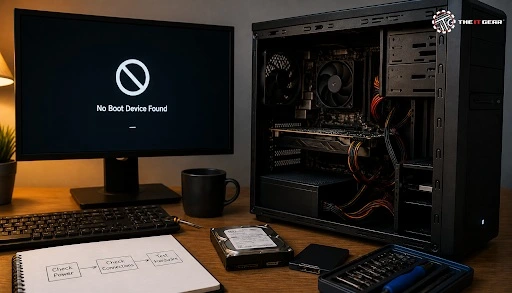
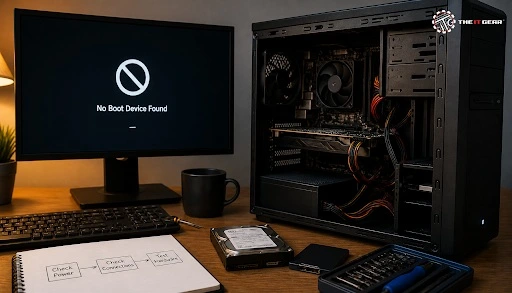
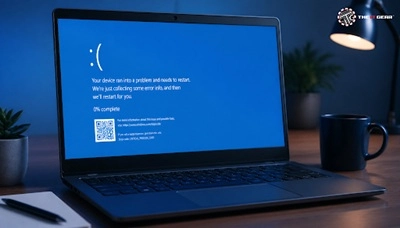
A common cause is a thermal shutdown or a power-off restart immediately after shutdown. Windows’ “Automatically restart on system failure” option is checked by default, so BSODs do not appear — turn it off in Advanced System Settings → Startup and Recovery to see the actual stop code.
Why Does My PC Keep Crashing Windows 11?
A common fix for Windows 11 is driver mismatch after a feature update, especially GPU and chipset drivers. The most common fix is to perform a clean install of the driver from the official page, and the BIOS should be upgraded to the latest stable version.
How to Fix a PC Constantly Crashing?
Software repair first, hardware check second. Follow the steps below in order because every step reduces the scope for your next step.
Step-by-Step Fixes
1. Run SFC and DISM — Run `sfc /scannow` in an elevated Command Prompt to repair corrupt system files, then run `DISM /Online /Cleanup-Image /RestoreHealth` to repair the Windows image.
2. Update drivers or BIOS — The most common culprit for driver lockups; get GPU, chipset, and storage drivers from the official source.
3. Cooling — Remove the dust and apply fresh thermal paste. This ₹300–₹600 maintenance can help prevent thermal shutdowns.
4. RAM and storage test — Run Windows Memory Diagnostic to check the RAM, and use CHKDSK or check the SMART status to diagnose disk issues. For storage upgrades, compare SSDs and HDDs.
5. Check PSU and cabling — Pushed-in loose cables and a weak PSU cause random restarts.
6. Malware scan and clean boot — Perform a clean boot test to isolate conflicts caused by third-party software.
Computer Crashes Randomly, PC Freezing, and Gaming Crashes
Not all crashes are the same. Some cause the entire system to freeze, while others only close the game. The causes can vary depending on the symptoms, so each issue should be diagnosed and treated separately.
Gaming crashes commonly occur when the PSU reaches its limits under load, the GPU driver times out, or airflow is restricted. Improve cable management inside the case, perform a clean installation of the GPU driver, and confirm that your PSU’s rated wattage is sufficient if you have recently upgraded your graphics card.
PC freezing can often point to storage or RAM issues, as the system may get stuck during read/write operations. Check your SSD’s health using its SMART status, run the RAM test again, and install the latest cumulative update if the freezing starts after an update. For persistent freezing, this guide to troubleshooting a slow gaming PC may help isolate storage or background-process bottlenecks.
Quick Glance: PC Crash Fix Checklist
“PC keeps crashing” is a problem that can be fixed with a systematic approach rather than panic. First, note the symptoms, then repair the software, and finally test the hardware. In most cases, the issue can be resolved with SFC/DISM scans, driver updates, or cooling maintenance. If crashes continue after these steps, a professional computer repair service can test the PSU, RAM, storage, and cooling under load.
If you need to replace the RAM, SSD, PSU, or cooler, get genuine components from The IT Gear. Their catalogue includes desktop RAM, NVMe SSDs, 80+ certified PSUs, and CPU coolers, with pan-India delivery and warranty support.
FAQs
Yes. A weak or failing PSU may struggle to maintain stable power under heavy loads, causing random restarts or shutdowns. The quickest way to test the PSU is to temporarily replace it with a known-working spare unit.
Yes, in most cases. Even if Windows crashes, your data usually remains safe. However, repeated crashes can cause data corruption, so it’s best to back up your essential files immediately.
Minor software repairs, such as running SFC scans, updating drivers, or cleaning the PC, may cost ₹0–₹500. Hardware replacements, such as RAM, an SSD, or a PSU, can cost around ₹2,000–₹8,000, depending on the component and its specifications.





#No. 9, 5th Floor, Max City Center, T. P Lane, Sadar Patrappa Road, Bengaluru - 560002 (Karnataka)