Select a category

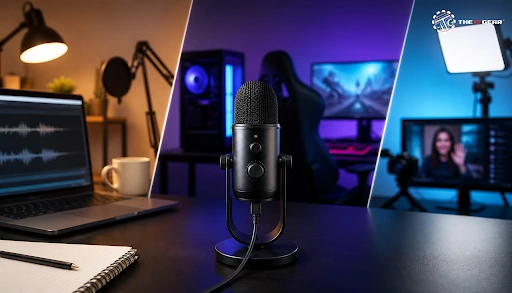
Today's common home studios start with a single cable. A USB microphone has a combined preamp and analog-to-digital converter built into the microphone itself, meaning it can connect directly to a computer or laptop and start recording right away—no need for audio interfaces, desks, faders, or phantom power.
That simple feature is the reason why USB mics are now ubiquitous on desks for gaming, podcasting, streaming, and working from home. Read on to learn what a USB microphone is and how to pick one for gaming, streaming, and recording.
A USB mic is a microphone that contains a preamp and ADC within it and can transmit digital audio directly to a computer via a USB cable. As the complete analogue-to-digital chain is housed inside the mic, there's no requirement for an external audio interface or mixer, nor even a dedicated power supply - most designs are built to the USB Audio Class standard, so PC- and Mac-compatibility is near-comprehensive, with PlayStation- and Xbox-compatibility requiring a reference to model-specifications.
This internal link is the foundation for the rest of what follows, from USB gaming microphone options to cheap PC options.
What Are the Key Differences Between a USB-C Microphone and an XLR Microphone?
Simply put, a USB-C mic is an investment in convenience while an XLR mic is an investment in flexibility.
The choice is made by capsule type, pattern, and form factor. Condenser capsules have higher sensitivity and a brighter sound, dynamic capsules have better room noise rejection. Cardioid fixed-pattern mics work well with one speaker, while multi-pattern versions include omni- and figure-8 options for interviews.
Others include tabletop stand-alone mics, handheld varieties, tiny travel mics, and on-camera and lavalier options, as well as hybrid dual-output mics with both XLR and USB.
USB Wireless Handheld Microphone
USB wireless handheld microphone with receiver is inserted into the USB port for wireless operation during hosts, presentation, karaoke, and on-camera reporting. The tradeoff is a minor loss of fidelity and some extra battery management, but the freedom of movement for events makes it a worthwhile tradeoff. For desk gaming or streaming use, the wired USB gaming microphone is a better choice.
Which USB Microphone Has the Best Quality?
Quality is a specification sheet, not a label. A 'Noobie' mix setup – check capsule type, polar pattern, frequency response, self-noise (or the signal-to-noise ratio) and maximum SPL before clipping. 24-bit/48 KHz recording, low self-noise for quiet rooms, on-board DSP to built-in a noise gate or limiter, and zero latency headphone monitoring. In real-world terms, a room treatment makes a more significant difference than an upgrade in specs.
The right mic is not as economically defined and really has to do with what you are recording, how noisy your room is, and what your machine power can do. Go through these steps before you buy.
1. Determine the use case. Voice chat and streaming require quick setup and intelligible speech, while music recording calls for low self-noise and higher fidelity. Draw out your primary use first, as it cuts the list in half at once.
2. Assess your environment. The best environment for recording is a shared or untreated room—an up-close cardioid microphone that closes it down to only the familiar faces and rejects the background noise. If your room is not noisy and has been treated, then a condenser microphone can be used (otherwise, it will amplify your computer's fan noise and keyboard clicks).
3. Check your ports. A direct port on your motherboard beats a dead hub, which often means dropouts or buzz. Make sure you have free USB-A or USB-C ports before you pick a connector.
4. Where to position the mic and mounting options. Use a desk stand, boom arm or shock mount. Keep the mic 15–20 cm away from your mouth and at an angle so you are not directly on-axis with it. (This will help cut out any plosives and prevent your keyboard from being recorded).
5. Choose a control interface you'll actually use. Physical controls such as a mute button, a gain control or a headphone jack come in handy more often than bells and whistles that you'll never need.
Every one of these steps further constricts the canvas, and that's how you'll find yourself with the best USB microphone for PC, instead of the most promoted ones.
For gaming and streaming, it is voice clarity before chat codecs, no-fuss plug-and-play, very low monitoring latency and simple muting. In India, entry-level USB mics go from ₹1,200 to ₹3,000, mid-range ₹3,500 to ₹8,000, and premium over ₹10,000.
Additional money gets you, if you're lucky, a higher-end capsule, lower self-noise, onboard DSP processing rather than just branding. The IT Gear stocks both USB mics and headsets in all these price bands so you can buy a microphone that suits your budget, rather than guess.
Stand-Alone Microphone for Gaming vs a Headset Mic
A dedicated microphone will sound more natural and more complete than a headset boom and can be moved around as your desk setup develops. It does need a mic stand or boom arm yet, which adds expense and takes up space. If you already have a great pair of headphones, a stand-alone mic is usually the way to go.
USB Earphones With Microphone: When They Are Enough
What about microphone quality? USB earphones with a microphone work well for answering calls, in classes, and for light-to-medium casual conversations, as the mic is close to your mouth and is forgiving of background noise. They don't do a good job in streaming and recording work, where a dedicated mic makes for a far better tone.
Use a direct port on the back of the motherboard where possible. The back is a host port and more likely to provide cleaner power and less interference than front-panel ports. Skip unpowered hubs: they'll introduce dropouts, whine, and buzz.
USB 2.0 is enough, as audio consumes very little bandwidth, and a USB-C-to-USB-A adapter is OK. Use a high-quality cable that's not too long, then set your input gain so your loudest speech peaks at around –12 to –6 dBFS.

A USB mic takes the technical barrier out of clean sound, whether you're a gamer, streamer, podcaster, or a remote worker. Use your room and use case first, then specs. If you need to be hardwired to your PC with a microphone, whether for gaming, streaming, or conferencing, The IT Gear stocks USB mics, gaming headsets, and USB earphones with microphone, for comparison shopping in one place.
Do USB Microphones Need Drivers or Software?
Almost all of these are class-compliant and instantly functioning on Windows and Mac without any drivers. Auxiliary applications are not necessary but only provide controls for EQ, gain, or noise-suppression.
Is a USB Microphone Good Enough for Recording Music at Home?
Yes, for demos, vocals, single-input recording. No, for multi-tracking with numerous mics — an XLR setup with an interface scales better.
Can I Use a USB Microphone With a PS5 or Xbox?
Most class-compliant USB mics will work with PlayStation. Support for Xbox consoles is more patchy and generally only works with licensed models, so double-check compatibility before you buy.





#No. 9, 5th Floor, Max City Center, T. P Lane, Sadar Patrappa Road, Bengaluru - 560002 (Karnataka)






Looks like you haven't added anything yet. Explore our builds, components and gear.
Continue shopping