









Select a category

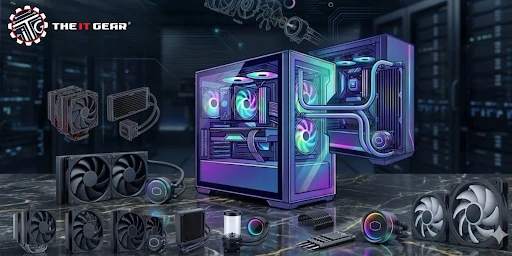
Building or upgrading a PC in India comes with unique challenges – especially heat. With ambient temperatures often crossing 35°C, a proper PC cooling system isn't a luxury - it’s essential for performance and longevity.
Whether you are a gamer in Mumbai or a video editor in Delhi, understanding how to keep your components cool can save you from thermal throttling and unexpected shutdowns. This guide covers everything from basic air coolers to advanced liquid cooling, with Indian pricing and availability in mind.
A PC cooling system refers to the combination of hardware and methods used to remove waste heat generated by your computer’s CPU, GPU, and other components. The goal is to keep all parts within their permissible operating temperature limits – typically under 85-90°C for most processors – to prevent damage, instability, or reduced lifespan.
The Core Principle: Waste Heat Removal
Every cooler, whether air or liquid, works on the same thermodynamic principle: a conductive material (copper or aluminum) absorbs heat from the chip, and that heat is then transferred away and dissipated into the surrounding air.
Without effective heat removal, your PC will experience thermal throttling (automatic slowdown) or even sudden shutdowns to protect itself.
Air vs. Liquid Cooling Mechanics
1. Air cooling uses a metal heatsink with fins and one or more fans. Heat pipes (containing a phase-change fluid) carry heat from the CPU baseplate up into the fin stack, where the fan blows air across to cool it down. This is the most common and affordable solution.
2. Liquid cooling (also called water cooling) uses a pump to circulate coolant through a water block attached to the CPU. The heated liquid moves to a radiator, where fans blow air through the radiator fins to release the heat. The cooled liquid then returns to the water block.
Water’s high thermal conductivity (about 0.6 W/mK vs air’s 0.025 W/mK) makes this method extremely efficient for high-performance systems.
Both methods ultimately rely on ambient air to remove heat; the difference lies in how effectively they transfer heat away from the critical components.
|
Feature |
CPU Air Cooler |
Water Cooling System (AIO) |
|
Cooling Performance |
Excellent for CPUs in the 150-200W TDP range; top-end twin-tower heatsinks comparable to 240mm AIOs. |
Best for high TDP CPU (e.g. Intel i9, Ryzen 9); 280mm/360mm rad will easily keep 250W+ under control. |
|
Noise Level |
Depends on fan quality; can be very quiet with low-RPM fans. |
Pump adds slight constant hum; radiator fans can run slower for same cooling, often quieter under load. |
|
Installation Difficulty |
Simple direct mounting onto the CPU with backplate. |
Moderate – needs pump, mounted radiator, and case clearance. |
|
Reliability & Maintenance |
Extremely high; only fans can fail (easy replacement). |
Pump failure possible; sealed AIOs require no service. |
|
Aesthetics |
The huge tower can block RGB RAM. |
Clean look with tubes; many models have RGB and LCD screens. |
|
Best For |
Budget builds, office PCs, mid-range gaming. |
High-end gaming, overclocking, small-form-factor builds (with external rad). |
Verdict for Indian users: For most gamers on a budget (e.g. Ryzen 5 + RTX 3060), a good CPU air cooler like Deepcool AK400 or Cooler Master Hyper 212 (₹2,500-₹4,000) is enough. If you have an Intel i7/i9 or Ryzen 9 and live in a hot city like Rajasthan or Chennai, invest in a 240mm or 360mm liquid cooler from brands like Corsair or Cooler Master.
Here is a realistic price breakdown across Indian online retailers as of 2026.
Basic Air Coolers (₹500 – ₹1,500)
Suitable for Intel i3/i5 or Ryzen 3.
Examples: Ant Esports ICE-C621, Zebronics Zeb-Cooler. These often include a single 92 mm or 120 mm fan.
Mid-Range Air Coolers (₹1,500 – ₹4,000)
4-6 heat pipes, dual-fan options. Ideal for Ryzen 5 and i5.
Examples: Deepcool Gammaxx 400 V2 (₹1,800), Cooler Master Hyper 212 Spectrum (₹3,200).
High-End Air Coolers (₹4,000 – ₹6,000)
Dual-tower designs like Noctua NH-D15 (imported, pricier) or Deepcool Assassin IV.
Comparable to 240mm AIOs.
120 mm AIO Liquid Coolers (₹3,000 – ₹5,500)
Rarely recommended because good air coolers outperform them at the same price.
Only for very tight cases.
240 mm AIO Liquid Coolers (₹5,000 – ₹9,000)
Sweet spot for most gamers.
Cooler Master Liquid ML240L (₹6,500), Deepcool LE520 (₹7,000), Corsair H100x (₹8,500).
360 mm AIO Liquid Coolers (₹9,000 – ₹15,000)
For high-end CPUs and overclocking.
Examples: Lian Li Galahad II, Corsair H150i, Deepcool LT720.
Often include RGB and LCD screens (adds ₹3,000-₹5,000).
Custom Liquid Cooling Kits (₹20,000+)
Includes pump, reservoir, tubing, GPU block.
Only for enthusiasts.
If your total budget is under ₹9,000 for cooling, a high-end air cooler or a reliable 240mm AIO will serve you well.
Remember to factor in case compatibility: most mid-tower cases support 240mm radiators on the top or front.
Sometimes you don’t need new hardware – just better practices. Based on Dell’s support guidelines and common thermal issues in Indian homes (dust, high humidity), here are actionable ways to improve your existing PC cooling system without spending much.
1. Use Your Laptop or Desktop on a Hard, Flat Surface
Many users place laptops on beds or sofas, blocking bottom air vents. This can raise temperatures by 10-15°C.
Always use a hard desk or a laptop cooling pad with fans. For desktops, avoid putting the tower inside a closed cabinet – it suffocates airflow.
2. Clean Dust Filters and Fans Every 3 Months
India’s dusty environment clogs pc cooling fan blades and radiator fins quickly.
Use a can of compressed air or a soft brush to clean intake fans, CPU cooler, and PSU fan.
A clogged fan has to spin faster (more noise) but moves less air, directly increasing component temperatures.
3. Improve Case Airflow with Additional Fans
Most budget cases come with only one exhaust fan.
Add at least two intake fans at the front and one exhaust at the rear.
Aim for positive air pressure (more intake than exhaust) to reduce dust buildup.
Good 120mm fans like Arctic P12 or Cooler Master SickleFlow cost ₹400-₹800 each.
4. Monitor Fan Curves and CPU/GPU Usage
Use free software like HWMonitor or MSI Afterburner to check your fan RPM and temperatures.
If your CPU fan runs at only 30% speed at 80°C, adjust the fan curve in BIOS to ramp up earlier.
Also close background apps – high resource usage (gaming, rendering) generates excessive heat.
5. Reapply Thermal Paste Every 2-3 Years
The factory thermal paste between your CPU and cooler dries out over time, creating air gaps that trap heat.
A quality paste like Thermal Grizzly Kryonaut or Noctua NT-H1 (₹500-₹1,000) can lower temperatures by 5-10°C.
This is especially important for PCs over 3 years old used in hot Indian climates.
Before finalizing your purchase, run through this checklist to ensure your cooling solution matches your needs:
CPU TDP: Check your processor’s Thermal Design Power (for example, the Ryzen 5 5600X has a TDP of 65W, while the Intel i7-13700K has a TDP of 125W). CPUs with higher TDPs require bigger coolers.
Case Clearance: Compare air cooler height (e.g. 155mm) with the maximum cooler height your case can accommodate. In case of liquid coolers, check radiator support (top/front) — most mid towers can fit 240mm, while 360mm require a large case.
RAM Clearance: Very large dual-tower air coolers can block the first RAM slot. You will need to use low-profile RAM or relocate the fans.
Noise Tolerance: If you are recording or sleeping close to the PC, you should choose air coolers with very quiet fans or a 360mm AIO (fans run slower).
Budget vs. Performance: Air cooler below 4,000; 240mm AIO or top-notch air 5,000-9,000; 360mm AIO above 10,000.
Aesthetics: Would you like RGB fans, an LCD panel showing CPU temperature, or a clean minimalistic look? The IT Gear caters to all tastes.

A well-designed pc cooling system is the backbone of a stable, long-lasting computer — especially in India’s warm climate.
Whether you opt for a budget-friendly CPU air cooler or a high-performance water cooling PC system , the key is matching the cooler to your CPU’s heat output and your case’s physical limits.
Remember that proper maintenance (cleaning, thermal paste, airflow) often matters as much as the hardware itself.
For Indian PC enthusiasts looking for authentic components and reliable guidance, The IT Gear offers a wide selection of cooling solutions at transparent prices. Invest in good cooling today, and your PC will reward you with silent, stable performance for years to come.
What is an AIO liquid cooler, and how is it different from a custom loop?
An AIO (All-In-One) liquid cooler is a ready-to-use, sealed package with the pump, water block, radiator and tubes all put together. It needs minimal maintenance and is easy to fit.
A custom loop is a do-it-yourself arrangement where you pick separate water blocks, pump reservoir, radiator, and tubing to suit your build.
Custom loops cool a tad bit more effectively on CPU and GPU, can be enlarged over time, but cost around 20,000+ and are much more difficult to assemble or top-up.
Are LCD screen coolers worth the extra cost?
LCD screen coolers show real-time CPU temps, animated GIFs or custom system stats.
Most add Rs. 3,000 - Rs.5,000 on top of a regular AIO price.
They are worth it if eye-candy matters to you, but they don't affect cooling.
To get a good deal, avoid screens and instead buy a larger radiator (360mm instead of 240mm).
Can I use a PC cooling system designed for gaming in a home/office PC?
Sure!
In most home/office environments, a PC cooling system for home only uses low-spec (1500-2000 MHz) Intel Celeron or Ryzen 3 CPUs, and a 500-1000 air cooler will do a good job.
If your office PC spends a lot of time doing heavy multitasking/fiscal analysis, then a Rs. 1,500-Rs. 2,500 mid-range air cooler is recommended.
A gaming cooler on a home PC is fine — it'll just run cooler/quieter.
What is the difference between 120mm, 240mm, and 360mm radiators?
The entire way to identify the size of the radiator is to count the number of 120mm fans you can fit on it.
A 120mm single-fan radiator cools about as well as a small air cooler, while the 240mm radiator with two fans is the most popular for gaming PCs.
The 360mm is essentially the same as a 240mm but 50% larger, leading to much better cooling, and you'll need a big case (Lian Li O11 Dynamic, Corsair 4000D).





#No. 9, 5th Floor, Max City Center, T. P Lane, Sadar Patrappa Road, Bengaluru - 560002 (Karnataka)