









Select a category

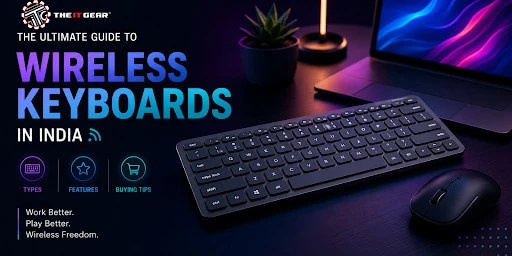
What Indian people require doing at work and for entertainment has been totally remoulded. From having a meeting at the office after work late at night to being able to play in a computer game competitively, a desk full of untidy wires is the last thing that any of us want. Wireless keyboards have become a tool that is very necessary both for working productively and for having fun.
Besides a very significant increase in the number of online learning and hybrid work environments, the demand for, mainly in India, cable-free typing solutions has gone through the roof. It is a good idea to know what a good wireless keyboard is before ordering one. Whether it is a student who has to live on a tight budget or a professional who is willing to pay for comfort that is provided by good ergonomics.
A wireless keyboard is a device that you use to communicate with your computer, laptop, tablet or even cell phone without a single physical connecting wire. As a replacement for wires, the transmission of the keyboard is carried out by radio frequencies or infrared signals. Indian users who are using more than one device at a time will be thrilled to know that they can even type on their smart TV while sitting on the sofa or they can quickly switch between their office laptop and home personal tablet.
How Wireless Keyboards Transmit Data
Most of today's wireless keyboards operate on one of two platforms:
Radio Frequency (RF) on the 2.4GHz band or
RF keyboards come with a small USB dongle that you can plug into your device. The dongle is a receiver that receives signals from the keyboard and it covers a distance of approximately 10 metres.
Bluetooth keyboard technology
Bluetooth keyboards Though connect directly via your device's built-in Bluetooth - you do not need a dongle. The old models using infrared (IR) were less convenient because they needed a line of sight, but today they are considered to be obsolete. The power supply is either through replaceable AA/AAA batteries or built-in rechargeable lithium-ion cells.
Wireless vs. Wired Keyboards: Key Differences
The major reason for wanting a wireless keyboard is that it gets rid of those unsightly and annoying cables and allows you to have a clean desk. Also, if you want to do some writing or eat, you can easily move the keyboard out of the way.
Another big advantage is portability - a slim wireless keyboard will easily fit into your backpack beside your laptop. But, wired keyboards never require battery changes and can still have near zero input lag. Except for gaming and other high-end situations, wireless keyboards nowadays have quite similar performance to wired ones. The freedom and aesthetics are worth the trade-off.
In India, it is often a tough decision for the buyers. What you decide will affect convenience, battery life and compatibility. Both technologies have been developed further but they are still used for different purposes to some extent.
1 . 2.4GHz with USB dongle gives a stable, plug-and-play connection without complications. No need to do pairing with menus. Both gamers and office users will appreciate the extremely low latency. The con is that you lose a USB port and the dongle is quite easy to misplace.
2 . Bluetooth - Since you do not need a dongle this is good for ultrabooks, tablets and phones. You can have as many as three devices paired with you and with the press of a button, you can switch from one to the other. Yet, it does take a few seconds for initial pairing and cheaper Bluetooth keyboards might sometimes have a delay when waking up. Most top-of-the-line wireless keyboards have both Bluetooth and 2.4GHz functionalities allowing you to have the best of both worlds.
There is quite a big variety in the wireless keyboards industry. According to your main activities - report typing, gaming, travelling daily etc. you will only be interested in those features that will help you. Here are the most popular categories for Indian users.
Wireless Mechanical Keyboards for Typing Enthusiasts
Who says mechanical keyboards have to be very expensive and always with a wired connection? Nowadays, wireless mechanical keyboards that are quite affordable are widely available. These types of keyboards give you a tactile "click" or the feeling of a linear smooth movement, which is the main advantage of mechanical keyboards in one very important respect, the price is kept low for these types of keyboards too.
Portronics, Ant Esports and Zebronics are some of the major keyboard brands in India which have introduced wireless mechanical keyboards within the price range of Rs.3000. At the heart of these keyboards are the mechanical switches functioning under every key which are more long-lasting and accurate against the rubber dome membrane ones. If you are typing for several hours a day or love customising your keyboard keycaps, a wireless mechanical keyboard might be your best option.
Wireless Gaming Keyboards: Low Latency Matters
Indian gamers often ask: are wireless keyboards good for gaming? The answer is yes but only the right ones. High-end wireless gaming keyboards use advanced 2.4GHz technology with a 1000Hz polling rate, delivering latency as low as 1ms. That is indistinguishable from wired for most players.
Look for models with dedicated dongles, RGB backlighting, and macro-programmable keys. Budget wireless keyboards, Mostly Bluetooth-only ones, can introduce noticeable lag in fast-paced shooters. For competitive esports, a quality wireless gaming keyboard from brands like Logitech or Razer is a solid investment.
Ergonomic Wireless Keyboards for Healthier Posture
Spending a long time in front of a computer can give you wrist pain and even carpal tunnel syndrome. An ergonomic keyboard is a great help here as it has a split, curved design or even, there is one with a built-in wrist rest. Wireless ergonomic keyboards And give you the freedom to place the keyboard at the very angle that is most natural to your shoulders and arms.
Ergonomic keyboards are not really available in the Indian low budget segment and still, more and more people are becoming aware of the need for such a keyboard. Fortunately, some affordable models from big name brands like Dell and HP can be found. After years of 9-to-5 desk work your wrists will thank you.
Compact and Slim Wireless Keyboards for Portability
Students and travellers definitely do not want to bring a full-size keyboard with them. If you remove the numeric keypad and sometimes also the function row, then you get 60% or 75% keyboards, also known as compact keyboards. The slim wireless keyboards are really even better in that respect as they can be so easily carried around in a laptop bag. Many of them have batteries integrated into them which can be recharged and come with a cover which does double duty as a stand for the tablet. In case you need a keyboard and mouse combo for mobility, a lot of brands have these ultra-slim sets that share a single USB dongle.
When it comes to price sensitivity, the Indian customers' chief concern is to get the most out of their money. As a result, there are a lot of searches for "Wireless Keyboard under Rs.500" and "Under Rs.1000". Yet, you should not strive to get too much at this level of price. Expect basic membrane keys, plastic build, and Bluetooth 4.0 or a simple 2.4GHz dongle.
Amkette, Portronics, Ant Esports, and Zebronics are some of the players in this segment that are dominating. In the Rs.800-Rs.1000 range, you can get a keyboard that can be paired with multiple Bluetooth devices (phone, laptop, and tablet) and that has a battery that can last for weeks with a single charge without using backlight.
Do not be very keen on gaming claims for wireless keyboards priced below Rs.1000 since these keyboards hardly have low latency. You should rather focus on typing comfort and the reliability of the connectivity when the keyboards are to be used both for office work and for online classes.
Connection type: 2.4GHz (low latency, dongle) is ideal for desktops/gaming, while Bluetooth (no dongle, multi-device) is better for tablets and on the go.
Battery system: Rechargeable lithium will save money over time; AA batteries are convenient in case of emergencies.
Switch feel: Mechanical is for those who want to experience the tactile feedback and the durability, while membrane is for softer and quieter typing.
Layout and size: For accountancy and coding the full-size with number pad is good; for travelling, compact 60% is suitable; if the focus is on the health of the wrist, then the ergonomic one is the way to go.
Backlighting: While working at night the backlighting might come in handy but RGB will drain the battery like nothing else. If you have to make a choice between the two, go for white backlight.
Budget: Under Rs.1000 is fine for basic use, Rs.2000-5000 is the range of good mechanical or gaming features, above Rs.5000 is where premium low-latency and build come in.

Apart from being luxury items, wireless keyboards have nowadays turned into necessities in Indian households and offices. If you understand the differences between Bluetooth and 2.4GHz, mechanical and membrane switches, and the difference between budget and premium features, you will be able to pick a model with which you will be able to improve your productivity or your gaming performance.
Don't forget to check the compatibility of the keyboard with your devices, mainly if you plan on typing on your phone or tablet. To buy a wireless keyboard without any worries and with expert support, visit The IT Gear. Their assortment of wireless keyboards, mice, and combo sets will definitely have the cable-free setup that will perfectly suit your workspace.
What is the battery life of a wireless keyboard?
Battery life depends on usage and features. Simple office keyboards without lighting can last several months (sometimes even a year) on just two AA batteries. Keyboards made for gaming and mechanical keyboards with RGB lights can only last 20-80 hours per charge with lights on but up to a few weeks with lights off.
Rechargeable ones often have lithium-ion batteries which charge in 2-3 hours. It is always worth checking product specifications - some brands like Logitech mention up to 36 months of battery life on a single AA battery.
Can I connect a wireless keyboard to my phone or tablet?
If the keyboard supports Bluetooth keyboard connectivity, the answer is yes. On Android or iOS, you need to go to Settings -> Bluetooth, put your keyboard into pairing mode (usually by holding a dedicated button), and then select it from the list. After pairing, you can type just about anywhere from WhatsApp to Google Docs. Keyboards that work exclusively with a 2.4GHz USB dongle will not connect to a phone except if you use an OTG (On-The-Go) adapter. For those who are always on the go, a compact Bluetooth keyboard would be the best option.
Which brand is best for wireless keyboards in India – Logitech, HP, or Portronics?
All the brands have something different to offer. Logitech stands out in reliability, long battery life, and the Unifying Receiver (one dongle for multiple devices) feature. HP and Dell mainly provide office-keyboards which are domestic, durable, and often come bundled with desktops but may not have fancy features. Portronics is a leading Indian brand known to offer affordable and stylish wireless keyboards and mice mainly in the sub-1500 segment. For ultra-high-end gaming, Razer or Corsair is the way to go. The brand that suits you best really depends on your budget and what you want to use the keyboard for.
Are wireless keyboards good for competitive gaming in India?
Definitely, but only if you get high-end models that advertise "1ms" or "1000Hz polling rate". Very cheap wireless keyboards (In particular Bluetooth ones) have a pretty visible input lag which can make you lose the game. For games like Valorant or Call of Duty, you should really get a wireless gaming keyboard with a 2.4GHz dongle and low-latency technology. Wired keyboards will be the best choice for pro-level esports, but very top-level wireless ones nowadays are almost indistinguishable.
What is the difference between a wireless keyboard and a Bluetooth keyboard?
Bluetooth keyboards are a subset of the wireless variety and all of them are wireless but not all wireless keyboards are bluetooth. "Wireless keyboard" is the big umbrella term that covers RF 2.4GHz (with a dongle), Bluetooth, and even infrared. A "Bluetooth keyboard" is one connected via Bluetooth and doesn't need any dongle. The main difference: 2.4GHz delivers a stronger, less-laggy connection but uses a USB port, while Bluetooth is compatible with phones and tablets universally but has pairing delays sometimes. Most of the new wireless keyboards provide both options.





#No. 9, 5th Floor, Max City Center, T. P Lane, Sadar Patrappa Road, Bengaluru - 560002 (Karnataka)