








Select a category

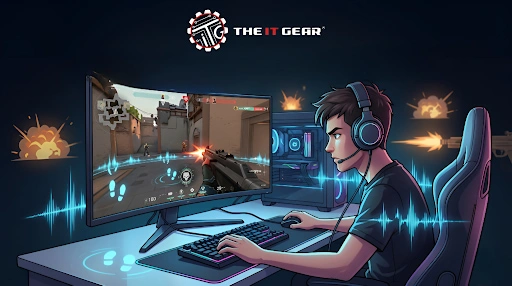
In the competitive gaming scene across India, from Valorant ranked matches to BGMI tournaments, hearing enemy footsteps before they see you can be the difference between victory and defeat. Yet many Indian gamers struggle with muddy audio where gunfire drowns out crucial footstep audio cues.
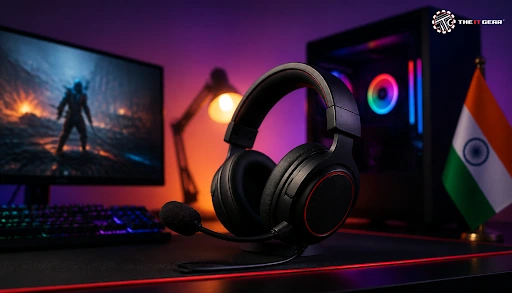
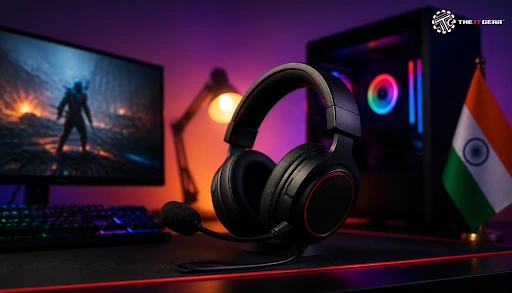
The right gaming headphones are engineered specifically to solve this problem. This article explains exactly how gaming headphones enhance footstep audio, what settings to tweak, and how to choose thebest headphones under Rs.2000 without falling for marketing gimmicks.
Gaming headsets are not simply a regular set of headphones with a microphone attached. They are tuned differently from music-oriented audiophile style headphones to bring out different parts of the frequency range where the footsteps and other tactical audio cues you need to hear are located.
You want a "pleasant" sound from your music-oriented headphones, with a slight bass boost, while you want speech and midrange detail from your gaming set. The fundamental approach is frequency response tuning. Voice steps normally range between 150Hz to 5kHz.
Gaming headphones boost this band and trim off over-the-top sub-bass ( something like below 60hz derived from explosions and gun fire). This as a result avoids "masking" things where louder low frequency sounds mask delicate midrange notes in the same way they would in a room full of musical instruments.
Most gaming headsets also have software based enhancements like loudness equalization bumping up low volume sounds without blasting your ears at loud moments.
The guides to audio optimization from the gaming gods reveal three key frequency bands that make footstep sounds easy to discern.
Quality gaming headphones with a balanced frequency range throughout the spectrum (no focus on just treble or bass) will give you the best positional sound.
Too much bass is the death of footstep audio clarity. Most cheap headphones below Rs. 2000 artificially boost the bass because we Indians tend to think "heavy bass" is "good sound".
But in a game like Valorant or CS2, that heavy bass gets hidden and muffles the midrange frequencies where footsteps exist. A flat or slightly recessed bass response - available in most good gaming headsets - is the secret that allows your brain to encode multiple sound streams such as Wind, Gunshots and Footsteps.
The rule of thumb is simple: whatever you buy, make sure it doesn't ruin the mids (200 Hz - 2 kHz), and you will be playing with footstep sounds in no time. It's precisely because of this emphasis on clarity of sound frequencies that The IT Gear stock gaming headsets with fairly even sound signatures instead of consumer variants with a weighty bass.
They focus on the midrange so Indian gamers get a distinct advantage.
No matter how good the gaming headphones under Rs. 2000 you buy is, if your Windows settings are out of whack, it won't work properly. A good news is, there are a handful of completely free changes you can make to give your footstep audio a huge boost.
How to Enable Loudness Equalization in Windows
Loudness equalization, is a Windows sound enhancement that works by compressing dynamic range, so the quiet sounds like footsteps will be amplified louder, and louder sounds such as gun fire will sound softer.
This is all you need to do on the Windows side, the rest is all up to the game itself. This setting alone will make your footsteps come through even in pure hell of a firefight.
Should You Turn Off Spatial Sound for Competitive Games?
For competitive games, you should likely disable spatial sound. The spatial sound on these technologies or Windows Sonic, Dolby Atmos or DTS Headphone:X gives you an effect of 3d audio, which makes it hard to pinpoint the exact Footstep location in CS: GO or other competitive shooting games.
For Apex Legends, PUBG, or Valorant and other such games, stereo mode is always better to get good directional cues. Only games that are designed to specifically take advantage of spatial audio will actually work better if you turn on the spatial sound. Otherwise nearly always disable spatial sound in Windows for the best results in locating footsteps in Games.
Gamers frequently want to know if they should invest in gaming headphones, Monitor headphones or over ear headphones to get the best footstep audio experience.
The answer is - it depends on your scenario and budget.
Important Observation
It's not just gaming noobs in India who are using affordable IEM's (brands like under 2K etc.), the competitive pro gamers are also turning to cheap IEM's since even cheap IEM's beat "gaming branded headsets" when it comes to footstep audio clarity. It's all about sound signature and not marketing.
Over ear headphones
from studio monitor brands also fare well in this aspect due to their non-sensitive flat response but don't have built-in microphones.
For Indian gamers looking for a budget headset, at a price of Rs.2,000 you'll find the best position where good footstep audio is present, but you don't have to sacrifice on sound quality or build quality.
These are the features to look out for in an Indian store like The IT Gear.
Neutral or Slightly Recessed Bass Response
Stay away from headphones marketed with "extra bass" or "heavy bass" claims. Search for descriptions such as "balanced, " "monitor, " or "reference" tuning. Flat frequency response between 100Hz-10kHz is desirable.
Wired Connection Over Bluetooth
Compared to the price point, Bluetooth headphones exhibit performance lag (40-200ms delay), creating lag between footstep sound effects and visual action. Wired 3.5mm or USB connection to PC assured low latency audio.
Comfortable Over Ear Design for Long Sessions
Indian summers can cause cheap pleather earcups to get sweaty. Choose mesh fabric or velour padding to stay cool. Over ear headphones under Rs.2000 with swivel earcups and adjustable headband are definitely a lot more comfortable than on-ears.
Detachable Cable
The end of an inexpensive headphone's lifespan is most frequently the cable. Detachable 3.5mm cable (with a standard 2-pin or 3.5mm-to-3.5mm connection) further adds to a product's longevity.
The IT Gear has a selection of gaming headphones under Rs. 2000 which fit the bill.
Knowing precisely what frequencies your foot steps sit in will prevent you from over- or under- purchasing a plug-in or equipment. Footstep sounds tend to range from 100Hz-8kHz in many of the biggest game engines. The dominant and most info-rich part of those frequencies is usually somewhere in the 150Hz-5kHz range.
100-250 Hz
The weight of each step, the punch of the kick, the thump of the snare anywhere you want that weight to be. Too much and it can start to sound muddy.
250 Hz - 1 kHz
The body and texture. This frequency range indicates whether an enemy is walking, running, crouching, etc.
1 kHz - 4 kHz
The "attack" and surface detail. It enhances the reloading sounds and ability cues when increased.
4 kHz - 8 kHz
The sound of shoes clicking against a hard surface, the dry crack of clothing. As you can see, the "20kHz response" of most gaming headphones is a scam. The call of a gunshot is hardly above 8-10kHz.
For example, if you are an Indian gamer and you buy 'budget' headphones between Rs.1500 and Rs.2000 then you should look for a smooth response from 150Hz to 5kHz, and do not care about treble extension below 10kHz.
Headphones that extend to 20kHz but have dips between 2-4kHz will have worse perceived sound quality than headphones that roll off after 12kHz have a neutral to forward tilt in the midrange.
Before you buy or alter your settings, test yourself with this checklist for optimal footstep audio clarity:
Gaming headphones generally have accurate footstep sounds, not due to some magic, but by curating their frequency response towards midrange tuning (150Hz-5KHz) with controlled bass masking.
IEMs or wired over ear headphones under Rs. 2000 (entry level gaming budget) with relatively flat, balanced sound signatures will produce the same amount of "phat bass" as a premier gaming headset, Though with superior clarity and detail retrieval, enabling you to pick out even the subtlest of enemy foot steps like a god of gaming ears.
If you're looking for competitively priced, sturdy and well built Indian gaming headsets, check out The IT Gear’s range of wired over ears headsets.
What is the 60/60 rule for headphones and why does it matter for gamers?
The 60/60 rule is a guideline for protecting your hearing: it is recommended that you listen at no louder than 60% of the maximum volume for a maximum duration of 60 minutes at a time. Gamers who use loudness equalization or frequency boosting to uncover the footsteps can be tempted to increase the volume of the headphones.
Going beyond the 60/60 rule can cause temporary hearing exhaustion, tinnitus, and permanent damage over time when gaming. Just take a break for 5 minutes every hour and keep your volume at a moderate level, and you will still be able to hear the footsteps if you have your headphones properly set up.
Why are Gen Z gamers plugging their headphones back in instead of using Bluetooth?
It is because Bluetooth headphones have some serious downsides for a gamer - they have higher latency (40-200ms delay), compress the audio (which reduces the clarity of footstep audio), and need to be charged.
For the highly competitive gaming where every millisecond counts, a wired 3.5mm connection ensures that you will have real-time, uncompressed footstep audio without the worry of the battery running out.
Is 20,000 Hz (20 kHz) good for headphones when hearing footsteps?
Not really. The magnetic label "20 kHz response" is practically a non-factor as far as gaming goes. While the maximum hearing frequency range of a human being is 20 kHz, the sounds of footsteps usually do not go over 8-10 kHz.
What is more important is a frequency response which is smooth and continuous over 100 Hz - 10 kHz range with a focus on midrange frequencies (200 Hz-4 kHz).
A headphone can produce a 20 kHz sound, but if it has a dip at 2-3 kHz range, then it will do worse than a headphone that has a roll-off at 12 kHz but remains flat in the midrange.
Can I use regular over ear headphones for competitive gaming instead of “gaming” headphones?
Yes, of course. Some studio monitor over ear headphones actually have better footstep audio clarity because they have flat and neutral frequency responses unlike consumer "gaming headphones", which tend to boost bass. The only downside is that most studio headphones do not have a built-in microphone.
If you already have quality over ear headphones, then you can either get a separate USB mic for them or use the mic on your laptop.
What are the best Apex Legends sound settings for hearing footsteps?
To enhance footsteps audibility in Apex Legends, change the Audio Mix setting to "Stereo" (avoid Surround), turn off "Reduce Ambient Noise, " and keep the volume level at around 50-70%.
Make sure you have enabled Loudness Equalization in Windows and have spatial sound formats disabled.
The issue with footsteps being hard to hear is quite common in Apex due to its engine if even after making these changes, you are still not able to hear footsteps well, then the cause of the problem may be performance-related on the server-side or it might be a well-known bug of the game, not the performance of your headphones.





#No. 9, 5th Floor, Max City Center, T. P Lane, Sadar Patrappa Road, Bengaluru - 560002 (Karnataka)