Select a category

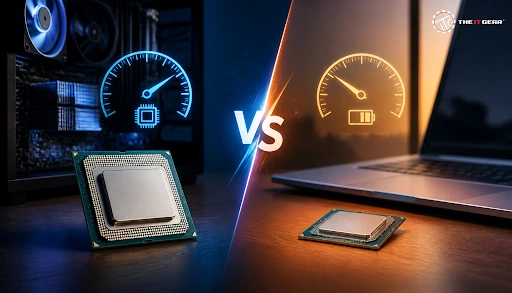
The processor is the heart of any computer, so your desktop vs laptop processor decision greatly defines your computer's overall performance, power consumption, and battery life. Desktop processors and laptop processors are almost the same semiconductor technology products but completely engineered for the purposes they serve. Being aware of it is the first step to wisely spending your money on one. Whether you're planning a new build or an upgrade, exploring the latest desktop processors at The IT Gear can help you understand what's available in the current market.
Desktop CPUs are socketed high-power chips which are meant to work continuously connected to wall power, with large cooling components. Mobile CPUs or laptop GPUs are very small silicon pieces that are intended for functioning on a battery in a very small computer casing.
Desktop GPUs prioritize maximum performance and high TDP while GPUs of laptops prioritize power efficiency & thermal management. This design disparity has implications on the way both clock speeds, core numbering, thermals, & upgradeability operate practically almost throughout.
The desktop processor will almost always outperform the laptop counterpart when it is the same generation with a similar model name, as benchmark result suggests that Core i7-13700K desktop CPU is about 4.92% faster than 13th generation Core i9 laptop CPU, and from discussions on sites like Quora, it is known that hardware lovers say that laptops can be up to 2 to 4 times less powerful than desktops.
The underlying reason for this is simply power delivery: desktops have high capacity, wall socket power SMPS with multiple 2V rails while laptops rely on a single, strictly regulated 12V battery whose main objective is to preserve the life of the battery.
Thermal Throttling and Sustained Performance
Thermal throttling refers to the processor's ability to reduce the clock speed when the processor gets too hot. It plays an important role in determining sustained performance which is heavily dependent upon cooling. Desktop cooling solutions like tower air coolers or liquid AIO coolers allow a processor Core i5-13600K to operate at the maximum boost even after lengthy usage times.
On laptops, they are only given a few mm space for heatsinks and fans. A laptop, with the temperature rising too high, is only able to bring it down by reducing the clock speed through thermal throttling, so the frame rates and render times that desktops maintain with ease are what the two machines differ in as far as the result and performance is concerned.
Power Delivery: Desktop SMPS vs Laptop Battery
Power is what TDP is mainly about. The TDP of a very fast desktop CPU is often 125W or higher, a laptop CPU can have its TDP limited between 15W and 45W, which implies a big difference in how much power each CPU uses. This is the reason why, naturally a desktop can deliver better multi-core performance, produce clock speed that doesn't fall, and so a desktop processor is definitely the preferred choice in cases of running resource-intensive processes, i.e Video edits, 3D renders etc. or when you're compiling software. For those building a high-performance system, choosing the right power supply is equally critical to ensure stable delivery to your desktop CPU.
Desktop CPUs come in LGA or PGA sockets that fit a motherboard, so it's quite easy to replace or upgrade. Laptop CPUs, then again, are BGA packed, i.e. soldered onto the motherboard which makes upgrades hardly possible without replacing the whole laptop.
Laptop CPU vs Desktop CPU Size
A look at the laptop CPU vs desktop CPU comparison would show that desktop processors are physically larger in size as they have a much thicker integrated heat spreader (IHS) offering additional surface area for heat dispersion.
In laptops, one uses small, low-profile BGA chips for making ultra-thin circuit boards which naturally will not allow sufficient contact surfaces for cooling - This is why laptop CPUs tend to run hotter and shut down earlier.
No. Although there may be a marketing name in common between a laptop and desktop processor, the laptop version typically has a quite a bit lower TDP, lesser power limits, and lower stock speeds to mention a few.
For laptops, efficiency and thinness are the key considerations, whereas a desktop processor is built for speed and throughput. One example of a difference in processor performance is a desktop Core i7 being able to comfortably outperform a laptop Core i7 in most CPU tests, including single and multi-core performance tests. If you're comparing specific models, you can explore options like the AMD Ryzen 7 7700X or the Intel Core i7-14700K to see what desktop-grade performance looks like.
Match the processor to the task when building a desktop system. Gamers should look at single-thread performance and boost frequencies which make the chip like Intel Core I5, I7 etc ideal picks. But, those involved in creative work and professionals should look out for CPUs with higher core/thread counts allowing for fast rendering and more simultaneous tasks. Always double-check motherboard socket compatibility, TDP, and your cooling budget before buying a desktop CPU. For a deeper dive into how processors impact your build, check out our guide on understanding CPU specifications.
Not really. Most laptops are not set up to take desktop processors. Desktop CPUs and laptop CPUs differ mainly by types of sockets, with desktop ones being plug-n-play LGA/PGA sockets and laptop ones being BGA packages.
Also, laptop motherboards simply do not have the required power supply, support from the BIOS, and cooling system to handle a desktop CPU. The only reason some of the special laptops have desktop CPUs inside them is that such special computers are factory-built and factory-installed, which nobody outside can even consider attempting.
The main factors to determine when making the final decision are your lifestyle and the performance requirements. Pick a desktop if you are after pure performance, ability to upgrade or better cost-per-performance. If you are more interested in portability and regular usage, select a laptop.
The IT Gear is capable of guiding your decision no matter which of the paths you choose as we have a vast selection of desktop processors, laptops, and components from major brands that can fit your current build or upgrade.

What do Reddit users say about desktop vs laptop processors?
In their discussions on Reddit, the users regularly mention that desktop processors surpass laptop processor performance and are more upgradeable as major selling points of the former. Thermally speaking, laptop processors are said to be limited and desktops offer much better value when you are looking to play games or engage in intensive rendering workloads.
What is a laptop processor comparison chart?
Such laptops processor comparison charts are useful because they arrange laptop processors in the same table to compare their characteristics like the number of cores, speed of clocks, power dissipation, etc. besides benchmark scores. These charts help understand how various laptop CPUs stack up one against the other.
Which laptop processors are the best?
High-end laptops are powered by either Intel Core i7 or i9 H-series and AMD processors like Ryzen 7/9 HS or HX. Mid-range for daily users would be Core i5 or Ryzen 5 which combines speed, long battery life, and reasonable price into one.





#No. 9, 5th Floor, Max City Center, T. P Lane, Sadar Patrappa Road, Bengaluru - 560002 (Karnataka)






Looks like you haven't added anything yet. Explore our builds, components and gear.
Continue shopping