Select a category

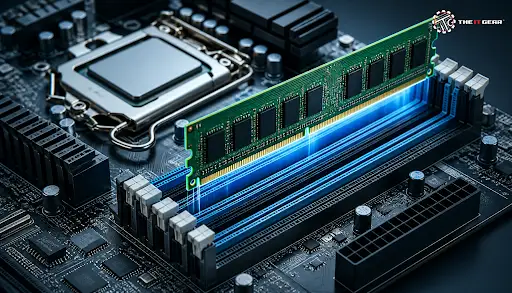
Each time you run an application or play a game on your PC, RAM is involved in some way or the other without you knowing it. Despite being one of the major components in a device, people are still confused about this area. To help you understand, here are some of the ways of how RAM does its job, its types, and how much you truly need.
RAM is an abbreviation for Random Access Memory - it is literally your computer's workbench on which the computer executes programs. It's your temporary short storage area where the data and instructions that the CPU is working on at the time are. Think of the work desk in an office, you have your working papers on the desk which are your temporary working documents, whereas your cabinet which represents your hard drive is where you put all your long-term documents.
Every time a PC boots up or installs a new application, its data is fetched from the storage to the RAM. And the CPU goes on with the read/processing job in the fastest way possible and with the help of a memory bus.
The problem is RAM is volatile - everything vanishes the moment the power is turned off - so you get to re-start the process of the machine from the beginning every single time you boot it up, but this shortcoming also makes RAM the ideal mediator between the processor and the disk for which a bottleneck would otherwise slow down even the fastest CPU a lot.
RAM has several functions which together ensure the machine remains functional:
1. Execution of programs - programs which are opened will load their files into RAM for rapid execution.
2. Operating System Hosting - the computer will hold the kernel code which is the heart of the operating system in memory during every computing process.
3. Multitasking Capability - as RAM is divided equally among all active windows, this prevents the system from slowing down.
4. Caching - frequently accessed data are kept in cache to make file access as smooth as possible.
5. Game assets storage - computer game elements like 3D models, textures, and physics data will be kept in RAM for quick rendering on-screen.
6. Computation support - the system will also store intermediate results of a calculation so the result can be accessed quickly.
7. High-speed data access - the CPU gets to access the data that is in the RAM quickly without needing to wait for the data being transferred across the disk.
8. Background service handling - startup services will have quicker response time due to allocation of RAM.
9. Clean Boot-up - RAM volatility ensures every time you re-start the system it will be at the state you have left it.
10. Prevention of performance issues - sufficient RAM ensures there will be a lesser need for a relatively slower swap memory, the result will be the PC will run faster.
There are basically different types of RAM, each kind having its own unique purpose for how memory is organized.
What Are the 5 RAM Types?
The five most common types of computer memory RAM are DRAM, SRAM, SDRAM, DDR memory and RDRAM.
DDR4 vs DDR5: Choosing the Right Generation

DDR SDRAM has evolved through five generations, each improving data rates and lowering voltage. DDR4 remains the most widely supported standard, while DDR5 offers higher bandwidth but needs a compatible motherboard and CPU. Always verify your motherboard's memory specifications before purchasing. For example, a Corsair Vengeance 32GB DDR5 6000MHz kit is a popular choice for modern builds.
RAM and ROM can seem deceptively similar but perform completely different functions.
RAM is volatile, read/write memory which contains running programs, it is powered down when power is lost. ROM (Read-only Memory) is non-volatile and contains fixed code for future use, such as UEFI and BIOS.
The CPU reads the ROM during startup for hardware states, then it writes/reads the RAM. The RAM resides in DIMM or SO-DIMM slots on the motherboard whereas the ROM is a small flash chip fixed to the board.
RAM is volatile which means it stores information when the power is supplied and discharges when the power supply is removed. When your PC restarts or crashes everything in RAM is lost, which is a good thing because a volatile memory is the fastest memory than a non-volatile one. Your files are safe in an SSD or HDD, which are non-volatile.
For most Indian consumers, 16 GB provides the best value.
Yes. All "memory" specified in consumer notepads is RAM, so a "32GB memory, 1TB storage" laptop would have 32GB RAM and 1TB SSD/HDD. "Memory" is RAM, while "storage" is SSD/HDD.
In the example above, RAM is hardware and GB is the unit of measure for its capacity. 1 GB corresponds to one billion bytes. More GB in RAM lets the system hold more active data, delivering smoother multitasking and faster application performance.
For any sluggish PC, a cheap upgrade to RAM can be an easy way to boost performance. Determine your motherboard's supported generation, DDR4 or DDR5, with CPU-Z or your system manual.
Desktops take DIMM modules while laptops require SO-DIMM sticks. To install - shut down, open up your case and insert the module so the notches on the stick line up with the slot, then push down until you hear the click. Almost all systems automatically recognize new RAM during start-up. An 8GB DDR4 stick is priced generally between Rs. 2,500 to Rs. 5,000 in India. You can check options like the Corsair Vengeance LPX 8GB DDR4 for budget builds.
If you're building a new system, understanding motherboard compatibility is essential before selecting your RAM modules.

Knowing about RAM is crucial in choosing the right system, be it purchasing a new laptop or building an efficient PC, or even fixing a sluggish PC. Having the optimal amount greatly enhances multitasking, gaming, and media editing tasks.
The IT Gear offers some optimized RAM modules and other PC parts at competitive prices for Indian consumers to stay under budget.
Q: Where is RAM and ROM located in a computer?
A: RAM is in use in the motherboard's DIMM or SO-DIMM slots, while ROM is a flash chip on the motherboard that contains the firmware.
Q: What is RAM in a computer short answer?
A: RAM is an abbreviation of Random Access Memory. RAM directly works with your computer and helps in storing anything in the computer. RAM stands for Random Access Memory. RAM (Random Access Memory) is your computer's temporary memory used to hold programs and data while the computer is on.
Q: What is RAM and how does it work in a computer short?
A: RAM stores current run programs and data. This makes it fast for the CPU to access this. When the computer is powered off RAM is erased.
Q: Why is my RAM usage high even with sufficient capacity?
A: High usage can be caused by background applications, browser tabs, or malware. Use Task Manager to see what is hogging memory, run a clean boot, or make use of malware checkers.





#No. 9, 5th Floor, Max City Center, T. P Lane, Sadar Patrappa Road, Bengaluru - 560002 (Karnataka)