










Select a category

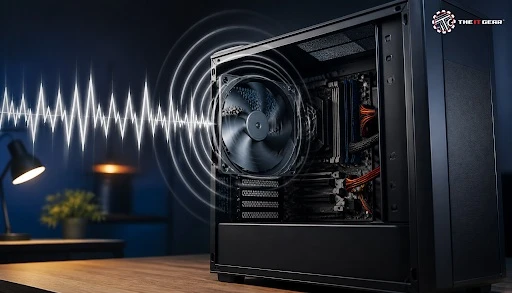
Computer fan making noise is a familiar irritation. It's the squeal, rattle, or grind that always seems to be there when you need to work, and sometimes means the machine has a problem. Or, leaving it unchecked can result in permanent damage and heat build-up. Find out why your fan is noisy and how to repair it.
Typical sources of fan noise include dust, bearing fatigue, foreign objects and software configuration. Dust particles, vents, and fan blades clog up and cause the fan to work much harder. Bearings wear out, grease spreads out. Screws and cables come loose and vibrate. There are restrictions in how fast the fan can be driven.
Grinding usually signifies that a bearing is worn or dry or that it has gotten dirt in it. When a lubrication dries, the shaft does the grinding on the sleeve. Any dirt between blade and housing can cause this as well.
If you get a grinding, rattling, clicking, or whining sound, you may have a failing bearing. Grinding indicates metal to metal contact. Rattling sounds also indicated a loose bearing or debris. Clicking can also be due to a bent blade. Whining has to do with high RPM or friction.
Grinding the most terrifying of fan sounds. Causes include dry bearings, rusty shaft, and greasy stickiness in the environment. The old lubricant turns into a sticky paste that attracts dust; light rust is formed on the bearing shaft in humid environments, and emits a scraping sound.

Dust and Debris Buildup
Dust accumulation on blades impairs aerodynamic performance, contributes to airflow obstruction, and can be sucked into the bearing assembly. Blow dust off the fan and heatsink with compressed air. Hold blades in place to prevent overspinning. Use a soft brush for adherent matter.
Dry or Worn Bearings
How to make your fan quieter ? If your fan has sleeve and ball bearings then it will need to be lubricated. Over time the lubricant will either evaporate or it becomes contaminated. To do this remove the fan sticker, peel the seal and add a few drops of machine oil.
Loose Mounting or Obstruction
Inspect the screws for tightness. A loose fan rattles or squeals on the case. Look for cables that contact the blades. Even the faintest wire makes a ticking sound.
The PSU fan is always on. Dust accumulates inside resulting in noise and overheating. PSU fans differ from case fans, in that they are not accessible and also pose an electric shock risk.
Never open up a PSU if you aren't qualified to do so. Blow dust out using compressed air and vents on the outside of the computer. If the problem persists then the fan bearing is failing and the whole power supply should be replaced.
Step up in a sensible progression: clean, lubricate, tighten, update software, and replace. Turn off and unplug. Clean every fan and opening with compressed air. If it still squeals, lubricate the bearing. Tighten screws and remove anything that might be obstructing. Then tweak the fan configuration.
Take the fan out. Pry off the hub sticker and pull out the rubber plug. Insert a few drops (2–3) of light weight machine oil or fan oil. Spin by hand to work the oil in. Reassemble and see if the noise is gone. If not, the bearing is worn and you need to replace the fan.
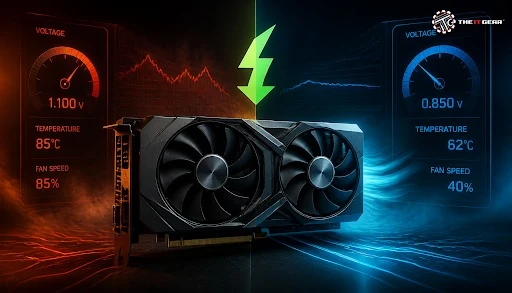
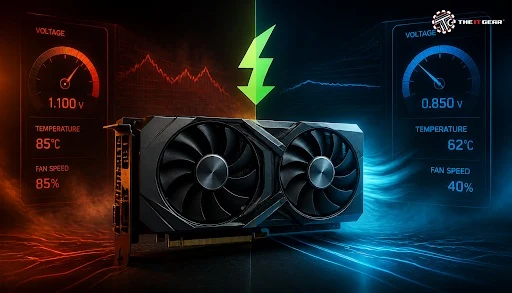
Often times the noise is not mechanical. CPU running hot and/or power mode up too high makes the fans run at full RPM. Set Windows to Balanced power mode and minimum processor state to 10%. Get MSI Afterburner for setting custom fan curves for the GPU. Enable smart fan in BIOS.
HDD or system fan spins at maximum during boot as a self-test. If fan noise goes away after a few seconds, that is normal. The fan continuously makes grinding noises on startup indicating dust has accumulated or the bearing is dry. Cold weather thickens the lubricant.
Dust accumulates on the blades when idle. Rotation on the first application initiates grinding until dust is blown off. A dry bearing is more audible when the temperature is low. If sound disappears after warming-up, cleaning, and lubrication will cure it.
Can't hear your laptop fan? Fans are smaller and dirtier than heatsinks. Grinding usually means bad bearing or debris in fins. Blow dust out with compressed air initially. Fan replacement may be necessary. It's not cool to put up with overheating, as it destroys the motherboard and CPU.
If your fan started making more noise after you cleaned it, you may have knocked a bearing seal loose, added too much oil, or positioned the blade improperly. Excess lubricant seeps out and collects dust. The blade rubs against the housing if it's off-center. Inspect for loose screws and unplugged cables. Do not spin the fan with canned air.
CPU and GPU get hotter and fans increase in speed when gaming. This is normal. Too much noise coming from fans? Check airflow or dust – if the airflow is lacking, you might want to: ensure that cool air is coming in; check that hot air is leaving the case and that fans are clean. If it sounds like noise grinding you would need to solve mechanical problems firstly.
There is noise when spinning noise is caused by a bent blade, broken impeller or cable rubbing on the blades. Carefully examine it for cracks. Ensure it's mounted securely and wires are positioned carefully. A fan with a broken blade should be replaced.
So, there are several ways to troubleshoot when your computer fan is noisy. With patience, you can pinpoint the issue and quiet things back down. For replacement fans, cooling accessories and advice, come to The IT Gear. We carry compatible parts to keep your system cool and quiet, so turn that fan off today.
Is it safe to use a laptop with a grinding fan?
Not recommended. A grinding fan may be a warning of a worn bearing or debris that has jammed up causing over heating. The 'hot side' can wear out internal components, so get it looked at!
How often should I clean my computer fan?
3–6 months, or more often in dusty environments dust accumulates at regular intervals and it gets noisier.
Can a noisy fan damage my computer?
The noise can't really hurt the hardware (such as a faulty drive), although the symptom causing the noise (overheating or a faulty drive) can cause problems or hardware failure.
What does a standing fan making grinding noise indicate?
An old and worn motor bearing or bushing. May need bearing or oil replacement.
Where can I find community fixes for PC fan grinding noise?
Check online forums like Reddit's r/computer and r/buildapc. Check what you are told with what the hardware manufacturer states. Purchase genuine parts at The IT Gear.





#No. 9, 5th Floor, Max City Center, T. P Lane, Sadar Patrappa Road, Bengaluru - 560002 (Karnataka)






Looks like you haven't added anything yet. Explore our builds, components and gear.
Continue shopping