











Select a category

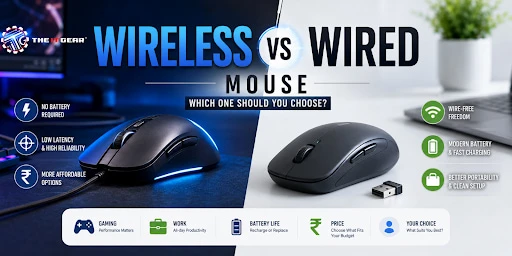
Many people barely think about the computer mouse although this small piece of hardware is the thing we work with our hands for long hours every day - be it doing calculations in Excel, processing videos, or gaming online. Recently, with fast-changing technology, the age-old discussion about the wireless vs wired mouse issue has regained the interest of many people.
Indian customers worldwide, from college students in Mumbai to remote workers in Bangalore, are presently in a real dilemma: should you pay more to get the liberty of wireless, or just continue being with the reliable and cheap wired one? This write-up analyzes all sides - the delay in response, power consumption, game playing ability, and price - to enable you to make a perfectly suitable decision.
The main difference is in the mouse connection to the PC. A wired mouse uses the physical USB cable to transfer the signals, which makes the data stream to be direct and uninterrupted one. However, a wireless mouse uses radio frequency two-week 2.4GHz dongle or Bluetooth - to communicate with your device.
For a long time, people considered wireless mice as very slow and unreliable. But nowadays, high-end wireless models have closed the performance gap quite a lot. For most tasks you will probably not notice the difference in speed. A good 2.4GHz wireless mouse nowadays can provide response times that are almost instant so the criteria in the choice of a mouse will be convenience and affordability and not performance.
For example, Indian office workers or students should find the difference in normal usage to be quite negligible. But for competitive gamers, every millisecond actually counts and that is something we will discuss later in this article.
Playing games is the arena where the wireless vs wired mouse for gaming issue becomes very controversial. To put it briefly - both can be great but your level of ability and the factors you want to focus on will be what make the choice for you. Here is a detailed explanation.
For Casual Gamers – Wireless Wins on Convenience
If your game set generally consists of single RPGs, strategy games, or casual multiplayer types and your playing time is only a few hours during the week, then a modern wireless mouse will work for you without any problems. The freedom from the cable dragging you will make longer playing sessions more comfortable and besides you will not actually see any difference with latency.
Many 2.4GHz wireless gaming mouse models now offer a polling rate of 1000Hz - just like wired ones. In India, brands such as Logitech, Razer, and Cosmic Byte provide wireless models costing less than Rs.3,000 that are quite suitable for casual gaming.
For Competitive Gamers – Wired Still Has an Edge, But Wireless Is Catching Up
In esports games like Valorant, CS2 or Apex Legends, the speed in which a player can react is a matter of life and death. One of the factors that ensure immediate reaction to a command is the use of a wired mouse. A wired mouse brings the advantage of no interference and tried and true input.
Still, the change in the field is very rapid. On a Facebook community post that we saw in our research, it was reported that "more than 9 out of 10 pro players of competitive shooters now choose wireless". Actually, a good quality 2.4GHz wireless mouse removes the cable drag problem which is a point that can be of immense help. But, in a tournament when many wireless devices are present, pros usually have wired backup.
Because of this, the wired mouse remains a stable budget-friendly option for Indian esports enthusiasts while premium wireless (Rs.6,000+) delivers a cable-free experience without any trade-off in performance.
Taking a look at the positive as well as negative aspects of every mouse type will help you pick the one that suits you perfectly with your everyday functions.
The two things that you must not forget when buying a wireless mouse are the source of power and how they deal with signal interference.
Dealing with 2.4GHz Interference
In Indian homes or internet cafes, which have more than one Wi-Fi networks, Bluetooth devices, and wireless phones, a 2.4 GHz wireless mouse will at times lag. The best way to avoid this is that the USB dongle should be kept close to the mouse (the extender cable should be used if given).
Another way is to use a Bluetooth mouse for work - But, its polling rates are usually lower (125 Hz vs. 1000 Hz), and this is a disadvantage, Mainly in games. In any case, a wired mouse is the most fail-safe option when it comes to work that counts or competitive gaming.
If you haven't made up your mind yet, this quick checklist can help you decide which mouse to buy according to your main purpose:
If you are a competitive esports gamer
Pick a wired mouse with a polling rate of 1000Hz or more. You will get guaranteed consistency and zero interference. Examples include the Logitech G102 and Razer Viper Mini (Rs.1,500-3,000).
For casual/MMO gaming
A wireless mouse (2.4GHz) makes it possible for you to play without worrying about the cable. Make sure it has a good rechargeable battery. Cost should be around Rs.3,000-5,000.
If you do office/productivity work
Wireless (Bluetooth) will suit you the most if you like a clean desk and take your laptop to different places. One AA battery can last for months. Budget about Rs.800-2,000.
In case you do graphic design/video editing
Other things aside, you cannot beat wired for accurate, immediate tracking and no battery worry. Choose a wired mouse with high DPI and programmable keys.
If money is tight (student use case)
You are probably better off with a decent wired mouse for less than 500. It will perform well without charging or getting interference.
For users with crowded wireless environments (dorms, cafes)
Go with a wired mouse, and you won't have to worry about 2.4GHz interference.
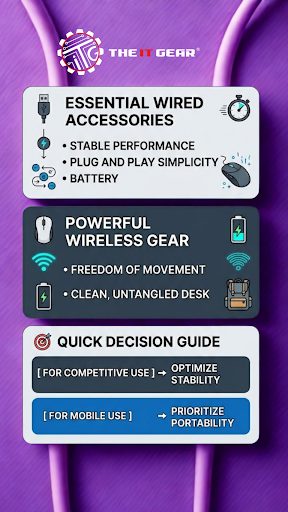
There isn't one right answer to the wireless vs wired mouse debate anymore. In fact, for most India-based users whether working from home, studying, or gaming casually, wireless mouse today brings such a level of convenience and performance that is pretty much on par with wired mouse. Though, wired mouse are still the first choice of professional gamers, budget-conscious users and those living in locations with lots of wireless interference.
The main thing is to be honest about what matters most in your life at the moment: Are aesthetics and freedom of movement at your desk most important? Go wireless. Or do you want the lowest latency and get the maximum value from your money? Go wired.
Many gamers use two mice - one wireless for everyday use and one wired for when they really get into their gaming sessions. At The IT Gear, it's very convenient to shop from both categories under one roof, with the availability of detailed specs and competitive Indian pricing.
Is a wired or wireless mouse better for pro gamers?
Actually, the thing is that most pro gamers nowadays are switching to wireless devices. In 2026, more than 90 percent of professional players of the game Counter-Strike 2 will be seen playing with wireless mouse. Without the cable, it is easier to make smooth flicks and top-of-the-line wireless mice have latency levels almost equal to wired.
But some professionals still rely on wired mouse for absolute consistency in tournament situations where a lot of wireless signals are present. If you are a future professional gamer in India, a good wired mouse is still the safest and the most affordable option to start with.
Is wired mouse less laggy?
The answer is yes. Generally, wired mice have lower latency because the signal is traveling through a direct copper cable, without the need of encoding/decoding the signal. But keep in mind that the difference is extremely small - usually 1-2 ms vs 4-8 ms for good wireless mice.
For everyday activities like surfing the Internet, writing emails or any kind of office work, you won't ever notice the difference. Even when it comes to casual gaming, it is almost impossible to notice the difference. Only at the highest level of competitive gaming does that very small difference matter.
Wired or wireless mouse: which is better for laptop users?
Indian laptop users are better off getting a wireless mouse (Bluetooth). You won't have to carry a dongle (since most laptops have built-in Bluetooth) and your bag will be free of wires.
It is quite common for battery life of a Bluetooth mouse to be measured in months on just one AA. Yet, if you are someone who regularly forgets to get spare batteries or remain at a fixed desk when using your laptop, a wired mouse will be both cheaper and you will never go out of power.
Is wired mouse better for gaming on a tight budget?
Definitely. Wired gaming mice with a high-quality sensor, RGB lighting and programmable buttons come at a price somewhere between Rs.1,000-2,000. But, you would have to spend Rs.4,000-5,000 at a minimum if you wanted a wireless gaming mouse with the same specs. If you are a student or a casual gamer, wired is the one and only choice.
Can I use a wireless mouse while charging?
Of course, most wireless mouse that come with a rechargeable battery support the so-called "wired mode" whilst charging, by which the mouse is basically converted into a wired mouse. This way, if you by any chance forget to charge the mouse overnight, you still have a way out. Some models go even one step further as they also have a quick charge feature giving you 2-3 hours of use after a 5-minute charge.





#No. 9, 5th Floor, Max City Center, T. P Lane, Sadar Patrappa Road, Bengaluru - 560002 (Karnataka)