








Select a category

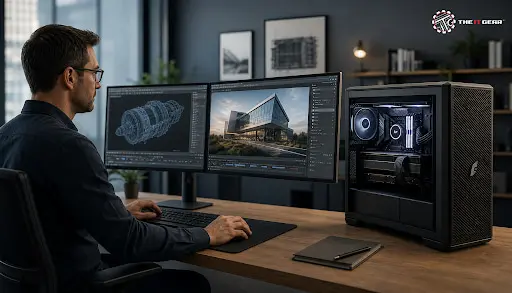
Today, we are witnessing unprecedented technological progress. Professionals from different fields, including but not limited to 3D modeling, video editing, engineering, and data science, are always finding new ways to make their computers perform better. But, working with highly intensive tasks on a regular desktop computer is usually a recipe for disaster: a frequent crash or a lengthy effect rendering consume working hours and inadvertently reduce productivity.
So, having a dedicated workstation PC is no longer a luxury but a necessity. If Indian professionals and businesses want to get a reliable source of computing power, learning what differentiates a workstation from a normal PC and how to choose the right one will help them reach their full professional potential.
In its essence, a workstation PC is a computer that has undergone several changes to make it fit for professional computing needs that require huge amounts of processing, power, storage, graphics power, and availability. A regular desktop computer is designed to cover the basic office tasks like writing documents, browsing the internet, and occasional gaming whereas a workstation is focused on enabling you to perform tasks like complex calculations/3D rendering/ video post-production/scientific simulations/ CAD/CAM in an efficient and accurate manner with the highest level of stability.
Fundamentally, the task at which a machine can operate, how reliable it is, and the certification it has are the three basics on which a workstation and a normal desktop computer differ. While the former class implements uninterruptible power supplies, RAID configurations, redundant cooling solutions, server-grade components, etc. the latter usually employs components suitable for single-user, non-intensive applications.
With workstations, you get a professional grade component set - these are basically Intel Xeon/Amd, Threadripper pro processors and graphics cards like NVIDIA, RTX A series or AMD Radeon Pro and ECC RAM which has the capability to correct errors that occur during long operations.
Workstations also come with ISV certification which means that they are guaranteed to be perfectly compatible with professional applications like Autodesk, AutoCAD, Adobe Premiere Pro, SolidWorks, and Blender. With such certification, you can be sure that your software won't give you any crashes or glitches at unexpected moments, which is something that you need for sure while meeting your deadlines.
Recognizing the Signs That Your Current PC Is Failing You
If you constantly find yourself staring at the blue screen of death or experiencing long completion times for rendering, then the problem is quite obvious: the standard PC you have nowadays is very likely to be the point where your work cycle is getting slowed down. By purchasing a high performance workstation PC, such issues will be completely eliminated since it will be able to provide you with the desired power at all times even during the heaviest usage.
To cite an example, a video editor treading on 4K or 8K video in DaVinci Resolve will experience much shorter exporting time and better playback while at the same time, a 3D animator using Blender will be able to render even the most intricate scenes without any freezing of the system.
Understanding the Cost-Benefit Analysis for Indian Professionals
Although a workstation PC in India can cost you anything between ₹80,000 and more than ₹5,00,000 according to the configurations, the idea is to consider it as an investment rather than a mere cost.
If you think about it, faster processing times, less downtime, and the capability to handle even the largest and most profitable projects result in increased earnings potential. A freelance architect in Mumbai or a graphic design studio in Bangalore, for example, will be able to recover their initial investment due to the boosted productivity quite rapidly.
The Critical Role of the Graphics Card (GPU)
The component that is responsible for most of the professional workflows, that includes 3D modeling, video editing, and CAD/CAM, is none other than the GPU. Flawless execution of large 3D and machine learning tasks will require a high-end GPU such as the NVIDIA RTX A-series or AMD Radeon Pro.
Then again, for 2D creatives like graphic design a mid-range professional GPU is perfectly fine. VRAM (Video RAM) is another aspect that needs to be taken into account—working with 3D on a regular basis the minimum should always be 8GB. Still, for rendering heavily and performing simulations, 16GB or more would be ideal.
Why RAM Capacity Is Non-Negotiable
RAM is basically what your PC holds on to in case it's needed at any moment (making your workflow uninterrupted) and lack of it really is a major bottleneck. Because of this, some say mostly your work speed is governed by the amount of RAM you have at your disposal. 16GB of RAM is the minimum requirement by most professional applications but to rely on seamless multitasking and handling of complex projects, 32GB is also recommended.
Apart from that, ECC RAM is another key feature of a workstation that is capable of detecting as well as correcting the errors of the memory, guaranteeing that all your computations remain untouched and accurate.
Processor (CPU) Selection for Different Workloads
The CPU is chosen based on your requirements only. For entry-level CAD and graphic design, an Intel Core i7 or AMD Ryzen 7 offers excellent performance. For heavy 3D rendering, complex simulations, and multi-threaded tasks, an Intel Core i9, AMD Ryzen 9, or professional-grade Intel Xeon/AMD Threadripper Pro processor is recommended. Higher core counts and faster clock speeds directly translate to shorter rendering times and smoother multitasking.
Storage and Cooling Considerations
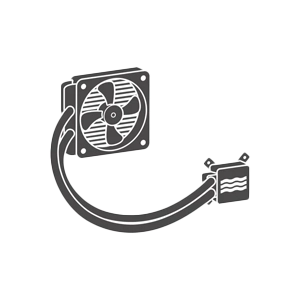
A workstation should have fast SSD storage (preferably NVMe) for the operating system and active projects, combined with larger HDD storage for archiving. Adequate cooling is also critical since workstations run under heavy loads for extended periods. Look for systems with robust thermal solutions, including multiple fans and liquid cooling options for high-end configurations.
The biggest difference between the two is that a PC is mainly aimed at fulfilling regular needs whereas a workstation is designed to meet specific, more demanding uses and this is reflected in their specifications, performance levels, and price points. A PC of the same caliber as a workstation would involve a significant level of overkill for an average user, then again, a workstation will effectively support a high degree of professional and scientific computing.
What makes the latter much more worthwhile than the former is that it comes with a full range of hardware specs, professional-grade support, and the ISV certification for the compatibility of software. Besides, workstation enthusiasts adopt components that are meant to operate 24/7 under heavy loads, unlike gaming PCs that are geared towards producing peak performance for short bursts of gaming sessions.
Step 1 – Analyze Your Primary Software Applications
Make a list of the professional software that you use on a daily basis - Autodesk, AutoCAD, Adobe Creative Suite, Blender, SolidWorks, MATLAB etc. Then, go through the system requirements that are recommended by the software vendors as these will give you a starting point for CPU, GPU, RAM, and storage specifications.
Step 2 – Assess Project Complexity
You need to judge the complexity of your average projects. A 2D CAD designer working on simple floor plans will definitely have requirements quite different from a 3D animator working on photorealistic scenes. If you handle large datasets, high resolution videos or perform complicated simulations, then you would put more emphasis on having higher RAM capacity and a more powerful GPU.
Step 3 – Prioritize Components Based on Your Workload
Workstations come in various form factors to suit different work environments:
For Indian professionals working from home or a small office, a tower or compact workstation is usually an optimum solution balancing performance and space efficiency.
1. Identify your primary software and check its recommended system requirements.
2. Assess your project complexity – Are you working in 2D or 3D? Simple or complex simulations?
3. Prioritize GPU over CPU for CAD, 3D modeling, and video editing workloads.
4. Ensure minimum 32GB RAM for smooth multitasking and complex projects.
5. Choose ECC RAM if data integrity is critical for your work.
6. Select the right form factor – Tower for expandability, compact for space saving.
7. Verify ISV certification for guaranteed software compatibility.
8. Consider future upgrade potential – Look for systems with accessible components.
9. Set a realistic budget based on your ROI expectations, not just upfront cost.
10. Buy from a trusted vendor like The IT Gear for expert support and genuine products.

A facility with a proper workstation PC and its right configurations is your key to better productivity, project quality, and professional growth. Know in detail - Desktops vs workstations, your very own workload requirements, and your top priorities GPU, RAM, and CPU, with increased foresight through the faster workflows and less downtime. Independently, whether an architect in Delhi, video editor in Mumbai or data scientist in Bangalore, a properly selected workstation gives all the power to bring ideas to the ground.
Do you need reliable, high-performance workstation solutions? Indian professionals should take a look at The IT Gear. You will find expert help and a wide variety that meets your every need and budget. Explore our collection online and one of our team members will be very happy to assist you find your ideal workstation for your professional journey.
Can I use a gaming PC as a workstation?
Gaming PCs have the most powerful components, but they do not have ISV certification, support of ECC RAM and professional-grade drivers that are optimized for stability under sustained loads. To be on the safe side with your professional work, a workstation is necessary to avoid the system crashing and data corruption.
What is the average lifespan of a workstation PC?
With proper care, you can generally count on a workstation to run for 3 to 5 years until you need an upgrade. Though, a workstation is designed for easier component upgrades such as the GPU, RAM, or storage, so you may extend its lifespan.
What are the disadvantages of workstation computers?
The biggest drawbacks include more expensive initial purchase, taking more space in your room (tower models, mostly), consuming more power, and maybe having louder fans when working hard. But, if one takes that level of performance, such compromises are more often than not justified.





#No. 9, 5th Floor, Max City Center, T. P Lane, Sadar Patrappa Road, Bengaluru - 560002 (Karnataka)