














Select a category

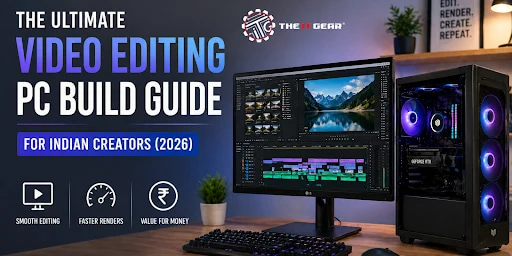
The need for good-quality video content in India has drastically increased. The list of video content creators in India is ever-expanding - YouTube creators, wedding video producers, corporate editors, etc. However, the task of creating a video editing pc build that is both effective and economical can indeed be a challenge.
The prices of components differ greatly among various Indian cities like Bangalore, Mumbai, and Delhi, so a comprehensive guide is necessary. This article is a complete guide for people who want to create a video editing pc build that is powerful and at the same time congruent with local Indian prices, component choices, and tips from experts.
An arrangement for a video editing pc build means putting together a personal computer mainly tailored to meet the requirements of running editing software such as Adobe Premiere Pro, DaVinci Resolve, or Final Cut Pro.
Compared to a typical office PC, this kind of build focuses on getting a very powerful CPU with multiple cores, a dedicated video card with a large amount of VRAM, loads of RAM, and ultra-fast NVMe storage. Besides playback on the timeline and rendering, the processor also plays a role in other major activities involving the timeline in Premiere Pro while the graphics card is mainly involved in the acceleration of various effects, color grading as well as codecs decoding. A video editing PC that is purpose-built for Indian editors working with 4K footage shot from either a smartphone or a cinema camera would be a great help in removing different types of lag, including workflow proxies that consume a lot of time.
When it comes to assembling a video editing pc build, you have to make a very careful choice not only of the core five components but also the rest:
CPU – The Brain of Your Editing Rig
Choosing the right processor is one of the major factors that would be indirectly impacting the speed at which you do the final render, along with the pace at which you can scrub the timeline, as well as the encoding of the video. An Intel Core i5 (12th generation or newer) or AMD Ryzen 5 will be good enough for 1080p editing whereas a step up will be necessary for 4K and higher resolution editing. In India the top pick for a great 4K/8K editing workflow is the Intel Core Ultra 9 285K and AMD Ryzen 9 9950X3D (both having 32 cores). It is advised to set aside a budget of 25,000 to 65,000 as per the tier for this.
GPU – Graphics Acceleration Matters
For 4K editing, a dedicated GPU with at least 8GB VRAM is highly recommended. RTX 30-series, 40-series, or the new 50-series (such as RTX 5060 Ti and RTX 5070) from NVIDIA will provide excellent NVENC encoders for a very smooth play.
RAM – Size Depends on Resolution
16GB - Enough for 1080p editing (simple timelines)
32GB - Ideal amount for 4K editing with a few effects
64GB - Required for layered 4K, HDR, or After Effects
128GB+ - For 8K, VFX, or complex multi-cam projects
Storage – Speed + Capacity
It is highly recommended to get one of those M.2 NVMe Gen4 SSDs for running your operating system and doing your active projects (minimum 1TB). Besides, get another secondary SATA SSD or a high-capacity HDD (2 TB to 10 TB) for archiving purposes.
Cooling and Motherboard
Keeping the processor and graphics card cool is essential as they run quite hot under load. Getting an airflow-optimized case (like MSI MPG Velox 300R) and a good air cooler or AIO liquid cooler would be a wise investment.
How does all of this support your build? Well, choosing the best components will give you a video editing pc build capable of handling any project without being a source of frustration through slowdowns - be it a corporate reel or 4K vlog editing.
When planning a 4k video editing pc build, being aware of the minimum specifications only makes sense if one is not willing to compromise on performance. The chart below summarizes some expert recommendations (TechRadar, Punch Technology).
|
Component |
Minimum Configuration (1080p/light 4K) |
Recommended Configuration (smooth 4K) |
|
CPU |
12/13/14 and Ultra 6 (in AMD Ryzen 5 7000 or 9000 series CPU |
Intel Core i7 or i9 14th Gen, Ultra 7 or Ultra 9 in AMD Ryzen 7 or Ryzen 9 7000/9000 series |
|
RAM |
16GB DDR4 |
32GB DDR5 |
|
GPU |
6GB VRAM (e.g., RTX 5050 or RTX 5060) |
8GB+ VRAM(RTX 5060Ti / RTX 5070) |
|
Storage |
512GB NVMe SSD |
1TB NVMe Gen4 SSD + 2TB HDD |
|
OS |
Windows 11 |
Windows 11 Pro |
For Indian video editors, the best 4K editing PC can be put together with Rs.80,000 - Rs. 1,20,000 (entry-level 4K) or Rs.1,80,000 - Rs.2,50,000 (professional 4K/6K). The combination of 2 lakh with an RTX 5070 or RTX 5060 Ti offers great value for money.
Indian creators have several budget levels based on the most common configurations found on recent YouTube shorts and local retailers.
Entry-Level (Under ₹80,000)
H3: Mid-Range (₹1,50,000 – ₹2,00,000)
H3: High-End (₹2,50,000 – ₹5,00,000+)
Online PC builders like The IT Gear offer custom quotes. Always ask for a price breakdown and warranty on parts. Building yourself can save 10–15% compared to pre-built workstations.
Many Indian content creators have the question whether the same PC can be used for both gaming and video editing. The short answer is: yes. Both gaming and video editing pc build require a powerful graphics processor, a fast CPU, and a good amount of RAM. However, editing focuses more on CPU cores and RAM capacity than gaming does.
Before deciding to buy, check the following to avoid the most common mistakes:
1 - CPU: Intel Core i7 14700K or Ultra 7 265K or AMD Ryzen 7 9800X 3D (great cache for games)
2 - GPU: RTX 5070 or Higher (supports DLSS for gaming and NVENC for editing)
3 - RAM: 32GB minimum (64GB ideal)
4 - Storage: Separate NVMe for OS/games and another for editing projects
Video editing PC build decision-making can be quite confusing in the Indian market with lots of factors that affect prices, availability, and performance.
Making a video editing pc build for Indian creators is not as difficult if you understand the market in the country, know your needs in terms of resolution and labor from a mere Rs.80k 1080p budget build to Rs.2.5 lakh 8K monster. Along with these, you are sure to have a machine that is far better than any pre-built workstation priced at the same level.
Make sure you first agree on CPU core count, 32GB+ RAM for 4K, and an NVIDIA GPU for NVENC acceleration. Talking to The IT Gear can provide you with all the answers, along with the best parts in India, and a worry-free purchase. Planning your budget and resolution will be the first step. After that, this guide can act as your blueprint, and soon you will be the one editing stunning videos.
Q1: Can an RTX 3060 handle 4K video editing?
Yes, an RTX 3060 outfitted with 12GB of VRAM is capable of handling elementary 4K editing (like a single track, light color grading). Going for multiple layers, heavy effects, or 4K 10-bit footage would mean having to work with proxy workflows. For an effortless performance, upgrade to RTX 4060 Ti or RTX 5070.
Q2: Is 32GB RAM enough for 4K video editing?
For most 4K projects with single-layer timelines and basic effects, 32GB is enough. When you have multiple video tracks, noise reduction, or motion graphics, it's better to go for 64GB so that you don't face stuttering or longer renders.
Q3: What PC is required for video editing in India?
The starter PC that Indian editors can get by with is: Intel i5 12th gen / Ryzen 5 5600, 16GB RAM (upgradeable), 1TB NVMe SSD, and a 6GB GPU like RTX 3060. To be a professional and edit in 4K, it is best to opt for i7/Ryzen 7, 32GB DDR5, and RTX 4060 Ti or higher. You will find prices between Rs.70,000 and Rs.2,00,000.
Q4: What is the best PC build for video editing under ₹1.5 lakh?
For Rs.1.5 lakh, the configuration of your PC can be: AMD Ryzen 7 5700X when paired with an MSI B550 motherboard, 32GB DDR4, RTX 4060 Ti 8GB, 1TB NVMe SSD, and a reliable 650W PSU. It is good for 1080p and basic-level 4K.
Q5: Can I build a video editing PC online in India?
Yes, besides regular retailers, several include The IT Gear, which offers online platforms where you can select the parts, they will put the PC together, and deliver it to your city. This also works out great if you are a bit hesitant about building yourself.
Q6: What is the price difference between a 4K video editing PC on a budget vs premium?
Budget 4K build (using older gen CPUs and 16GB RAM) costs around 1 00 000 but might be less efficient with complex timelines. Premium build (new gen CPU, 64GB DDR5, RTX 5070+) will be priced at 2 20 000+ but gives you real-4K playback without proxies.





#No. 9, 5th Floor, Max City Center, T. P Lane, Sadar Patrappa Road, Bengaluru - 560002 (Karnataka)