








Select a category

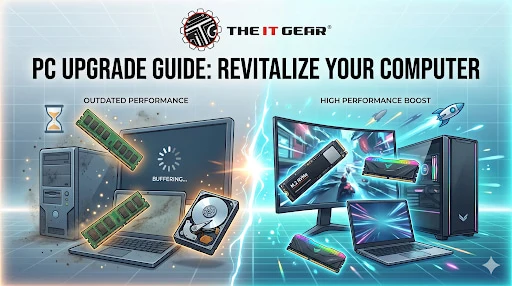
When you look at the digital landscape these days, it changes so quickly that a computer you use as your main tool can really start to lose its spark and feel slow to you in just a few years. It really doesn't matter if you are a student, a work-from-home professional, or a gamer in India, having a slow PC can just kill your productivity and your entertainment altogether.
To know when and how to carry out a PC upgrade is the secret to save you thousands of rupees against getting a completely new machine. This guide is here to help you figure out how often you should be upgrading, the main components you should be targeting, and the ways in which experts can assist you in making the right decisions.
Upgrading your pc means making changes or additions to the internal elements like installing extra RAM, adding storage drives, changing the graphics card, or even the processor to enhance the system performance. Consider upgrading your pc if your computer takes an eternity to boot up, barely handles multiple browser tabs, crashes during video calls, or runs the latest software or games very slowly.
Some of the common indicators for pc upgrading include:
Recognizing these symptoms will help you deliberately decide on upgrading your computer now or deferring it. Friendly and timely PC upgrade will prolong the life of your machine and deliver more value than a total replacement. On a budget for Indian users, you can simply do component upgrades such as RAM or SSD which is capable of giving a 3-4 year old desktop or laptop a new lease of life.
Gaming enthusiasts in India will have a shorter upgrade cycle since games change their requirements quite rapidly. According to famous gaming youtubers GeekaWhat and Zach's TechTurf, a gaming PC needs to be upgraded every 2 to 3 years for a mid-range build, whereas a high-end system (Rs.1.5 lakh or more) may last 4 to 5 years at high settings.
For a gaming PC upgrade, here are a few tips:
Performance issues and dropping frame rates to below 30 FPS or less, and playing a new game being practically impossible are the real reasons to upgrade your gaming pc - not some convenient calendar date. Many Indian gamers only upgrade their graphics card and find that their system's life gets extended by two more years.
Is a 5 Year Old CPU Still Good?
It can be perfectly good based on your requirements. If you are into basic computing things like web browsing, using Microsoft Office, watching YouTube, and even playing eSports games like Valorant or CS2, a 5-year-old processor (e.g. Intel 9th gen or AMD Ryzen 3000 series) can still be used. By contrast, that same CPU will mainly be the bottleneck when playing modern AAA games like Cyberpunk 2077 or editing videos in Premiere Pro.
Before deciding on a processor PC upgrade, these are a few things to consider:
The budget-conscious Indian users can just carry on using the 5 year old CPU for another 1-2 years, but they should start saving for the complete upgrade. You can rely on The IT Gear for compatibility checks and component bundles that will ensure a seamless transition.
How Long Will a High-End PC Last?
A high-quality PC that costs in the range of Rs.1.5 lakh to 2 lakh presently can generally be expected to last from 4 to 6 years playing at high to ultra settings for most of the games and for creative work without any major issues.
In the meantime, it is totally possible that you will need to change settings or upgrade your GPU. The graphics card is usually the bottleneck while the high-end CPU can stay in the groove for up to 5-7 years.
These are some milestones for a premium build:
What can stretch that lifespan for you is Definitely investing in The IT Gear quality components like a strong power supply and a motherboard that is future-proof. The mid-life PC memory upgrade or a bit of extra storage can keep the system fast and responsive without the need to replace the core parts.
Often laptops slow down because their memory capacity gets emptied. One of the simplest and most economic ways to make your machine feel brand new is to perform a RAM upgrade in a laptop. You can usually add or replace RAM modules in most laptops that have been manufactured within the last 5-6 years.
Check your laptop and be sure of these before a RAM upgrade in laptop:
The IT Gear offers a wide stock of compatible laptop RAM units for the Indian users made by such manufacturers as Crucial, Kingston, and Corsair plus installation guides.
People generally associate a PC memory upgrade with RAM, but storage memory (SSD) counts as much. If you switch from a standard hard drive to a solid-state drive (SSD), you will get boot and app load that is up to 10x faster. In the same way, just adding a bit more RAM will allow you to have more tabs open in your browser and more apps running without slowdowns.
Think about these aspects:
You can extend the lifespan of your 5-year-old PC by another 3-4 years with a combined computer upgrade of both RAM and SSD that will most likely set you back less than 10,000. Deals on memory and storage upgrades are available from The IT Gear, so Indian buyers can easily shop and install by themselves or hire a local technician.
If you're still on the fence for a PC upgrade, here is a handy list of indications that you might need it sooner rather than later. Your first step is to identify the situations that resonate most with you:
In case you checked 2 or more options in this list, you probably should consider upgrading. Upgrading only a few components (one or two) can fix most problems, but new games or software suites might require a full platform upgrade.
Deciding how often to get a PC upgrade depends on usage, budget and your performance goals. For ordinary usage, upgrading a pc every 4-5 years is good, but for gaming, every 2-3 years if you have a mid-range system. Think about real-world signs like slow boot, game glitch, program failing instead of timeline.
RAM upgrade in laptop or an ssd replacement will often delay a full replacement by years. The IT Gear offers genuine components and top-level advice for Indian users to make the right upgrade decisions without overspending. See their online store now to purchase parts for your next computer upgrade.
Q1: Is a 7 year old computer worth fixing?
Most likely not. In 7 years the CPU and socket get so outdated that it is difficult to run modern software efficiently. Inserting an SSD or increasing the RAM are the only ways in which it could be used for light tasks but mostly, more than 5000 rupees would be wasted money for a 7-year-old PC. So it is better to buy a new entry-level desktop/laptop computer from The IT Gear.
Q2: How can I check if my PC needs an upgrade without any tools?
Use it daily and see if the issue is present. Opening the Task Manager and seeing disk at 100% all the time, memory usage more than 90%, or CPU running at 100% when very simple tasks are done - these are really clear signs that upgrades may be required. Failing to install or running errors being presented by new software are other ways that may hint at lacking hardware component support or drivers.
Q3: Should I upgrade my PC now or wait for new hardware releases?
Depends on how urgent it is for you. If the PC that you use now is very bad, upgrade immediately. But if you can wait 3-6 months, then new GPUs and CPUs that will be released will cause the prices of older generations to be dropped. For Indian buyers, festive sales (for e.g. Diwali) offer very good discounts on components at The IT Gear.
Q4: What is the best order to upgrade PC components?
You should convert your HDD into an SSD if you are using one. After that, don't hesitate to add extra RAM to make at least 16GB. The upgrade of the graphics card is a priority if your intention is to play or edit videos etc. And lastly, the CPU and motherboard could be upgraded together to get the most satisfaction from the new platform.





#No. 9, 5th Floor, Max City Center, T. P Lane, Sadar Patrappa Road, Bengaluru - 560002 (Karnataka)