Select a category

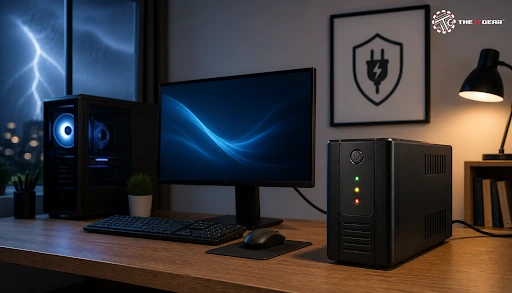
In India, we suffer from voltage fluctuations and power cuts frequently. A sudden shutdown of the PC might mean data loss or damage to PC components. An Uninterruptible Power Supply (UPS) offers instantaneous battery power to devices when there is a power outage, giving you enough time to save your work before the safe shutdown process. This buying guide covers what factors to look for when choosing a UPS for PC, from calculating power requirements to understanding key features.
The process of choosing a UPS for a computer is really about matching up three different elements:
A small-sized UPS will give you short backup time, while the larger-sized one is a costly option and often leads to wasted capacity.
Begin with calculating the load, then based on your use case select the options that are appropriate. No matter whether you are deciding on a UPS for your home desktop or a workstation in the office, these same sizing rules apply.
Make a list of all your equipment you want to connect to UPS - your computer tower, monitor, router, external drives. Check the power rating on each device's label or manual to find its wattage, then add those numbers together. After totaling, divide by 0.6 to convert to the VA figure, then add a 20 to 30 percent safety margin. The number gives you the minimum VA capacity you should look for in a UPS.
The first step is determining the actual power consumption of your PC and attached peripherals. Buyers often mistakenly believe that a 750W PSU means the PC constantly draws 750W at full power. In reality, the PSU rating represents only the maximum capacity the power supply can deliver. Your actual power draw varies significantly based on your specific components and the workload type.
Explanation of VA Versus Watts and Power Factor
A UPS's power capacity is typically stated in both Volt-Amperes (VA) and Watts. The difference between these two ratings is determined by the power factor, which generally sits between 0.6 and 0.7 on consumer-grade UPS units.
In practical terms, the usable wattage is roughly 60% to 70% of the total VA rating. For example, a 1000VA UPS will deliver around 600W of real power, meaning both the VA and Watt ratings of your chosen UPS must comfortably exceed your total calculated load.
What UPS Would a 750W PC Require?
Assuming your PC is drawing up 750W of power at its maximum, when you divide by 0.6 you will be getting a result of a minimum of 1250VA UPS size. Stepping up to a 1500VA UPS gives you around 900W of real power.
This extra breathing room easily covers your monitor, Wi-Fi router, and sudden power spikes during heavy gaming or 3D rendering. Crucially, it keeps the UPS from constantly running at full capacity, which prevents overheating and extends overall battery life.
Gaming PCs require more consideration from your side since gaming computers experience high fluctuations with power supply. During gaming sessions, for example, the graphics card can momentarily draw twice the nominal power and an underpowered UPS will trip during the gaming hours. Gaming PSU with Active PFC technology requires that the output from the UPS is a pure sine wave. A simulated sine wave may cause the problem or failure of the PSU even sudden shutdowns.
Why Pure Sine Wave Output Matters for Gaming Rigs
Typically a line-interactive UPS of 1500VA delivering clean power and outputting a pure sine wave would be ideal for a gaming rig. This kind of UPS will give roughly 900W of clean power and under full load it can last between 3 to 8 minutes which is enough time to save your game, close running applications, and safely shut down your gaming rig.
The UPS units have three types of topologies, and knowing the difference is quite vital at the time of deciding on a battery backup for your computer.
Standby (Offline) UPS
Of the three types, a standby UPS is generally the most affordable option. It only switches over to battery backup the moment main grid power fails. Because these units provide minimal voltage regulation, they are best suited for basic home desktop setups in areas with relatively stable, reliable power grids.
Line-Interactive UPS
For homes or offices in India that want to save money and also get a reliable UPS, a line-interactive UPS with an Automatic Voltage Regulator (AVR) is the way to go. This UPS corrects common low and high-voltage fluctuations without constantly switching over to battery power. This reduces battery degradation and supplies more stable and cleaner electricity to the PC.
Online Double-Conversion UPS
Being the most advanced and modern type of UPS, an online double-conversion UPS constantly converts AC to DC and back to AC, and this way your equipment is entirely protected from power anomalies. Although it is perfectly suitable for servers and devices that can't be disrupted, it is really expensive and also generates more heat, making it overkill for most home PCs.
Time of operation or the length of the backup power will depend largely on the capacity of the battery and the quantity of load connected to it. For instance, if the load on a system is heavy then there will be a fast battery discharge and so two identical UPS may give completely different backup durations. Generally, most people only require enough time to safely save and then shut down their machine in 2 to 5 minutes.
How Long Will a 1000VA UPS Last?
The actual power output of a 1000VA UPS is 600W. Under full power consumption, it will only run for 2 to 5 minutes. Yet, if that load gets reduced by half, it will now work for about 10 to 20 minutes. If your PC is using around 300W of energy then you will be able to get roughly 10 to 20 minutes of power, that is sufficient for a hassle-free shutdown of your system.
How Long Will a 300W UPS Last?
A 300W UPS can effectively back up a basic desktop PC, monitor, and Wi-Fi router. However, at full 300W load, it will typically deliver only 1 to 3 minutes of backup, just enough time for an emergency system shutdown. If you reduce that load by half, your runtime extends to around 5 to 15 minutes. Keep in mind that battery age is a major factor—a two-year-old battery often provides less than half of its original out-of-the-box runtime.
Capacity and topology being the primary considerations, some features can elevate a UPS from just a backup device into an important asset for everyday use.
What Features Should a PC UPS Have?
Beyond wattage, if your PC has an Active PFC power supply, then choose a UPS that also emits pure sine wave output. Look for built-in Automatic Voltage Regulation (AVR) to stabilize fluctuating grid voltages without constantly draining the battery. A USB communication port allows you to configure automatic shutdown software, ensuring your PC saves open files and shuts down cleanly even if you are away from your desk.
In addition, with an LCD panel on the UPS, you can see the load in real time, the charge level, the voltage and input of mains. Hot-swappable batteries also allow replacing a UPS' battery without the need to turn it off. Also verify the number of battery-backed versus surge-only outlets.

This brief listing summarizes the key points presented in this article.
7 Simple Questions to Get You a Great UPS
1. Calculate total wattage - Determine how much power the total of your PC, monitor, router, and other related devices is going to consume so that the UPS capacity will at least cover the load of these devices during power outage.
2. Convert to VA and add margin - The total Watts should be divided by 0.6 to get the starting point for the VA rating and a further 20-30% should be added for the safety margin.
3. Decide the UPS topology - Line-interactive UPS model suits home and office use in places with relatively stable grid electricity. It offers a good trade-off between cost-efficiency and protection.
4. Check sine wave output - If your PC has an Active PFC PSU, better go with a UPS that outputs a pure sine wave to eliminate the risk of equipment damage and to ensure smooth power transition during power outages.
5. Estimate the runtime - Make sure that the amount of backup that the UPS offers is adequate for you. For most people, 5 to 10 minutes is enough for a safe power cut shutdown.
6. Battery-backed outlets check - Make sure that the number of outlets which remain powered during outages (battery-backed outlets) is adequate for your requirements, not limited to the PC (which will usually only need two or three). Other devices like monitors, routers and modems can also be considered.
7. Input voltage check - Make sure that the UPS will work with Indian mains voltages of 230V at 50Hz as otherwise it may be incompatible or underperform.
Besides choosing the right UPS technology for your PC, deciding on what the total power load of the appliances is that you want to protect and the amount of power backup that you need, there are a few other features that the UPS should have for it to be really helpful and convenient for you.
The IT Gear brings a selection of UPS units which have different battery backup solutions, suitable even for Indian homes and offices. You can visit their site to compare features, check prices, and find exactly what model will be suitable for the needs of your setup. For those in need of reliable power protection, models like the CyberPower BU1000E 1000VA UPS or the CyberPower UT1200E 1200VA UPS offer excellent value for standard desktop setups, while the CyberPower OLS2000EC 2000VA Online UPS provides premium double-conversion protection for high-end systems.
How do I determine which UPS I need?
Calculate your total connected wattage, divide by 0.6 for the minimum VA rating, add a safety margin, and select the UPS type based on local power quality. This gives you the right capacity and topology for your setup. The combination of all these actions helps to figure out the required power and UPS type.
What is a UPS sizing calculator and how to use it?
Several UPS manufacturers offer free online sizing calculators where you input your device wattage and desired runtime to get a recommended VA rating. The step-by-step method of the manual calculation described in this guide is also valid and effective.
Can a home UPS battery back up for about 8 hours work?
In general, standard consumer UPS units are not designed to provide 8 hours of backup. Running for that long requires large external battery banks or dedicated inverter systems. For most home and office setups, 10 to 30 minutes of runtime is plenty to save open projects and shut down safely. If you need to work through long, multi-hour power outages, consider a generator or solar battery system instead.
What power source do I need to provide backup for my computer?
For a standard desktop PC drawing 200W to 300W, a 600VA to 1000VA UPS provides plenty of backup power. For a high-performance gaming PC pulling 500W to 750W, step up to a 1500VA UPS equipped with pure sine wave output. Always remember to include your monitor and Wi-Fi router in your total wattage calculation so you don't accidentally overload the battery.





#No. 9, 5th Floor, Max City Center, T. P Lane, Sadar Patrappa Road, Bengaluru - 560002 (Karnataka)