




Select a category

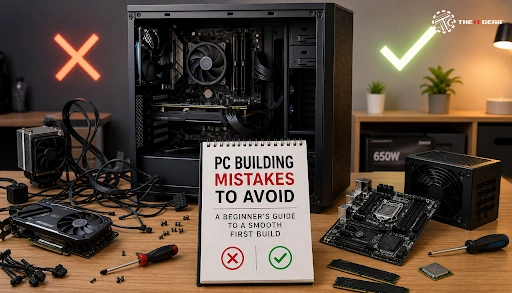
Buying and assembling components for your own PC is a major achievement and a source of immense pride for any gamer or professional from India who is keen to get maximum performance at a reasonable price. But this is also a process that involves several steps which can be overwhelming to a beginner.
Per a survey of Indian PC builders on Reddit, almost 70% of first-time builders have faced at least one major error that has either delayed their build or has put their components at risk. From simply putting the CPU in the wrong direction to forgetting the I/O shield, these minor mistakes have led to frustration, loss of money and in a worst-case scenario, permanent damage to the hardware, and this guide is exactly what you need to go through the most common PC building mistakes and guide you on how to avoid them so that your first build turns out to be a success.
Most of the most common issues that new builders including those in India make mostly relate to component compatibility, proper installation, and safety measures. It is not uncommon for some PC builders in India to make mistakes like forcing the CPU into the socket or forgetting the power cables for the GPU due to the excitement of finally seeing the new system boot.
Knowing about these common errors ahead of time is one of the keys to a trouble-free build. Here is a detailed list of the most critical errors.
One of the biggest and most expensive mistakes is buying parts that are incompatible with each other. Unluckily, this is often the case when one tries to save money by mixing and matching different brands or generations of hardware.
CPU and Motherboard Socket Mismatch
The most important compatibility is between your CPU and motherboard. An Intel processor will not physically fit in an AMD motherboard socket and vice versa. Even within the same brand, for instance, a 12th Gen Intel CPU uses an LGA 1700 socket, while a 14th Gen Intel CPU may require just a BIOS update in the same socket.
Always make sure the socket type before you buy. In India, the popular budget combination of Intel i5-12400F with a B760 motherboard is a very safe bet, but you should always confirm the exact model numbers.
RAM Generation and Motherboard Support
The next mistake is to purchase the wrong generation of RAM and it happens quite often. DDR4 RAM will physically not fit in a DDR5 slot and conversely though, you will have to consider the speed of the RAM sticks if you are installing DDR5 RAM in a DDR5 motherboard.
Lots of Indian builders go for DDR4 RAM to save some money but must make sure that the motherboard explicitly supports DDR4. One way to save yourself an expensive mistake is to check compatibility or get advice from experts like The IT Gear.
A very classic mistake that can cause complete failure of the build is not installing the I/O shield and the motherboard standoffs. First of all, the I/O shield is the metal plate that fits into the case's rear opening and offers port openings for your motherboard. You must install it before mounting the motherboard as you won't be able to access it from the back after the board is in place.
Like that, motherboard standoffs are the small brass or metal screws that raise the motherboard from the metal inside the case. If you don't install them or if you use the wrong number, then the solder points of the motherboard can touch the case which will cause a short circuit and most probably destroy the board.

The CPU or the processor is the most important component of your PC and that means, installing it incorrectly can be one of the worst mistakes you make. Modern CPUs are meant to be installed with zero force and if you have to push or force the CPU, then something is definitely wrong.
Bending Pins on the Motherboard or CPU
AMD processors (using PGA socket) have pins on the CPU itself while with Intel ones (using LGA socket), pins are on the motherboard. In both cases, forcing the CPU can bend these tiny pins and make the whole component unusable. To avoid this, always align the gold corner triangle of the CPU with the triangle on the socket. The CPU should fit with practically no resistance at all. If it doesn't, then stop, give it a look again and make sure the alignment is right.
Incorrect Thermal Paste Application

Applying too much or too little thermal paste is the other popular mistake made. Applying it like a "pea-sized" dot in the middle of the CPU is the most effective technique. One of the risks of applying too much is that the paste spills over and the spill acts as the insulator rather than a conductor. Some coolers come with pre-applied thermal paste which is a good enough layer. If you use aftermarket thermal paste, then a pea-sized quantity should suffice.
Untidy cables not only look bad but can also obstruct the airflow, trap heat, and make it difficult for you to troubleshoot. A clean build means a cool build.
Not Using Separate GPU Power Cables
Video cards that are designed for high performance are very power-hungry. One of the mistakes that are done is to use a single PCIe power cable with a "daisy chain" (or pigtail) connector to power a card that has two power inputs. The cable could heat up and the overheating might lead to cable failure. So, always use two separate cables from your power supply for the cards that have 2 or more 8-pin power connectors. This guarantees stable and safe power delivery.
Connecting the Display to the Motherboard Instead of the GPU
However, this is probably the most "no display" problem. If you own a dedicated graphics card, then plug your HDTV/monitor cable (HDMI or DisplayPort) in the ports on the graphics card and not on the motherboard. The motherboard video ports are features of the integrated graphics of the processor that are mostly disabled if a dedicated GPU is installed. It is quite a simple oversight yet it can cause you to spend-hours-on-end trying to fix it.
Failure to appreciate the amount of time and patience necessary to route cables neatly behind the motherboard tray is one of the reasons why responsible cable management is one of the most challenging aspects of providing a first-time builder with a positive building experience.
To add to it, installing fans in the wrong manner is a commonly recorded error. Intake fans should draw cool air into the case (usually through the front and bottom), whereas exhaust fans expel hot air out (usually through the back and top). If a fan is installed as an intake when it is supposed to be an exhaust, it can result in negative air pressure that attracts dust. For dust prevention, a good guideline is to have a little more intake than exhaust (positive pressure).
Preventing these errors begins with selecting the appropriate parts. The IT Gear is a prominent online shop in India that stocks many authentic PC components from well-known brands like Intel, AMD, NVIDIA, Corsair, and Cooler Master.
They also have knowledgeable staff on hand to assist you in finding parts that are compatible with your budget and needs, so you don't accidentally buy incompatible or cheap parts. The IT Gear is a top source for products and assistance, whether you want to put together a low-cost gaming PC for less than ₹60,000 or a powerful workstation.
Here is a really brief summary of the most important do and don'ts to remember:

Building your own PC is an engaging project that gives you the power to tailor the performance exactly to your needs and budget. Some of the most common mistakes in PC building that can cost you time, money, and a great deal of frustration are related to component compatibility and installation techniques. Taking your time, looking up the manuals, and relying on trustworthy sources are key.
When it comes to your component needs, don't forget The IT Gear that not only offers authentic products but also expert advice, so you can be sure your build is a success from the start.
The main risk when building a PC and also the only one that can be quite dangerous is the electrostatic discharge (ESD) as it can destroy your electronic components. To lower this risk you can touch a grounded metal object before handling your parts and avoid working on a carpeted floor at the same time. One other thing that is also a danger is your money if you make a mistake that can be quite expensive e.g. bending the pins of the CPU.
Absolutely, ₹60,000 is a really great budget for a solid entry-level 1080p gaming PC in India. Your options for a good processor are AMD Ryzen 5 5600 or Intel i5-12400F. You can choose between B550 or B660 motherboards, get your machine with 16GB of DDR4 RAM, and lay your hands on a Radeon RX 6600 graphics card. The IT Gear has several component bundles for this budget.
To prevent static, the key is to be in a hard-surface room with no carpets. If you own an anti-static wrist strap, wear it and link the other end to a grounded metal object or simply touch a metal part of your PC case (with the PSU plugged in and switched off but not connected to the wall) before handling the components. Better still, avoid wearing wool or synthetic clothes.
Cable management often takes the longest and it's pretty infuriating. Patience is a must here as you have to route the cables so that they are neat and hidden behind the motherboard tray. A "no post" situation or when your system powers on but you get no signal on the monitor is one of the most difficult problems to figure out for most of the users.





#No. 9, 5th Floor, Max City Center, T. P Lane, Sadar Patrappa Road, Bengaluru - 560002 (Karnataka)