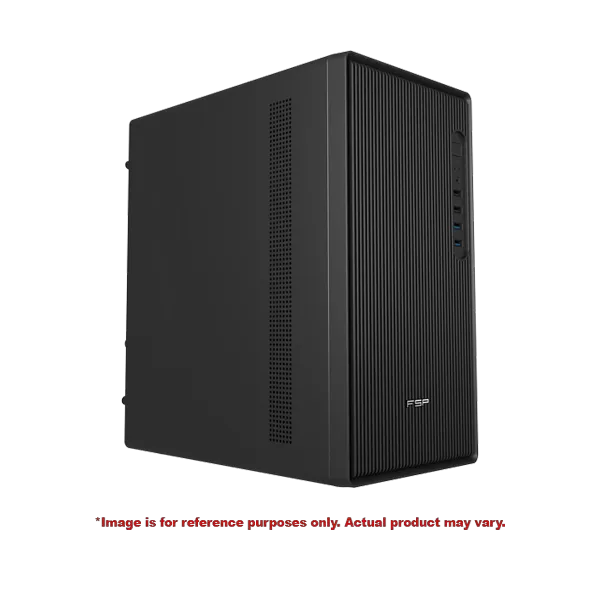
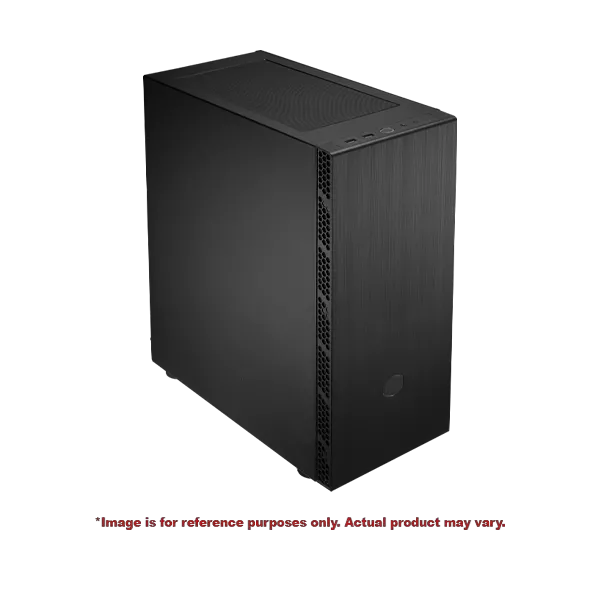
Boost your productivity with the Coding PC CD3 powered by Intel Core i7-14700, 16GB DDR4 RAM, Intel UHD Graphics 770, and a fast 500GB SSD. Ideal for programming, software development, coding, multitasking, office work, and professional computing with reliable performance and efficiency.
Boost your productivity with the Coding PC CD2 powered by Intel Core i5-14400, 16GB DDR4 RAM, and a 500GB NVMe SSD. Designed for programming, software development, coding, multitasking, and professional workloads, with built-in Wi-Fi and Bluetooth connectivity for a seamless computing experience.
Boost your productivity with the Coding PC CD1 featuring an AMD Ryzen 7 5700G processor, 16GB DDR4 RAM, 500GB SSD storage, Wi-Fi 5, and Bluetooth 4.2. Ideal for programming, software development, coding, office work, multitasking, and everyday computing.
Build Your Ideal Coding PC - Powerful Coding Desktops for Programming &
Development
How to Identify a Perfect Coding PC?
Simply put, a perfect coding PC is not just a fast computer; it acts as a productivity tool to make your
development job easier and faster. Whether you are a beginner, student or a professional, a right set of
hardware can help you easily compile your code, run virtual machines and switch between your IDE,
browser and documentation without any hassle. At The IT Gear, you
can find pre-built coding PCs
and parts that will assist you in assembling the perfect coding desktop.
The Most Important Parts for Programming PC
While checking out coding PCs, you should first check the processor, memory and storage.
Very Good CPU for Programming
The processor is the core of your programming personal computer. If you only want a decent
experience, then you should definitely get a multi-core processor. For a mid-level coding PC, an
Intel Core i5 or AMD Ryzen 5 would be the bare minimum, while for a high-end coding PC that does
data science, machine learning or runs multiple containers, an Intel Core
i7 or AMD Ryzen 7 would be
close to ideal.
Other Components: Memory (RAM)
RAM is very important for good performance and multitasking. A 16GB system strikes the right balance
for most developers e.g. Heavy IDE + a dozen browser tabs + Local server running] at the same time
etc. To be able to do PC for mobile development, PC for DevOps, or running Docker tasks more
comfortably, 32GB RAM is highly recommended. Check out our range of DDR5 RAM for the latest
performance.
Fast Storage / SSD for Developers
The first answer is SSD - a fast one actually. Use of NVMe SSD quite a bit reduces time of booting
and loading of projects. Minimum capacity should be 512GB but 1TB should be considered mostly for
multiple large projects and development environments. Browse our selection of NVMe SSDs for your
build.
Identify Your Coding PC by How You Will Use it
Since different developers have varied requirements, we have made different categories for our PCs
so that it is easier for you to select a computer that you can use for learning programming or
professional work.
PCs for Students and Beginners
For those who want a beginner coding PC or a first PC for coding, the most expensive hardware is not
necessary. A budget coding PC with a capable processor and 8GB of RAM would be a great starting
point. Such affordable programming computers are perfect for learning skills such as web development
and Python or Java.
PCs for Web and Full-Stack Development
A PC for web development or a PC for a full-stack developer needs a good balance of CPU and RAM. A
mid-range coding PC that features an Intel Core i5 or AMD Ryzen 5 , 16GB RAM and a fast
SSD will be
more than sufficient to deal with front-end setups, back-end servers and databases.
Advanced Workstations for Data Science & AI
If you intend to carry out data science or machine learning / AI-related work on your PC, then you
are in for a high-end coding PC with a powerful CPU for coding like an Intel Core i9 or AMD Ryzen 9 ,
plenty of RAM (32GB or more), and it is common to require a dedicated GPU for parallel processing.
Explore our Research and AI PC for such demanding tasks.
PCs for Gaming and Development
There are several developers who love gaming as their hobby. That's why a PC for programming and
gaming is an all-in-one solution for such a duo. These systems are equipped with powerful CPUs, lots
of RAM and a dedicated graphics card, and they will be great for both coding and gaming sessions.
Check out our Gaming PC range for
versatile options.
Pre-Built vs. Custom Coding PC Build
Pre-Built Coding PCs
If you're looking for a solution you can start working with immediately, our pre-built coding PC
selections are engineered to be exact for development. They come fully assembled, tested, and
practically ready to go. This is a great choice for experienced professionals who want a dependable
desktop computer for coding.
Custom Coding PC Build
For people who have very specific demands or simply want to get the greatest value, a Custom Coding PC Build
is worth looking into. Every element could be selected, down to the computer case and
motherboard, to ensure that one gets something perfectly tailored to their needs. This is a very
common choice among freelancers who want a silent PC for coding or an ergonomic setup.
Accessories for an Excellent Developer Setup
A coding PC can only get you so far. To get the most out of your productivity and workflow, you might
want to consider these accessories:
Multiple Monitors: A multiple monitor setup will allow you to code on one
screen, while you keep the documentation output, etc. on the other. Browse our monitors for home office
setups.
Monitor with a High Refresh Rate: A high refresh rate monitor for coding is
proven to keep eye strain down even during lengthy coding sessions.
Mechanical Keyboard:A mechanical keyboard for
coding gives tactile feedback, it
makes typing more comfortable, and lasts longer.
Ergonomic Set Up: In particular important for long-term health and comfort, an
ergonomic set up includes a good
chair and desk.
Reasons to Choose The IT Gear for Your Coding PC?
Carefully chosen products:
Carefully chosen products: We carry a range of both pre-built and component systems from leading
industry players like Intel, AMD and other major manufacturers. This way, irrespective of the
option you pick, you are guaranteed a best brand for programming computer.
Detailed Knowledge and Guidance: Our knowledgeable team is always ready to
support you in making informed decisions about the right specs.
Affordable and Competitive Pricing:Whether you are looking for a budget coding
PC under $500 or high-end workstations, we have something for you. We are also known for best
value coding PC options.
Future Proof and Upgrade-friendly Options: We mostly focus on upgradeable
coding PC builds so that you can continue upgrading and enhancing your system next.
Frequently Asked Questions
When working on a budget coding PC, you should prioritize a good processor (Intel Core i3 or
AMD Ryzen 3), 8GB RAM (which can be upgraded to 16GB), as well as a fast SSD. This setup is
an excellent cheap computer for coding and great for students and beginners.
If programming involves web development, backend, or mobile, then there is no need for a
dedicated GPU. The integrated graphics are good enough. Dedicated GPUs really come into play
when it's a PC for game development, PC for machine learning / AI, PC for data science, or
PC for coding and video editing. Check out our range of NVIDIA graphics
cards and AMD Radeon graphics
cards
for such workloads.
Definitely. Relying on a 16GB RAM coding PC is what pretty much every developer needs. It
really handles multitasking, large IDEs, and local servers without breaking a sweat. The
only time you'll want 32GB is if you're into serious virtualization, using Docker
extensively, or engaging in very large data science projects.
The best OS for programming really depends on what you do for work. A Windows PC for coding
works best for .NET and C# developers, mostly with the advent of WSL. Linux is mostly a
choice for open-source and backend developers. Actually, a lot of developers run a Windows
PC for coding and at the same time keep a Linux virtual machine.
Sure, a laptop for coding is arguably the best about portability. Yet, a desktop computer
for coding regularly wins out in performance for the dollar spent, not to mention that it
tends to be much more upgradeable and, of course, better for an ergonomic setup with
multiple monitors.
Thinking about a PC for compiling code fast? Then opting for a multi-core processor is going
to be your best move. Both an Intel
Core i7 and AMD
Ryzen 7 will, with their high clock
speeds, drastically cut down on the time taken to compile large projects.
We have products for you if you want pre-built coding
PCs that are ready to roll
immediately. These machines fit the bill for development and have the right gear for a
seamless coding experience.
Gaming PCs most often highlight a powerful GPU, whereas coding PCs concentrate more on the
CPU and sufficient RAM. Then again, a PC for programming and gaming can do both, so it's
kind of like a Swiss Army knife.