-
The Zotac Gaming GeForce RTX 5080 SOLID OC 16GB GDDR7 Graphics Card is a high-performance GPU powered by NVIDIA Blackwell architecture, engineered for smooth 4K gaming, advanced ray tracing, and AI-powered workloads. Featuring 16GB ultra-fast GDDR7 memory, a 256-bit interface, and a factory overclocked boost clock up to 2640 MHz, it delivers exceptional speed and responsiveness. Equipped with IceStorm 3.0 cooling, PCIe 5.0 support, and next-gen DisplayPort 2.1 connectivity,
-
The Zotac Gaming GeForce RTX 5080 Solid Graphics Card is a high-performance GPU powered by NVIDIA Blackwell architecture, designed for smooth 4K gaming, advanced ray tracing, and AI-driven workloads. Featuring 16GB ultra-fast GDDR7 memory, a 256-bit interface, and IceStorm 3.0 cooling with a large vapor chamber, it ensures excellent thermal efficiency and stability. With support for DLSS 4, PCIe 5.0, and next-gen DisplayPort 2.1, this graphics card delivers exceptional speed, reliability,
-
The Zotac Gaming GeForce RTX 5090 Solid 32GB GDDR7 Graphics Card is a flagship GPU powered by NVIDIA’s Blackwell architecture, delivering extreme performance for 4K/8K gaming, advanced ray tracing, and AI workloads. Equipped with 32GB ultra-fast GDDR7 memory, a massive 512-bit interface, and IceStorm 3.0 cooling, it ensures superior thermal efficiency and stability under heavy loads. Designed for enthusiasts and professionals, this high-end graphics card offers cutting-edge features like DLSS 4,
-
The Zotac GT 730 LP Zone 4GB PCI-E Graphics Card delivers reliable performance for everyday computing,offering smooth visuals,efficient multitasking,and enhanced multimedia playback.Designed with a low-profile form factor,it fits perfectly in compact PCs while providing 4GB of memory for improved graphics responsiveness.Ideal for casual gaming,HD video streaming,and productivity tasks, this GT 730 is a cost-effective upgrade that boosts system performance without requiring high power consumption
-
₹ 35,900 ₹ 33,599
The Zotac Gaming GeForce RTX 3060 Twin Edge 12GB Graphics Card delivers strong performance for 1080p-and even 1440p-gaming, with 12 GB of GDDR6 memory to handle modern titles and heavier workloads. Its dual-fan “Twin Edge” cooling design keeps temperatures in check while offering efficient power consumption. With support for ray tracing, DLSS, and other NVIDIA graphics technologies, it’s a great pick for gamers and content creators wanting a reliable,
-6% -
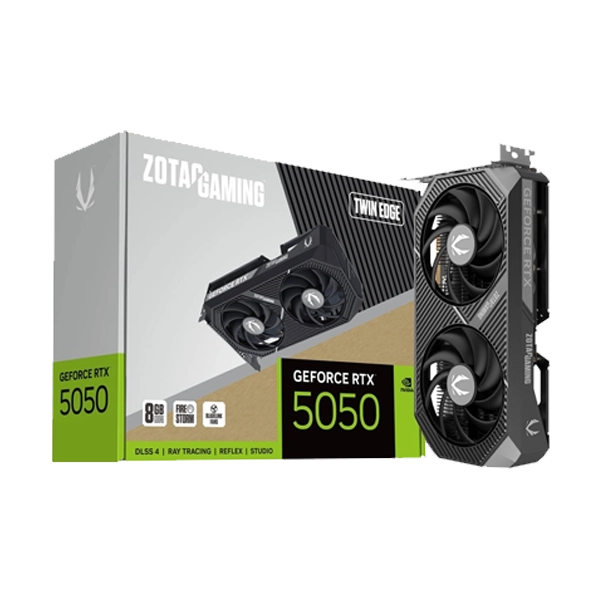
The Zotac GeForce RTX 5050 Twin Edge OC 8GB Graphics Card offers boosted performance in a compact, overclocked dual-fan design, delivering smooth 1080p gaming, enhanced ray tracing, and accelerated AI features. With its advanced IceStorm cooling system, energy-efficient architecture, and support for the latest NVIDIA technologies like DLSS, this GPU provides reliable, high-speed graphics processing for gamers and creators seeking a powerful yet compact upgrade.
-
The Zotac Gaming GeForce RTX 5050 Twin Edge 8GB Graphics Card delivers powerful next-gen performance in a compact dual-fan design, making it ideal for smooth 1080p gaming, faster content creation, and enhanced AI-powered workflows. With advanced cooling, efficient power consumption, and support for the latest NVIDIA technologies like DLSS and ray tracing, this GPU offers exceptional value for gamers and creators looking to upgrade their system with reliable, high-performance graphics.
-
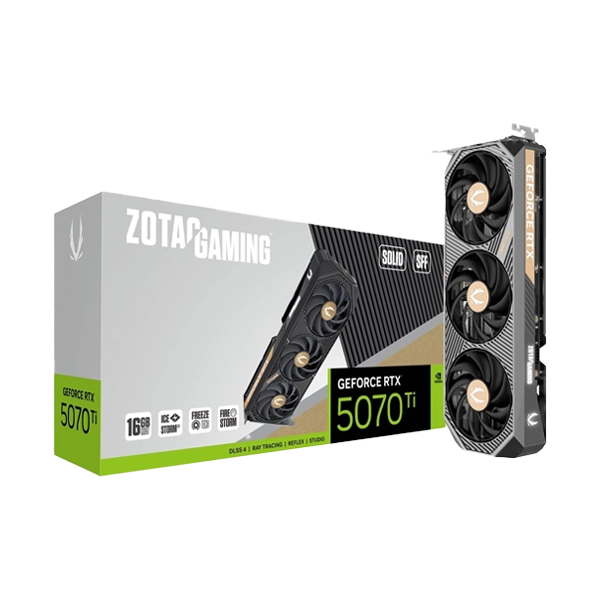
The Zotac Gaming GeForce RTX 5070 Ti Solid SFF 16GB Graphics Card delivers powerful next-gen performance in a compact small-form-factor design, making it perfect for high-end gaming PCs with limited space. Equipped with advanced ray tracing, AI-enhanced graphics, and fast 16GB memory, it offers smooth 1440p and 4K gameplay, efficient cooling, and reliable performance-ideal for gamers and creators seeking top-tier power in a space-saving GPU.
-
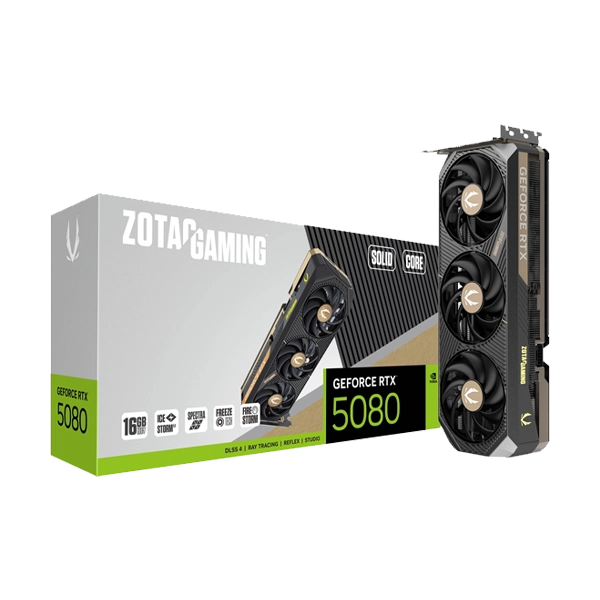
The Zotac Gaming GeForce RTX 5080 Solid Core 16GB Graphics Card delivers powerful next-generation performance with advanced ray tracing, AI-accelerated features, and ultra-efficient cooling for smooth 4K gaming and demanding creative workloads. With its Solid Core design and high-speed 16GB memory, it offers exceptional stability, fast rendering, and premium visuals—perfect for gamers and professionals seeking reliable, high-end GPU performance.
-
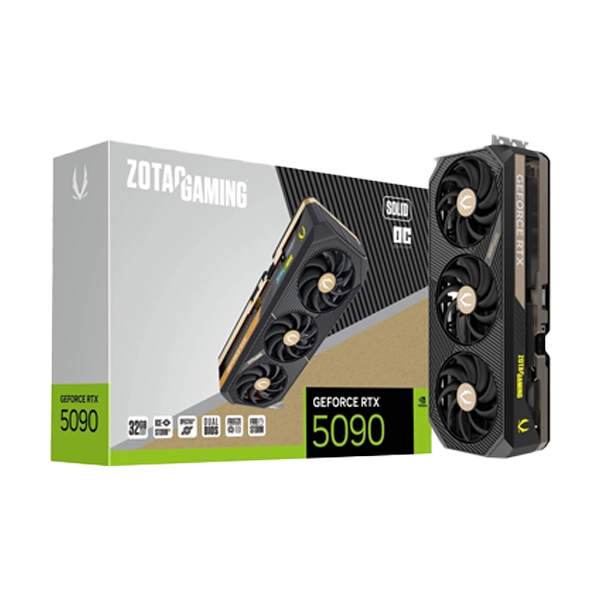
The Zotac GeForce RTX 5090 Solid OC Graphics Card delivers exceptional next-generation performance with powerful overclocking, advanced ray tracing, and AI-driven rendering for ultra-smooth 4K and 8K gaming. Built with cutting-edge architecture and enhanced cooling, it ensures stable, high-efficiency performance for gamers, creators, and professionals seeking top-tier speed, visuals, and reliability.
-
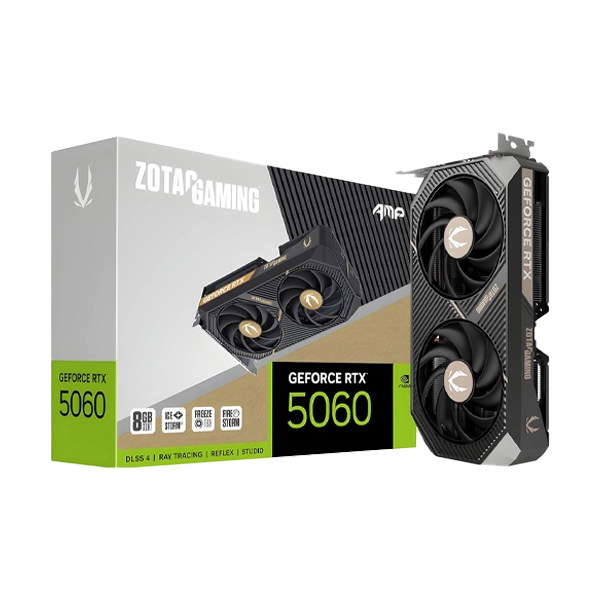
The ZOTAC GAMING GeForce RTX 5060 Ti 8GB Twin Edge OC graphics card delivers powerful next-generation performance with its advanced NVIDIA architecture, boosted clock speeds, and efficient cooling system. Designed with the compact yet high-performance Twin Edge OC design, it features dual fans for enhanced airflow, improved thermals, and quiet operation. With 8GB GDDR6 memory, ray tracing, and DLSS support, this GPU offers smooth, high-FPS gameplay and excellent productivity perfo
-
₹ 9,000 ₹ 8,999
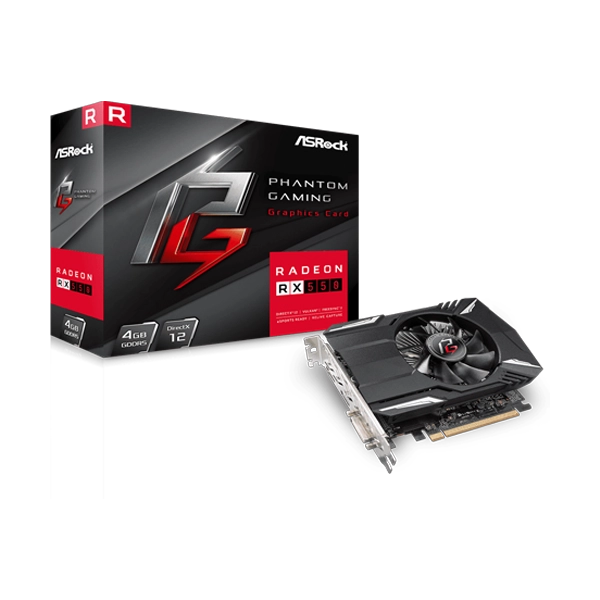
The ASRock Radeon RX 550 Phantom Gaming 4GB is a compact, energy-efficient graphics card built on AMD’s Polaris architecture with 512 stream processors. It comes with 4 GB of GDDR5 memory on a 128-bit bus, and offers flexible clock modes - OC mode up to 1230 MHz, default mode at 1183 MHz, and a quiet silent mode at 1135 MHz - for varied performance and power needsUsers can also fine-tune performance through the Phantom Gaming Tweak utility, which allows for real-time adjustments of clock .
-0% -
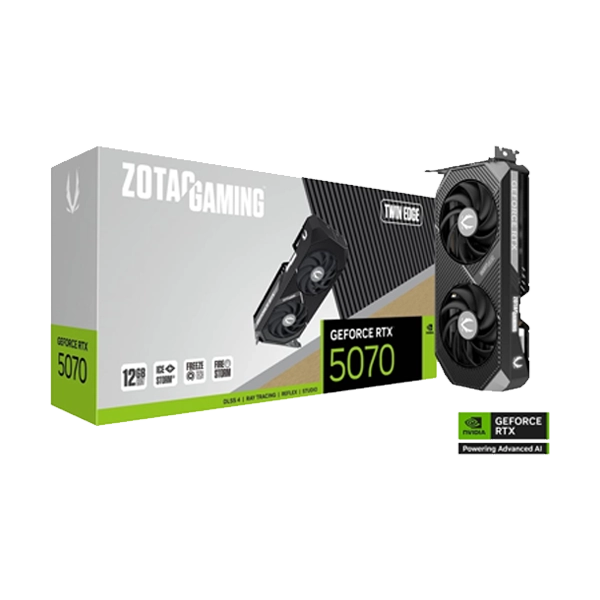
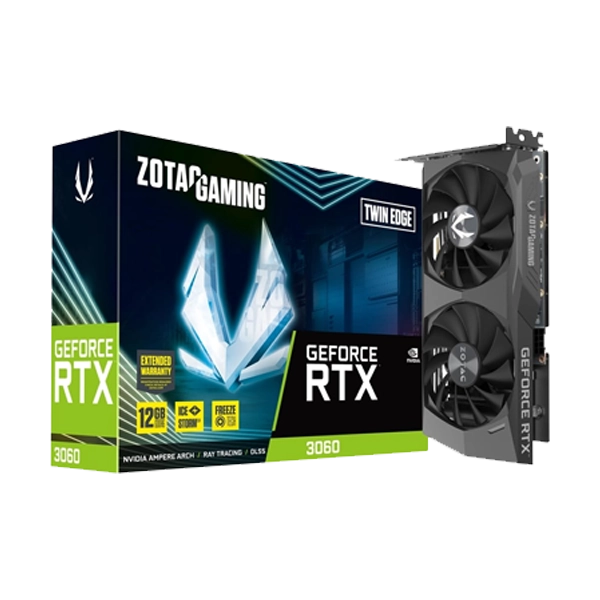
The Zotac RTX 5070 Twin Edge 12GB GDDR7 Graphics Card offers powerful next-gen gaming performance with high-speed GDDR7 memory, enhanced ray tracing, and DLSS support for smooth, high-FPS gameplay. Its compact Twin Edge dual-fan cooler delivers efficient, quiet cooling, making it an excellent choice for both compact builds and high-performance gaming setups.
Graphics Card Buying Guide - Find the Best GPU at The IT Gear
A graphics card (video card, display card) - also referred to GPU (Graphics Processing Unit), is the most
essential part of gaming or creative PC and is the reason behind displaying the images as well as video
that are running on your monitor, and it is not your CPU's work that results a graphics performance but
it is mainly a GPU's work to give you the visual quality and frame rates that integrated graphic cards
simply cannot match.
If you are into gaming, your job involves a lot of graphics heavy tasks, or you just simply have to
upgrade from an old computer, then getting the very best graphics card is really a game/changer.
At The IT Gear, one can find and buy graphics card online at the best price from the world's most
reputable brands like - NVIDIA, GeForce, AMD Radeon, Intel Arc, MSI etc.
The 4GB GDDR3 graphics memory cards with 128-bit interface and PCIe 3.0 are the cheapest graphics card
in India available for multi-monitor office setups and for basic media playback.
Besides they entirely depend on the power from the motherboard - So no external power connection is
required.
Best Graphics Card Under ₹10,000
The cards listed here will have 4GB video memory which are suitable for budget-friendly office builds, school projects, and light gaming. Cards in this category under ₹10,000 are a considerable upgrade from integrated graphics and can play old games and light photo editing quite easily. These will also be suitable for multi-monitor setups for those productivity users who need to work with multiple displays at once.
Best Graphics Card Under ₹20,000
From this segment, your actual budget gaming will get a head start. The ASUS Dual RTX 3050 OC Edition 6GB is one of the greatest budget graphic cards in India that offer you top quality gaming on small budget computers. It packs in 6GB GDDR6 video memory, supports Ray Tracing, has a dual fan setup with zero fan mode for silent operation, and a relatively low TDP that allows it to be powered by most current PSUs without additional connectors in many models, making it suitable as an upgraded GPU in older pre-built systems. The GTX 1660 remains the top choice for esports players at the price point too.
Best Graphics Card Under ₹30,000:
The MSI GeForce RTX 5050 Ventus 2X OC is definitely the best graphics card in this segment. It features the latest NVIDIA Blackwell architecture which is accompanied by 8GB of GDDR7 memory, DLSS 4 Multi-Frame Generation capability, fourth-generation ray tracing cores, and NVIDIA Reflex 2. It is a gaming GPU at the right balance of price and performances for those using high-refresh monitors to their full capacity at 1080p resolution. And it's also no problem for the users who are planning on using entry-level 1440p monitors. Among all cards in the segment, it not only gives you the most FPS but is also India's most-reviewed next-gen card by the gamers at the moment.
Best Graphics Card Under ₹50,000
The buyers who are planning to spend more budget should check out Zotac Gaming GeForce RTX 5060 Twin
Edge and Gigabyte GeForce RTX 5060 Windforce MAX OC which happen to be our best picks. They have in
common the features like 8GB of GDDR7 memory, DLSS 4, and excellent build quality.
The twin-edge of Zotac uses an innovative fan-based cooling system of compact design perfectly
suited for small GPU builds. Meanwhile, Gigabyte's Windforce has an awesome triple fan setup for
cool running besides a metal back-plate, RGB lighting, and factory overclocked boosted clock. With
output capabilities, they are capable of 4K gaming graphics card options with the use of HDMI 2.1
and DisplayPort 2.1 ports while running medium-high settings.
The right choice for the gaming graphics card greatly depends on the resolution and refresh
capabilities of your monitor. Below, you can find an easy to read chart for selecting the proper
card for your display:
- 1080p gaming GPU: The RTX 3050, RTX 5050, and RX 7600 deliver the most cost-effective performance for 1080p gaming. These are great gaming GPUs with very high frame rates that are perfectly suited to play esports titles like Valorant, CS2, and Fortnite competitively, while also smoothly performing newer AAA games with detailed textures.
- 1440p gaming GPU: The RTX 5060, RTX 5060 Ti, RTX 5070, and RX 9060 XT can give you a smooth high-refresh rate experience in 1440p. With the newest DLSS 4 and FSR 3 upscaling technologies, even when ray tracing is turned on, you can retain your FPS level.
- 4K gaming graphics card: It will be a bit of a battle, but the RTX 5080, the RTX 5090 and the RX 7900 XT are considered as the best graphics cards for 4K gaming. The RTX 5090 flagship which comes with 32GB of graphics card memory is still the top performing consumer GPU on the market.
If you're an eGPU freak who is only really into competitive gaming, even a budget card like the RTX 5060 will be more than sufficient for 1080p gaming at high frame rates for an esports set up with a very fast refresh rate monitor. For hobby gamers, the RTX 3050 and RTX 5050 are the perfect match in terms not only of performance but also price.
GPU for Video Editing, Workstation Graphic Card, AI and Machine Learning
Gaming is just a fraction of all that graphics cards can do. For creative and video editors, a GPU that supports CUDA cores (such as the RTX 600 series, 700 series etc.) can reduce a lot of the the time needed for rendering, applying effects exporting etc. in apps like DaVinci Resolve, After Effects, Adobe Premiere Pro etc. Thanks to their powerful CUDA cores and massive video memory, these are among our favorites - the RTX 3090, RTX 4060, RTX 4070 and RTX 4090 will not only handle all your video editing needs but also render 3D animations. Those working in the area of AI require a graphics card that is fully supported by CUDA and that has lots of VRAM. Deep learning experimentation and small-scale training generally should make it possible for you to be able to run with 16GB of graphics card memory as the minimum. For professional and big-scale AI work, it is best to look for 20GB, 24GB, and 32GB graphics cards, like the RTX 5090 one, for instance. Besides its workstation graphics card models, NVIDIA brings certified drivers and enhanced reliability for the most critical enterprise applications.
Most Important Graphic Card Features That You Should Be Aware Of
Do I Need Graphics Memory and How Much?
- 2GB graphics card: Just a normal display setup or an office environment with a little background multimedia and perhaps even a bit of light office use
- 4GB graphics card: Playing casual games, retro and indie titles, as well as a multi-monitor office environment
- 6GB graphics card: Playing games at 1080p and high-mid settings, and being able to do GPU-based content creation without breaking the banks
- 8Gb graphics card: Playing modern games at 1080p or 1440p resolution is the main feature of it.
- 12GB graphics card: For those with high refresh rate at 1440p resolution and people interested in heavy video editing
- 16GB graphics card: The standard configuration for 4k gamers as well the professional ones doing creative work
- 20GB graphics card: An ideal solution for people engaged in professional 3D rendering and training their own AI models
- 24GB graphics card: The best choice for people who play a lot of games at ultra resolution on their 4k TVs as well as a great tool for people who are working on heavy GPU-intensive tasks professionally.
- 32GB graphics card: The most elite graphics GPU which is available right now is the RTX 5090 Semi-synchronous memory (GDDR) and is used nowadays in graphic cards which are the latest developments which were able to really boost data traffic speeds. Some high end graphical processing units even incorporate broader 256-bits memory bus architecture which helps the GPU access its memory at much faster speed.
Ray Tracing, DLSS, and Upscaling
Ray Tracing imitates the physical laws of light and hence, is able to simulate light in a game to
obtain very realistic reflections and shadow effects.
NVIDIA has introduced a 4th-gen core that is in particular built for ray tracing. And frame
generation technology, a new AI-based upsampling feature will allow you to render the scenes in full
quality without compromising the speed.
Luckily for you, FSR (FidelityFX Super Resolution) from AMD delivers very similar features to DLSS
while being cross-platform, i.e. you can run FSR on either NVIDIA or AMD cards.
Cooling Design and Build Quality
An efficient air cooling system allows for long periods of performance under strain without the risk of overheating. Dual fans cards like the MSI Ventus and Zotac Twin Edge are great at remaining cool and quiet during the whole game. For the best cooling results for overheating fans, triple-fan cards, like the Gigabyte Windforce, are recommended. Pay attention to features like zero fan mode (fans stop completely at light load), RGB lighting, a metal backplate for rigidity, and OC Edition factory overclocked boost clocks for extra performance right out of the box. Some specialized cards even come in a single slot GPU form factor for enterprise server builds.
Graphics Card Compatibility, Will It Fit Your PC?
If you're shopping online for a GPU in India, these three things will help you decide whether a graphics card is compatible with your system or not:
Motherboard and PCIe Slot
A PCIe Gen 3 x16 connector is a common interface on most graphics cards.
As the motherboards have evolved, so have the PCIe lanes ( PCIe 3.0 is now PCIe 5.0 ) which is much
faster at data transfer. Your new graphics card will fit into your PCIe Gen 3.0, Gen 4.0, or Gen 5.0
PCIe motherboards, just that your card will run at the slowest speed which is determined by your
motherboard.
Even the old boards should support most of the present graphic cards, but you might get a small
portion of performance lost if your motherboard is really ancient. Upgrading your graphics card is
the most effective hardware upgrade for an aging, pre-built PC desktop that you can perform, as your
mainboard is usually the bottleneck that restricts performance.
Power Supply Requirements
Before you buy a graphics card, you need to know how the power will be supplied to it. Some cards,
such as your entry-level GeForce GT 740 series graphics card, take all their power just from the
PCIe port, so they can run without a separate power supply because the system uses them to charge
the GPU, and they have a maximum power draw of 75W.
On the contrary, mid-range ones are, for example, the RTX 3050 that needs at least one extra
connector (6-pin) to supply the energy. As for your top-end graphics cards, like RTX 5060, RTX 5070,
and RTX 5080, you are going to get either one 12VHPWR, and two are also available.
So the rule is that your power supply must deliver as many watts as the graphics card requests. To
be safe with a high-end card, we advise you to stick with 750 to 1000 Watts PSU. If the PSUs are
mismatched, it can create instability, spontaneous shutdowns, or GPU bottlenecks problems.
Cabinet Space and the Board Design
The size of a GPU can vary quite a bit. Dual slot graphics card format is the most common one. For
example, if you are going to get a new graphics card for a mini ITX or a small-form-factor desktop,
don't forget that, the size of your graphics cards might be a problem for the space of the chassis.
Also, there are small form-factor cards and even low profile graphics cards which fit well in mini
ITX motherboards.
There are several ways of dealing with a desktop graphics card if the system is already built with
an in-benchmark and locked-up GPU (e.g. Intel 9400e) which cannot be upgraded through the usual GPU
socket. One option would be buying an external graphics card (eGPU) that is connected through a
docking station and a Thunderbolt cable.
Why Buy Graphics Cards from The IT Gear?
It doesn't matter how you look at it. One of these days, you may want to use a GPU at a lower
resolution to save energy, or the other, you will get a bigger monitor to enjoy the full benefits of
a larger resolution.
As an authorized dedicated GPU store India and one of the top computer hardware shops for PC
components online, following are the main reasons why thousands of Indian PC enthusiasts prefer
buying graphics cards online through The IT Gear
- Genuine graphics card
- Motherboard graphics card with Indian warranty
- The GPU bill shows the GST (taxation)
- The best price in the market for graphics card is here
- Graphics card free shipping
- You get a return window of three days
- Get our support
We warranty each GPU brand completely. The warranty can be claimed by you anywhere in India.
Individuals and businesses will receive transparent invoices.
Get discounts on graphic cards during graphic card sales and check out deals for GPU across all major brands in India including MSI graphics card India, Gigabyte GPU price, Zotac graphics card buy online, ASUS Dual RTX price, Sapphire Radeon India, PNY graphics card India, and ASRock GPU India.
You are provided the services of quick and safe delivery for the products eligible for the service.
The first three days after receiving your product you are able to return it to us hassle free.
We offer our customers the option of consulting with us free about GPU compatibility, how to pick a graphics card, as well as GPU upgrade path.
At the online store where we have a huge variety of PC components in stock from graphics cards and
CPUs, right down through motherboards, RAM, storage and cooling solutions, we have a complete range
of parts that will allow you to build your custom PC. If you are buying a dedicated graphics card
for the first time, or you plan to upgrade your PC to RTX flagship card, do know that our staff is
ready for your support in each of your decisions.
Go to our page listing for all the graphic cards and you will surely get your desired GPU.
Having trouble in choosing? Ask the PC hardware specialists. We will definitely help you find the
correct card for your budget.
Frequently Asked Questions
The top pick for a great gaming card with graphics processing in a price range of up to ₹30,000 would be The MSI GeForce RTX 5050 Ventus 2X OC. The features of the GPU are 8GB of GDDR7 memory, DLSS 4 technology, and it can deliver excellent gaming performance in 1080p resolution. If you are on an even tighter budget of around ₹20 000 then the ASUS Dual RTX 3050 6GB OC Edition is an excellent choice which will be able to play most of the contemporary games at least at 1080p medium-high settings.
This entirely depends on the parts you have.
Firstly, confirm the presence of a PCIe x16 slot which is a standard nowadays. Secondly,
ensure the capacity of your power supply and check the number of available power connectors
(usually two or four of them). Thirdly, measure the clearance inside your PC box that will
be provided by the card. Also, we can assist you at The IT Gear with the whole GPU
compatibility issues. Please note that we do these steps before you placing the order.
8GB of Graphics Memory would definitely be enough for gamers to run 1080p and 1440p resolutions comfortably. 8GB of Graphics RAM is quite a good choice for most new gamers including ones who are interested in ray-tracing titles which have the DLSS support. If you want to game at 4K or if you want to create heavy content, it is advised to invest in 12GB, 16GB or more GPU cards to future-proof it.
Sitting within the CPU are the integrated graphics which draw the video memory from the main RAM. Because of the limitation of shared RAM, they are very basic in their performance. Whereas, Dedicated graphics cards have a separate processor and video memory, giving them more power and flexibility. Though, they are expensive compared to integrated graphics. So, if you have a gaming or editing setup and you want to get your computer work done fast and smoothly through it, a dedicated GPU is the way to go. With a separate graphics card, you can expect higher quality because it has its own VRAM, GPU cores and cooler. Gaming and 3D creation, for instance, will run much smoother with the separate graphics card. If you use the integrated one right now, switching to a separate card is the change that will have the biggest effect.
Cheap cards (up to 75W TDP) need just the and don't require the PSU. Mid-level cards usually run with 450W-550W PSU. The RTX 5060 and 5070 But require 600-750W, while the ultra-premium cards, like RTX 5090, have to use at least 850W. Remember to get the suggested PSU from the shop where you intend to buy the graphics card to avoid disappointment.
Lovely Actually. The use of a video editing GPU that contains CUDA cores will speed up the editing time, apply effects, and even export the final video with the help of such programmes as Premiere Pro, After Effects and DaVinci Resolve. NVIDIA GeForce graphics cards with RTX series are most of all great for video/editing/rendering and streaming, as it includes CUDA which gives it more computing power and NVENC which enables them to compress/encode videos directly using your hardware, which is the very reason people choose them for a video/photography/rendering/editing/streaming GPU set-up!
Manufacturers' products have their warranties. For instance most of the graphics cards with well-known brands will enjoy a warranty of 2-3 years in India. Zotac, for instance, offers extra warranty for the registered product. To be fully informed about what your graphics card comes with as a warranty and if there are terms/conditions on it, make sure your graphics card is sold through a licensed and genuine manufacturer's authorized dealer and they also carry original invoice and proof (e.g. GST) of the purchase of the product. Because of this, it will not only ensure that you are buying genuine items and getting the right warranty on them, but also, when it comes to any defective product that comes to light at a later stage, you will have your right protected and you will be able to get hassle-free after-sales support without difficulties.
For most gaming fans out there, the best option available at the moment would be the one
from NVIDIA, which gives superior hardware technology in total, including DLSS 4, the most
effective ray tracing and the best drivers as well.
You shall make a good choice if you decide to go with AMD Radeon and get a great value GPU,
but only if you are willing to sacrifice a bit for the bigger storage of the same VRAM at a
lower price. This is probably what would lead you to go with AMD. The rasterizer
(non-gaming) component of AMD is quite powerful and it is the reason behind this.
Quickview
-
Subscribe to our newsletter
Get deals, launches & tech updates.
-
-
Usefull Links
Help with
-
-
-
Follow Us On:
Contact info-

-
#No. 9, 5th Floor, Max City Center, T. P Lane, Sadar Patrappa Road, Bengaluru - 560002 (Karnataka)
Business Enquiries
GST Billing • Bulk Orders • Corporate Deals
-
-