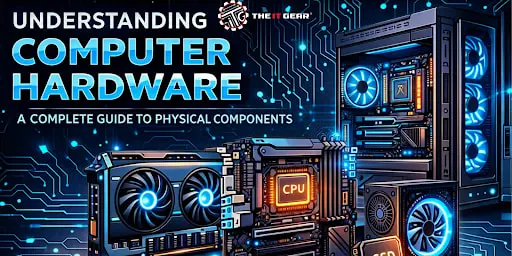
Get to know the basics of computer hardware, its types, and major components such as CPU, RAM, and GPU. A complete guide for students, gamers, and professionals.
When you think about a computer, the screen, keyboard, and the boxy tower are the first things that come to mind. These tangible items are exactly what computer hardware refers to – the physical parts you can see and touch. Unlike software, which exists as code and data, hardware gives a computer its physical structure and enables it to perform everything from basic calculations to high-end gaming.
Whether you're a student, a professional building a workstation, or a gamer chasing peak performance, knowing the ins and outs of computer hardware is essential. In this guide, we'll break down the core components, their functions, and where you can buy premium hardware online.
Computer hardware is the collection of physical components that make up a computer system. These are the parts you can physically hold, install, or replace – from the tiny circuits on a motherboard to the large casing of a monitor. Without hardware, software would have no platform to run on, and without software, hardware would be an inert collection of metal and plastic. Together, they form a functional computing experience.
The term "hardware" refers to the physical elements of a computer in contrast to "software", which is a set of programs and operating systems. Computer hardware consists of all the components inside the computer case (internal parts) plus the external ones.
You can visually identify a CPU, handle a RAM module, or disconnect a keyboard – such physicality is what defines hardware.
Every operation performed by a computer – be it opening a browser, editing a video, or gaming – hinges on the capabilities of its hardware. A slow CPU or lack of RAM will throttle the computer's speed, whereas a strong GPU can convert a regular PC into a gaming or design powerhouse.
Knowing about computer hardware is critical for making wise upgrades and buying decisions.
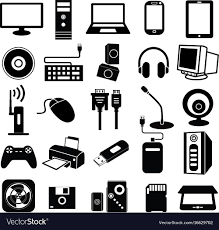
In line with the four functional categories broadly recognized in IT literature, computer hardware can be categorized by the function it performs in the computer cycle: input, processing, output, and storage.
Input Devices
Input devices are the means through which you communicate with your computer. The most typical ones are keyboard, mouse, touchscreen, scanner, microphone, and so on. These devices translate the gestures of a human or a physical medium into electronic signals that the computer can work with.
Simply put, if you have no input peripherals, you do not have a way to interact with the computer.
Processing Devices
The processing part is very much the mind of the computer – the Central Processing Unit (CPU), to be exact. The CPU carries out the tasks dictated by software, oversees the data flow between different parts of the computer, and conducts arithmetic and logical operations.
The Graphics Processing Unit (GPU) is also a part of processing duties these days since it serves parallel computing for graphics rendering and AI.
Output Devices
Output peripherals represent the processed information in a form that is understandable or communicable to humans. Examples include display screens, output printers, speakers, and headphones.
They convert the computer's digital data into materials interpretable by humans – images, sounds, or printed paper.
Storage Devices
Memory hardware stores data either permanently or temporarily. Primary memory entails RAM (volatile, high-speed memory used for the execution of programs) and cache, whereas secondary memory refers to hard disk drives (HDDs), solid-state drives (SSDs), and external USB drives.
While fast SSDs continue to gain popularity, HDDs are still widely used due to their low cost and high capacity.
These are the most critical internal components found in nearly every desktop or laptop. These seven parts work together to bring a computer to life.
The 8 Hardware Components Every PC Needs
Central Processing Unit (CPU) – The primary processor that interprets and executes most instructions. Clock speed (measured in GHz) and core count determine how fast the CPU can handle tasks. For gaming or video editing, a high-performance CPU is non-negotiable.
Random Access Memory (RAM) – Volatile memory that temporarily stores data for active programs. More RAM allows you to run multiple applications simultaneously without slowdowns. Typical modern systems use 8GB to 32GB of DDR4 or DDR5 RAM.
Motherboard – The main circuit board that connects the CPU, RAM, storage, and peripherals. It houses slots, ports, and chipsets that define what components your computer can support. Choosing a compatible motherboard is crucial when building a PC.
Computer Data Storage (HDD/SSD) – Persistent storage for your operating system, files, and applications. SSDs are much faster than HDDs, reducing boot times and load screens. Many users pair a small SSD for the OS with a large HDD for bulk storage.
Graphics Card (GPU) – Handles rendering of images, video, and 3D graphics. Integrated GPUs share system RAM, while dedicated graphics cards have their own memory (VRAM). For gaming, 3D design, or machine learning, a powerful GPU is essential.
Computer Case – The enclosure that holds and protects all internal components. Cases come in various sizes (ATX, micro-ATX, mini-ITX) and feature cooling fans, cable management, and drive bays. A well-ventilated case prevents overheating and extends component life
CPU cooler – A CPU cooler is a device that removes heat from the processor to keep it running safely and efficiently.
Air Coolers: Cost-effective, efficient cooling with fans and heatsinks.
Liquid Coolers: Liquid coolers are high-performance and less noisy.
Best Choice: Air to use on budget builds, liquid to use on high-end gaming setups.
The power supply (PSU) provides and regulates electricity to all components of your PC.
These Eight hardware pieces form the backbone of any desktop computer. Understanding them helps you troubleshoot issues and plan upgrades that directly improve performance.
Once you figure out which parts you'll need, the next step is locating a dependable supplier. Whether your plan is to invest in high-end PC hardware for a top-tier workstation or you're on a budget and want to buy computer hardware for a basic build, it's worth selecting a reputable retailer that guarantees genuine parts, warranties, and supportive service.
As for gamers, you can also buy premium computer hardware gaming PC components like RGB-lit RAM, high-clock CPUs, and powerful GPUs from an outfit that understands performance.
The IT Gear is your one-stop online shop for buying PC components with confidence. They stock an expertly curated selection of motherboards, CPUs, RAM, storage drives, graphics cards, and cooling solutions from the leading brands.
Besides that, The IT Gear offers skilled help, fast delivery, and good pricing – making it a breeze to put together your dream computer without the hassle of scouring multiple sites. If it's just a part upgrade or an entire gaming rig that you are building or upgrading, The IT Gear is the source from which you can have premium hardware delivered to your door.
Before you start purchasing or planning your build, use this checklist to ensure you don't miss the most important points:
Computer hardware is physical – You can see and touch every component, from the CPU to the keyboard.
Four functional types – Input, processing, output, and storage devices each play a unique role.
Seven core internal parts – CPU, RAM, motherboard, storage, GPU, sound card, and case are essential.
Performance depends on balance – A fast CPU needs enough RAM and a compatible motherboard; a gaming PC needs a strong GPU.
Upgradeability matters – Choose components that allow future expansions.
Computer hardware is the foundation of every digital experience, from everyday office work to immersive gaming. By understanding the different types of hardware – input, processing, output, and storage – and the seven essential internal components, you can make smarter purchasing and upgrade decisions.
When you're ready to buy, The IT Gear offers a seamless online store for all your computer hardware needs, including premium gaming PC parts and everyday components. Visit The IT Gear today to shop high-quality hardware and build a system that truly performs.
Q1: What are the 10 computer hardware components?
Typically, a list of ten hardware components will comprise:
CPU
CPU Cooler
RAM
Motherboard
HDD/SSD
Power Supply Unit (PSU)
Graphics Card
Computer Case
Monitor
Keyboard & Mouse
Often, the PSU makes it to the list of the core seven elements because it transforms AC power into DC power and supplies electricity to all the components.
Q2: What is the difference between hardware and software?
Hardware comprises physical and tangible components (for instance, CPU, monitor). Software is intangible – it involves programs, systems, and data that tell hardware what to do. They are dependent on each other for functioning.
Q3: Where can I find computer hardware notes, PDFs, or PPTs for study?
You can study from free notes, download PDFs, and analyze PowerPoint presentations offered by educational platforms like TutorialsPoint, GeeksforGeeks, and Study.com.
If you would like diagrams, glossaries, and step-by-step guides, search for “computer hardware basics” or “computer hardware fundamentals.”
Q4: What does a computer hardware diagram typically show?
A computer hardware diagram marks internal components such as the motherboard, CPU, RAM slots, storage bays, expansion slots, and external ports such as USB, HDMI, and audio jacks.
This is useful for beginners to recognize the components and see how they are interconnected inside a computer case.
Q5: Is a graphics card necessary if I don’t play games?
No, not really. Most tasks, such as surfing the web, watching videos, and typing documents can be managed by integrated graphics (which is either part of the CPU or the motherboard).
However, for video editing, 3D modeling, and any kind of visual processing that requires a lot of power, dedicated GPUs will be advantageous.





#No. 9, 5th Floor, Max City Center, T. P Lane, Sadar Patrappa Road, Bengaluru - 560002 (Karnataka)